
Video By Anthony Gugliotta Choosing Your First Professional Camera helps you decide whether a $500 camera can meet your goals and how much to save before stepping up to pro gear. You’ll get straightforward, friendly advice to cut through the noise and avoid common buyer’s remorse.
The piece compares what a $500 camera can realistically do versus higher-end options, highlights the must-have features and accessories that boost value, and offers buying strategies like choosing used gear or timing sales. You’ll also see specific model suggestions, quick tips for getting pro-looking results on a budget, and a note that some recommendations may include affiliate links.
Video context and core question
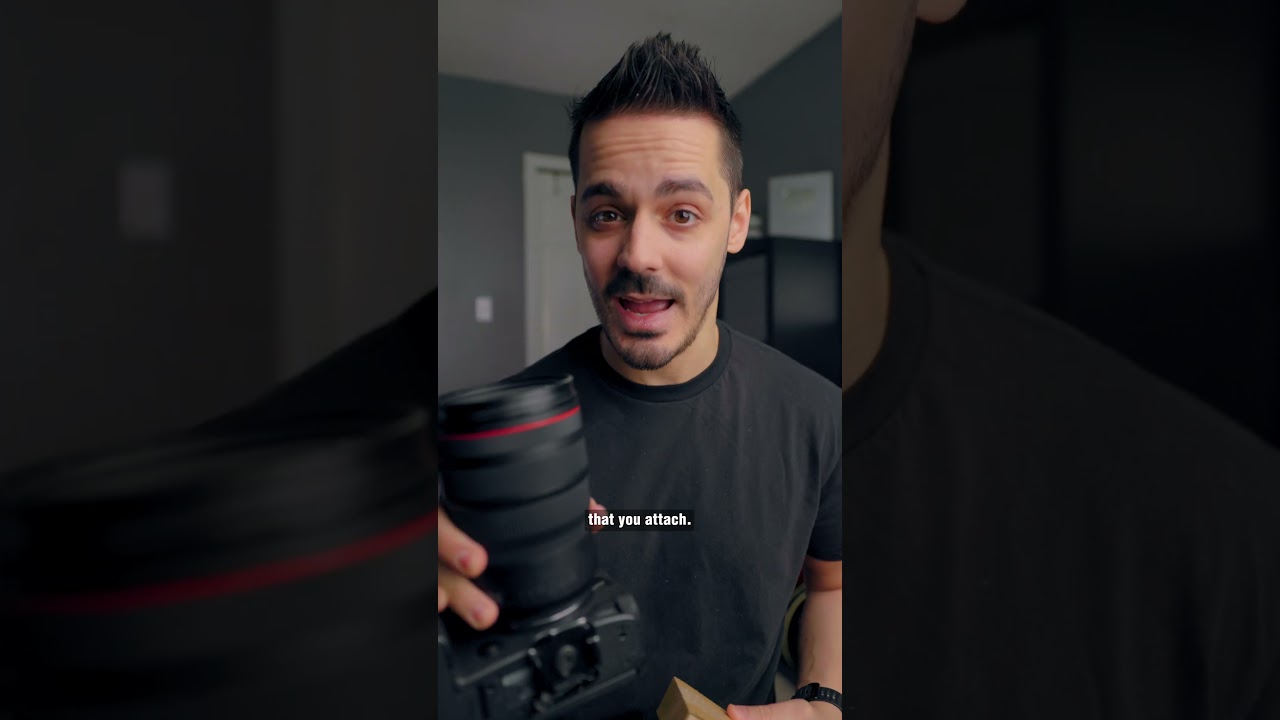
You’ve probably seen Anthony Gugliotta’s video asking, plainly and a little provocatively, whether a $500 camera can be your first professional tool, and that’s the kind of question that makes you sit up because it promises a neat answer when really there isn’t one. His perspective feels practical: he’s not selling a fantasy, he’s talking about what you can realistically do with limited money and where compromises will show. This article walks with you through that same question, translating what he says into a checklist you can use when you’re choosing gear for work you intend to be paid for.
Reference to Anthony Gugliotta’s video and perspective
Anthony’s framing is clear and familiar — he gives you examples, he shows footage, he talks about cost-effectiveness and real-world compromises, and he often points to accessories and workflow as things that matter more than the body alone. You should treat his video as a candid conversation with someone who’s filmed enough weddings, short films and social content to know where corners can be cut and where you can’t. Watch his video to get the visuals and examples, then come back here to map those ideas to your own projects.
Central question: Is a $500 camera worth it for your first professional setup
When you ask whether a $500 camera is worth it, what you’re really asking is whether you can deliver professional results with that price point. The honest answer is: sometimes. If your work depends primarily on storytelling, composition and sound, a $500 camera can be an entry point. If your clients expect glowing skin tones, low-light mastery, and cinema-level dynamic range, then no. It boils down to the gap between the result you need and what that camera can reasonably provide without you spending extra on lenses, audio, lighting and time.
What ‘professional’ means in different contexts (client work, filmmaking, content creation)
Professional doesn’t mean a single set of technical specs — it’s context dependent. For client work, professional often means reliability, consistent delivery, and acceptable image and audio quality for the medium being used. For filmmaking it can mean higher dynamic range, better autofocus control, and robust codecs; for content creation it sometimes means fast workflow, good autofocus for solo creators, and pleasing color straight out of camera. You should define what professionalism means for your niche before you shop, because the same camera can be professional in one context and inadequate in another.
How to use this article alongside the video and linked recommendations
Use this article as a companion guide: watch Anthony’s video for his footage examples and personality, then read these sections to align his recommendations with your aims, budget and workflow. When he mentions a camera or accessory, think about the ecosystem notes here — lenses, audio, stabilization — and imagine the total cost. The two resources together give you both the feel of real-world use and the checklist you’ll need when you compare models and prices.
Defining your goals and target use cases
You need to be deliberate about what you want to do with your camera before you buy. If you try to chase every possibility, you’ll end up with gear that’s okay at a lot of things and exceptional at none, which is not how you build a professional reputation.
Identify primary use: video, photography, hybrid content, streaming
Decide whether your focus is primarily video, primarily stills, a hybrid of both, or streaming live. Each path nudges you toward different features: streaming pushes you toward long battery life, clean HDMI output or webcam modes; photography emphasizes autofocus for stills and RAW capability; hybrid work needs a balance of codecs and sensor performance. Knowing this will keep you from buying a body that’s brilliant at stills but frustrating for the video you actually sell.
Project types: weddings, corporate videos, YouTube, short films, social clips
Think about the kinds of jobs you’ll accept. Weddings and corporate events demand reliability and decent audio capture; YouTube favors easy autofocus, quick turnaround codecs and flattering JPEGs for thumbnails; short films may require higher bitrates, log profiles and lens choice. Social clips can be more forgiving but often require versatility and speed. Match your camera choice to the projects you want to win.
Delivery formats and platforms that influence camera needs
Where your work ends up matters: Instagram and TikTok tolerate lower resolution and heavy compression, but broadcast, festival circuits, and some corporate clients expect 4K or better with controlled color and audio. The platform will dictate whether you need higher resolution, particular aspect ratios, or specific codecs and bitrates. Plan for the platform with the strictest requirements among your target clients.
Skill level and learning curve considerations
Be honest about your experience. A more complex camera with log profiles and advanced menus will reward you if you’re willing to learn, but it won’t do the work for you. If you’re just starting, prioritize systems with helpful auto modes, reliable autofocus, and a gentle learning curve so you can focus more on composition and storytelling than on fiddling with menus during a client job.
This image is property of i.ytimg.com.
Budget framing: how much should you save
You can obsess over whether the camera body is “good enough” but what matters is the total system cost. Count lenses, mics, lights and storage as part of the price of being professional — the body is just the beginning.
Understanding total system cost versus body-only price
A camera body might be $500, but once you add a decent lens, microphone, tripod, memory cards and a basic light, you’re much closer to a real professional kit. Always calculate the total purchase price for the kit you need to deliver the work you want to deliver, not just the body. This helps you avoid surprises and sets realistic expectations for your first professional hire or project.
Realistic price bands: entry ($300–$700), mid ($700–$1500), pro ($1500+)
Think in bands: entry-level systems (roughly $300–$700) will get you a usable body and a basic lens; mid-range ($700–$1500) will offer better sensors, stronger autofocus, and room for one good lens plus audio; pro ($1500+) usually opens up full-frame options, faster glass and richer codecs. These bands aren’t strict but they help you prioritize where to place your savings.
When a $500 camera makes sense and when to aim higher
A $500 camera makes sense if you’re doing social content, low-stakes client work, or learning fundamentals while focusing investment on audio and lenses. Aim higher if you need reliable low-light performance, cinematic dynamic range, professional codecs, or if you plan to specialize in weddings, narrative film or broadcast. If you expect clients to judge you by image quality, saving a bit longer is usually the right move.
Allocation: camera body, lenses, audio, stabilization, lighting, storage
Budget wise, distribute your money sensibly: spend more on lenses and audio than on the body if you can, allocate enough for stabilization and at least one basic light, and don’t skimp on fast, reliable memory cards and backups. A rough rule: body 30–40%, lens 30–40%, audio 10–15%, stabilization/lighting 10–15%, storage & extras the rest. This keeps your system balanced so you’re not held back by a weak link.
Camera categories and how they affect choice
The category of camera you choose influences your workflow and future upgrades. Pick something that aligns with how you work and what you will realistically carry.
Mirrorless vs DSLR: pros and cons for first pro camera
Mirrorless cameras tend to be lighter, offer better video features and electronic viewfinders with real-time exposure previews; DSLRs often have longer battery life and a more traditional ergonomics for stills. For most first-time professionals, mirrorless is the safer bet because of autofocus and video capabilities, but if you already own lenses for a DSLR, that ecosystem might make it wiser to stick with it.
Compact and bridge cameras: when they are a viable option
Compacts and bridge cameras can be great for travel, social content, and run-and-gun documentary pieces where size and zoom range matter more than shallow depth of field or low-light performance. They’re less future-proof, though, because lenses aren’t interchangeable, so use them as a tool for specific jobs rather than as the core of a growing professional system.
Cinema cameras and dedicated video bodies: benefits and tradeoffs
Cinema cameras offer superior codecs, dynamic range and audio interfaces, but they’re expensive and often overkill for many client projects. If you’re intent on narrative or commercial filmmaking, they’re worth considering, but for most first professional setups, a mirrorless hybrid with good lenses gives you the most value per dollar.
Action cameras and smartphones: complementary tools, not always replacements
Action cams and smartphones are indispensable for certain shots — POVs, timelapses, quick social posts — and their convenience makes them valuable companions. Don’t mistake them for replacements for a primary camera in client work, though; they complement but seldom meet the full needs of professional deliverables.
Key technical features to prioritize
When you’re comparing bodies, focus on the features that will actually affect how quickly and reliably you can deliver the look you want — not just headline megapixels.
Sensor size and type: crop sensor vs full frame implications
Sensor size affects depth of field, low-light performance and lens choices. Crop sensors are cheaper, give more reach with lenses and are often lighter, while full frame gives shallower depth of field and better low-light headroom. Choose based on the aesthetic you want and the lenses you can afford; crop can be perfectly professional and sometimes more practical for tight budgets.
Video resolution and frame rates: 1080p, 4K, and higher
4K is increasingly standard and gives you flexibility for framing and future-proofing, but 1080p can still be fine for many platforms and saves storage and processing time. Higher frame rates are useful for slow motion — prioritize cameras that do clean 4K and have the frame rates you’ll actually use rather than chasing specs you won’t need.
Low-light performance and ISO handling
If you’ll shoot events, weddings or run-and-gun documentary work, low-light performance matters a lot. Look for cameras with clean high-ISO performance and consider fast lenses as part of the low-light plan. A body that struggles at ISO 1600 will force you to light more or accept noisy footage.
Autofocus system reliability and face/eye detection
A reliable autofocus with face and eye detection can save time and let you work solo. If you film talking-heads or live events, this is not optional — it drastically improves your success rate. Test autofocus in real conditions; marketing copy often exaggerates performance.
Image stabilization options: in-body vs lens vs electronic
Stabilization affects how smooth your footage looks handheld. In-body stabilization (IBIS) helps with many lenses and is very useful for run-and-gun work; lens stabilization can be stronger for long lenses; electronic stabilization reduces field of view and can introduce artifacts. If you can’t afford a gimbal early on, prioritize a body with decent IBIS.
Dynamic range, color profiles, log recording and RAW photo capability
Dynamic range and color profiles give you room in post to recover highlights and shadows and craft a look. Log recording is useful if you plan to grade footage; RAW photos preserve detail for stills. If you’re starting, a camera with good baked-in color can speed workflows, but choose a system that allows you to grow into log and RAW as your skills develop.
Lenses and the importance of the ecosystem
Lenses are the long-term investment. A good lens will outlast several bodies and will often improve your image more than upgrading the camera.
Why lenses matter more than camera bodies for long-term quality
Lenses shape how your images look — sharpness, bokeh, flare and perspective are all lens properties. Bodies get replaced; glass is forever. If you invest in a quality lens now, your images will improve and you’ll have a foundation for future body upgrades.
Kit lenses vs primes vs zooms: tradeoffs in versatility and image quality
Kit zooms are versatile and often fine for many jobs; primes usually give better optical quality, faster apertures and more character. Versatile zooms cover many situations and are practical for events; primes force you to think about composition and can lift your work aesthetically. Your choice should reflect how you work and what you can carry.
Mount compatibility and adapter options for future upgrades
Pick a mount with a healthy ecosystem so you can add lenses over time. If you change systems, adapters can sometimes bridge the gap but can introduce limitations. Think about future lens purchases and whether your chosen mount will offer the glass you want later.
Typical focal lengths for different genres (portraits, interviews, landscapes)
Have staple focal lengths in mind: for portraits and interviews, 50mm to 85mm (full-frame equivalent) is classic; for landscapes and architecture, 16–35mm helps; for events and run-and-gun you’ll want a versatile 24–70mm or 24–105mm equivalent. Pick one good lens that covers the majority of your work and add specialty glass as you grow.
Budgeting for at least one good prime or versatile zoom
If you can only buy one lens, prioritize a good prime (like a 35mm or 50mm equivalent) for low-light and pleasing depth of field, or a versatile zoom for events. That single lens decision will define your look and your capability more than the body you choose.
Audio and media considerations
Your images might be pretty, but poor audio will make your work feel amateur. Treat sound as a first-class requirement.
Microphone inputs, headphone monitoring and audio quality needs
Ensure the camera has a microphone input and headphone jack if you’re doing client video, because monitoring live sound saves disasters. On-camera mics are convenient but rarely sufficient. For interviews and weddings, prioritize XLR or at least reliable 3.5mm input and headphone monitoring.
On-camera vs external recorders: workflows and latency
On-camera recording is convenient and keeps things simple, but external recorders often offer better preamps, formats and control. If you use an external recorder, plan for sync workflows or use cameras that offer clean timecode or HDMI pass-through to avoid headaches. Consider latency and how it affects live work and monitoring.
Recording formats, bitrates and codec options for video
Higher bitrates and less-compressed codecs give you more flexibility in post but demand storage and processing power. Decide the level of quality you need and whether your editing machine can handle it. For client delivery, a balanced codec with room to grade is usually best.
Media cards: types, speed class, and capacity planning
Buy media cards rated for the highest bitrate your camera can record, and use multiple smaller cards rather than one giant one to reduce risk. Be mindful of UHS speed classes and V-ratings for video. Always plan capacity for extended shoots — running out of card is an avoidable disaster.
Backup and data management strategies for shoots
Have a backup strategy: offload footage to at least two locations as soon as possible, use checksum-verified transfers if you can, and keep an organized folder structure. For paid work, losing footage is catastrophic; invest time and a little money in reliable backups.
Ergonomics, build quality and real-world usability
How the camera feels in your hands, how long it runs and how it handles in the field will influence how much you enjoy working and how reliable you are on set.
Weight, size and handheld comfort for long shoots
If you’re shooting long days, weight matters. A lighter camera is easier to handhold and less fatiguing, but sometimes heavier bodies offer better balance with longer lenses. Think about the typical day you’ll have and choose for comfort and end-of-day ergonomics.
Battery life and spare battery planning
Never underestimate battery life. Even with efficient bodies, you’ll need spares, especially if you also use Wi‑Fi, 4K or an electronic viewfinder. Plan for at least two spares and a charger for long shoots, and consider a power bank if your camera supports USB charging.
Button layout, touchscreen usability and customizable controls
Buttons, dials and customizable controls can speed your workflow and reduce menu diving. A touchscreen is useful for quick focus and menu navigation. Test the layout if you can — what feels intuitive to one person can be maddening to another.
Weather sealing and ruggedness for outdoor work
If you’ll work outdoors often, weather sealing becomes important. It’s not just about rain; it’s about grit on beaches, dust at festivals, and the occasional spill. A bit of ruggedness protects your investment and saves shoots from being canceled.
Heat management and recording time limits
Some bodies overheat under prolonged 4K recording and enforce recording limits. If you’ll record long interviews or wedding speeches, make sure your camera can handle continuous recording or plan to work around limits with swapping or external recorders.
Essential accessories for a first professional kit
Accessories transform a camera into a tool that can do real jobs. Prioritize the items that will most frequently prevent problems on set.
Tripod options and why a stable base matters
A good tripod is indispensable — it stabilizes interviews, makes product shots consistent, and saves you physical strain. You don’t need the most expensive tripod but invest in one that’s sturdy and easy to set up and adjust.
Stabilization gear: gimbals, sliders and shoulder rigs
Gimbals smooth handheld movement and make a single shooter’s footage look polished; sliders add cinematic motion for product and interview B-roll; shoulder rigs help balance heavier setups. Choose based on style and the kinds of shots you’ll actually use, not aspirational cinematography.
Lighting basics: LED panels, softboxes and modifiers
Good lighting converts an average camera into a great production tool. LED panels for portability, softboxes for controlled soft light, and modifiers like grids and diffusers will allow you to shape light and keep a consistent look across shoots.
Audio essentials: shotgun mics, lavaliers and wind protection
A shotgun mic and lavaliers should be early purchases if you plan to do interviews. Wind protection (dead cats) is essential outdoors. Audio is half of the viewer’s experience; a cheap camera and good sound will often feel more professional than the reverse.
Filters, extra batteries, memory cards and protective gear
Neutral density filters are vital for controlling exposure outdoors while maintaining cinematic shutter speeds; UV and polarizers have their uses. Carry multiple batteries, several high-quality cards, and protective gear — a small investment that prevents ruined days.
Carrying solutions: camera bags and cases
A comfortable, organized bag reduces stress and increases efficiency. You should be able to get to your main lens, microphone and battery quickly. Protective cases for travel and storage keep your kit safe and professional.
Conclusion
You have to make a decision that fits your goals, your wallet and how you want to work. There is no single right camera for everyone, but there are clear priorities that will let you build something that’s both professional and sustainable.
Summarize the balance between budget, features and long-term value
Balance your choices: invest in lenses and audio, buy a body that does the job without being the costliest part of your system, and recognize that spending slightly more now on glass or sound can save you money and reputation later. Long-term value comes from a coherent ecosystem, not headline specs.
Key decision points: prioritize lenses, audio and workflow over body specs alone
Prioritise the elements that directly affect your deliverables. A good lens and clear audio will elevate your work faster than a slightly newer body. Also prioritize a workflow you can manage — reliable transfer and backup, consistent editing settings, and a predictable delivery process.
If on a strict $500 budget, know the limitations and focus on learning and accessories
If you’re constrained to about $500, you can make a professional start: accept the limitations, invest in at least one decent lens or audio solution, and use lighting and composition to compensate. Use this period to learn, build a portfolio and figure out what you actually need before upgrading.
When to wait and save versus when to buy now and grow into the system
Wait and save if the camera you can afford will hold you back from getting jobs you want; buy now and grow if you can assemble a usable kit that lets you make real work and attract clients. If immediate work is available with a modest setup, the experience and revenue you gain can justify buying sooner.
Next steps: watch Anthony Gugliotta’s video, test gear, and build a simple starter kit
After you finish here, watch Anthony’s video for the practical demonstrations he offers, test a couple of cameras in person if you can, and assemble a starter kit that covers camera, one reliable lens, audio and a basic light. Start small, learn fast, and let your first paid jobs guide your next investment choices.