
Getting started with your first digital camera doesn’t have to be overwhelming; “The BEST Digital Camera Settings!” by Jaden Coyer walks you through the essential tweaks that will instantly improve your photos. You’ll feel more confident behind the lens after applying these simple adjustments.
The video outlines clear, beginner-friendly steps so you know which settings to set before shooting, why you should avoid Auto white balance and experiment with other color balance options, and why the final tip about aperture is the most important for controlling exposure and depth of field.
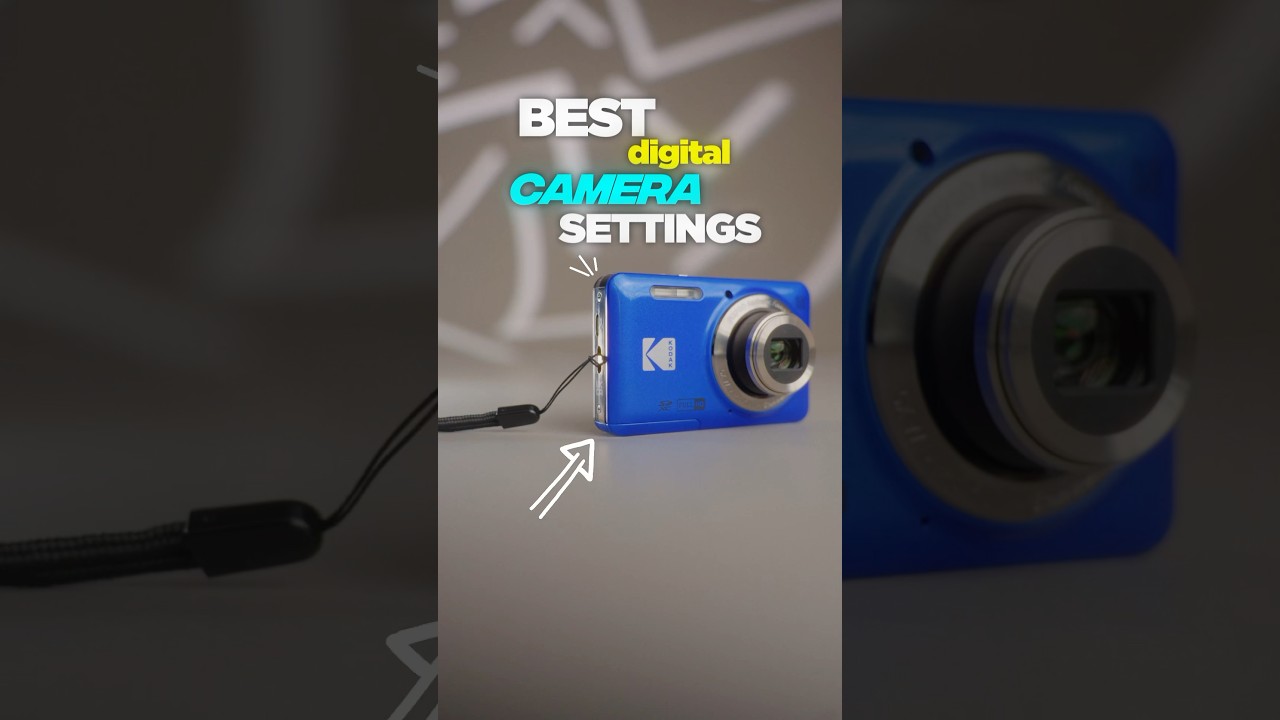
This image is property of i.ytimg.com.
Essential Exposure Settings
You start with the exposure triangle because it’s the foundation, and because when you understand it the camera stops feeling like a stranger you’re trying to please and starts feeling like a tool that will do what you want. Think of these settings as a conversation where aperture, shutter speed and ISO each have something to say about the final image.
Understand the exposure triangle: aperture, shutter speed, ISO
Aperture controls how much light passes through the lens, shutter speed controls how long it passes, and ISO controls how sensitively your sensor responds to that light; together they decide exposure. You learn to move one and compensate with another, and very quickly you’ll understand why a certain combination makes a portrait feel intimate while another leaves the scene clinical or flat.
Set priorities depending on subject: motion, depth, or low light
Decide what matters most before you start: freeze or blur motion, shallow or wide depth of field, or minimizing noise in low light. You’ll favor shutter speed for motion, aperture for depth, and ISO for brightness; once you choose a priority, the rest of the triangle becomes the supporting cast, bending to the needs of the main actor.
Use exposure compensation to fine-tune automatic modes
When you use semi-automatic modes (A/Av or S/Tv), use exposure compensation to nudge the camera toward your intent. If the scene is bright and the camera underexposes, dial in positive compensation; if there’s a lot of snow or backlight and highlights are being crushed, push it the other way. Exposure compensation is a small control with a big influence on consistency.
Enable histogram and highlight warnings to evaluate exposure
Turn on your histogram and highlight warnings (blinkies) so you can judge exposure beyond the preview on the LCD, which deceives you in different light. The histogram gives you a readout of tonal distribution and the warnings show blown highlights; together they prevent surprises and let you correct on the spot.
Understanding Aperture (Most Important)
You were told in that video that aperture is the most important tip, and there’s a reason it sticks: aperture shapes the aesthetic in ways shutter and ISO don’t. It’s the lever that moves depth, light and the character of the image in one gesture.
What aperture numbers mean: f-stops and light transmission
F-stops are fractions: f/2 is a larger opening than f/8, let in more light, and are represented by numbers that can feel backwards until you get used to them. Each full stop doubles or halves the light; f/4 lets half the light of f/2.8 and twice that of f/5.6, so you learn to think in stops rather than numbers.
Control of depth of field: shallow background blur versus wide focus
A wide aperture (small f-number) gives you a shallow depth of field, isolating a subject and making backgrounds melt into color and shape, which is why portraits often live at f/1.4–f/2.8. Narrow apertures (large f-number) increase depth of field so everything from foreground to horizon is sharp, which is what you want in landscapes or group shots.
Creative uses: portraits, landscapes, macros and selective focus
Use aperture creatively: for a portrait keep the eyes sharp and the background soft; on a landscape stop down to keep foreground details crisp; in macro work, manage aperture to render the plane of focus where you want it. You’ll discover small changes in aperture can shift the mood from intimate to documentary to painterly.
How aperture affects sharpness and lens sweet spots
Lenses aren’t equally sharp at every aperture; they often perform best two to three stops down from wide open—this is the “sweet spot.” At extremes you’ll see diffraction or softness wide open, so test your lenses and note where they feel most precise for the kind of image you want.
Practical recommendations: apertures to start with for common scenes
Start with a few go-to values: portraits f/1.8–f/2.8 for subject separation, group portraits f/4–f/8, landscapes f/8–f/16 for broad focus, macros f/5.6–f/16 depending on distance, and street shots f/5.6–f/8 for a pragmatic balance. Use these as starting points and adapt as you see what your lens and sensor do.
Mastering Shutter Speed
Shutter speed is the dimension of time in your picture, and you can either arrest action in a frozen instant or show motion as a smear that communicates energy. You’ll choose it like you choose words: to describe movement or to quiet it.
Freeze motion versus intentional blur: choosing the right speed
For stopping action—sports, birds, a cyclist—use fast speeds like 1/500s to 1/2000s depending on how furious the motion is. For intentional blur—waterfalls, car lights—slower speeds like 1/4s to several seconds reveal movement as a deliberate visual element. Decide whether you want the world arrested or flowing before you pick the speed.
Reciprocal rule for handholding to avoid camera shake
A useful rule of thumb is the reciprocal rule: use a shutter speed at least as fast as 1 divided by the focal length (or account for crop factor), so with a 50mm lens you aim for 1/50s or faster. It’s not absolute—image stabilization and steadier hands allow slower speeds—but it’s a guardrail when you don’t want blur from shake.
Panning technique and matching shutter speed to subject motion
When you want a moving subject sharp against a blurred background, pan with the subject and use shutter speeds in the ballpark of 1/30s to 1/125s depending on speed. Keep your movement smooth, track the subject through the frame, and press the shutter while following through—this single technique makes action feel cinematic.
Long exposures: settings for night, light trails and smoothing water
Long exposures open a different visual grammar: light trails, silky water, star trails. Use a tripod, low ISO, and small apertures or ND filters to control brightness, and experiment with exposures from a few seconds to minutes. For smoothing water, try 0.5–2 seconds at moderate daylight; for car trails, 5–30 seconds; for night sky you’ll need very long exposures and possibly star-tracking equipment.
Using shutter priority and manual modes for motion control
Use Shutter Priority when motion is the primary concern so the camera adjusts aperture for you, and switch to Manual when lighting is stable and you want full control. You’ll find switching modes is less about rules and more about what feels like the fastest path to the image you imagined.
ISO and Noise Control
ISO is often the least understood and the most abused; you want it low because noise degrades detail and color. But sometimes raising ISO is the honest solution to get the shot, and you’ll learn when to accept a little grain as part of the picture’s texture.
Base ISO and why you should stay low when possible
Your camera’s base ISO—often 100 or 200—is where dynamic range and detail are greatest, and where noise is minimal. Staying at base ISO is ideal whenever light and shutter speed allow, because it preserves highlight detail and keeps colors clean.
When to raise ISO: balancing exposure triangle needs
Raise ISO when you need faster shutter speeds or smaller apertures and there’s no choice for more light. The goal is balance: increase ISO just enough to achieve the shutter speed and aperture that serve your vision, but not so much that noise overwhelms the image’s clarity.
ISO invariance and practical noise-management tips
Some modern sensors are ISO-invariant, meaning you can underexpose and lift in post without much penalty; others aren’t, so test your camera to know which you have. In practical terms, expose to protect highlights, use the lowest ISO you can for the exposure you need, and prefer correct exposure over aggressive underexposure and recovery.
Noise reduction in-camera versus in post-processing
In-camera noise reduction can be useful for JPEGs and long exposures, but it can also smear fine detail. If you shoot RAW, you’ll usually achieve better control using dedicated noise-reduction software in post, where you can apply selective and more nuanced adjustments.
Recommended ISO ranges for different camera classes
As a general guide: entry-level cameras perform acceptably up to ISO 800–1600, mid-range bodies to 3200–6400, and high-end full-frame cameras can go to 12,800 or higher with usable results. Use these ranges as starting points and learn the noise character of your own camera through tests.
White Balance and Color Management
Color is how a photo feels, and white balance sets that feeling. If you want consistency and intention, avoid leaving it to chance: auto white balance is convenient but often inconsistent across a shoot.
Why avoid Auto White Balance for consistent color
Auto White Balance shifts from frame to frame as the scene’s light changes, so when you’re trying to make a body of work feel unified, it becomes a problem. Turning off Auto White Balance gives you control and predictability; you won’t be chasing different casts later.
Use presets (Daylight, Cloudy, Tungsten) as starting points
Presets like Daylight, Cloudy and Tungsten are practical starting points that approximate common light temperatures. Pick one that matches the scene and fine-tune from there—presets speed things up and keep you out of the trial-and-error loop on set.
Set custom Kelvin values for precise color temperature control
If you need precision, set Kelvin values directly—lower numbers (2500–3500K) for warm tungsten light, higher numbers (6000–8000K) for cool shade. Choosing a Kelvin value forces you to think about the color temperature you want, which is more useful than letting the camera guess.
Use custom white balance or a grey card for accurate results
For the most reliable results, use a grey card or a calibrated white reference and set a custom white balance. This is especially valuable in mixed or tricky lighting, and it saves you time in post because the baseline color will already be true.
Experiment with tint and white balance in RAW processing
RAW files give you latitude to experiment with tint and white balance after the fact, so try different looks in post to see what enhances mood. But don’t use that as an excuse to skip getting it roughly right in-camera—starting from a consistent base makes your edits more honest and efficient.
Metering and Exposure Compensation
How your camera meters a scene changes how it exposes it, and different metering modes are tools for different lighting dramas. When the light gets complicated, you use metering like a translator between what you see and what the sensor records.
Metering modes explained: evaluative/matrix, center-weighted, spot
Evaluative or matrix metering samples the whole scene and is good for general use, center-weighted biases toward the center and is helpful for portraits, and spot metering measures a tiny area and is indispensable for high-contrast scenes or when the subject occupies just a small part of the frame.
When to use spot metering for high-contrast scenes
Use spot metering when the subject is lit very differently from the background—say, a face in shadow against a bright window—so you expose for the subject’s tonal values rather than the average of the scene. It gives you control when the camera’s general readout would otherwise be misled.
How exposure compensation interacts with semi-automatic modes
When you’re in Aperture or Shutter Priority, exposure compensation tells the camera to bias its automatic choices. Think of it as a gentle push; it doesn’t override your mode but refines the camera’s decision-making to align with what you’re trying to achieve.
Bracketing exposures to protect highlights and shadows
When the dynamic range is too wide to capture in one frame, bracket exposures—take several shots at different EV values—to ensure you have a correctly exposed version of the highlights and the shadows. This is a safeguard for scenes where one exposure can’t hold everything you care about.
Combine metering choices with histogram checks for best results
Use the metering mode that suits the subject and then verify with the histogram; metering tells the camera how to expose, but the histogram tells you what actually happened. Together they help you avoid clipped highlights or crushed shadows and get the image you intended.
Focus and Autofocus Settings
Focus is where technical decision meets intention. Choosing the right autofocus mode and area is less about acronyms than about anticipating movement and where you want your viewer’s eyes to land.
Choose AF-S/One-Shot for still subjects and AF-C/Continuous for moving subjects
Use AF-S (One-Shot) for static subjects so the camera locks focus and waits for your shutter; use AF-C (Continuous) for moving subjects so it continuously updates focus as the subject moves. Picking one or the other makes a huge difference in the number of keeper shots you get.
Select the right AF area mode: single point, zone, wide/track
Single-point AF is for precision, zone AF covers a cluster of points for subjects that move within a region, and wide/track modes use the whole frame to follow unpredictable subjects. Match the AF area mode to how your subject behaves in the frame rather than to habit.
Back-button focus benefits and how to configure it
Back-button focus decouples focusing from the shutter release, so you can track with continuous AF and then recompose without refocusing every time you press the shutter. Set it up once and you’ll find it turns framing and timing into separate, more manageable tasks.
Face and eye-detection autofocus: when it helps and when to override
Face and eye detection is brilliant for portraits and run-and-gun situations, but it can be fooled by masks, hands, or strong side light. Know when to trust it and when to switch to single-point for deliberate control, especially when you want focus on a cheek or a profile rather than the nearest eye the camera detects.
Fine-tune AF tracking settings for fast action and erratic subjects
Many cameras let you tweak tracking sensitivity and acceleration: make the AF responsive but not jittery for stable subjects, and more aggressive for unpredictable motion. Spend time with these settings and you’ll stop chasing focus and start anticipating it.
Shooting Modes and Custom Presets
Modes are shorthand for what you prioritize; presets are time-savers. Learn the modes so you can switch fluidly, and create custom presets so the camera feels like a familiar assistant rather than a stranger.
Use Aperture Priority for depth control and Shutter Priority for motion
Aperture Priority is the everyday mode when depth of field matters and lighting varies; Shutter Priority is for when motion control is non-negotiable. Both let you focus on what matters while the camera fills in the rest.
Switch to Manual when lighting and exposure are constant
Manual mode is liberating when the light is consistent and you want full control over every exposure decision. It’s slower at first, but once you learn it, manual becomes a way to lock in a mood across a series without the camera changing its mind.
Set and save custom user modes for repeatable workflows
Most cameras let you save user modes—configurations for specific situations like studio, landscape or sports. Save the settings you use often and you’ll skip a bunch of fiddling and get straight into making pictures.
Use scene modes sparingly; prefer manual control to learn
Scene modes are helpful in a pinch, but they don’t teach you much. Use them sparingly and prefer the manual or semi-manual modes if you want to learn how aperture, shutter and ISO work together.
Quick settings tips for switching between stills and video
When you jump between stills and video, predefine a couple of presets: video-friendly ISOs, a suitable frame rate and shutter speed, and a reliable autofocus mode. Switching these quickly keeps you from missing moments and reduces the friction of changing formats.
RAW vs JPEG and File Formats
File format choices affect everything downstream—dynamic range, white balance flexibility and how much editing you can do without artifacting. RAW gives you options; JPEG gives you speed. Decide what your priorities are for each shoot.
Advantages of RAW: more latitude for exposure, white balance and color
RAW retains sensor data, giving you much more headroom to recover highlights, adjust white balance and pull detail from shadows. If you care about control in post and want the highest image quality, RAW is the logical choice.
When JPEG is acceptable: speed, space, or immediate sharing
Shoot JPEG when you need small files, immediate sharing, or when you’re working under constraints and don’t expect to do heavy editing. For quick social posts or when storage is limited, JPEG is practical and efficient.
Consider bit depth and proprietary RAW variants (RAW, RAW+, C-RAW)
RAW files vary in bit depth and compression: full RAW offers maximum detail, compressed variants (like C-RAW) save space with minimal quality loss, and RAW+ stores both RAW and JPEG for instant use plus editing flexibility. Know what your camera offers and choose based on your needs.
Enable short-side or long-side RAW+JPEG workflows if needed
If you want immediate JPEGs for sharing but also RAW for editing, enable RAW+JPEG and choose whether the JPEG is optimized for short-side or long-side priority depending on your output needs. It’s a convenient compromise between speed and quality.
Storage implications and recommended card formats and speeds
High-resolution RAWs and burst shooting demand fast cards—UHS-II, CFexpress or other high-speed formats depending on your camera. Invest in reliable, appropriately fast media and a workflow to offload and back up files promptly.
Conclusion
You want control more than convenience because control gives you consistency, and consistency lets your work accumulate meaning. Start with aperture as your priority, balance shutter and ISO to match, and build systems that make creative choices repeatable and honest.
Prioritize aperture, then balance shutter speed and ISO for exposure
Make aperture your primary aesthetic decision, then choose shutter and ISO to support it. This sequence simplifies choices and aligns technical settings with visual intent.
Avoid relying on Auto White Balance; experiment with presets and custom kelvin
Turn off Auto White Balance if you want coherent color across a series and experiment with presets and Kelvin values to find the skin tones and moods that feel right to you.
Shoot RAW when possible to preserve color and exposure flexibility
Whenever you can, shoot RAW so you have the greatest latitude for correcting exposure and color in post; it gives you the freedom to refine rather than rescue.
Use the right autofocus, stabilization and lens for your subject and style
Match AF mode, stabilization and lens to the subject: fast lenses for shallow portraits, stabilized lenses or bodies for handheld low light, and appropriate AF settings for motion. The right tools make the choices easier.
Practice the settings recommended here and create custom presets to speed your workflow
Practice regularly, save custom presets for repeat situations, and keep testing so those technical decisions become second nature; then you’ll spend less time worrying about settings and more time saying what you mean with your images.