
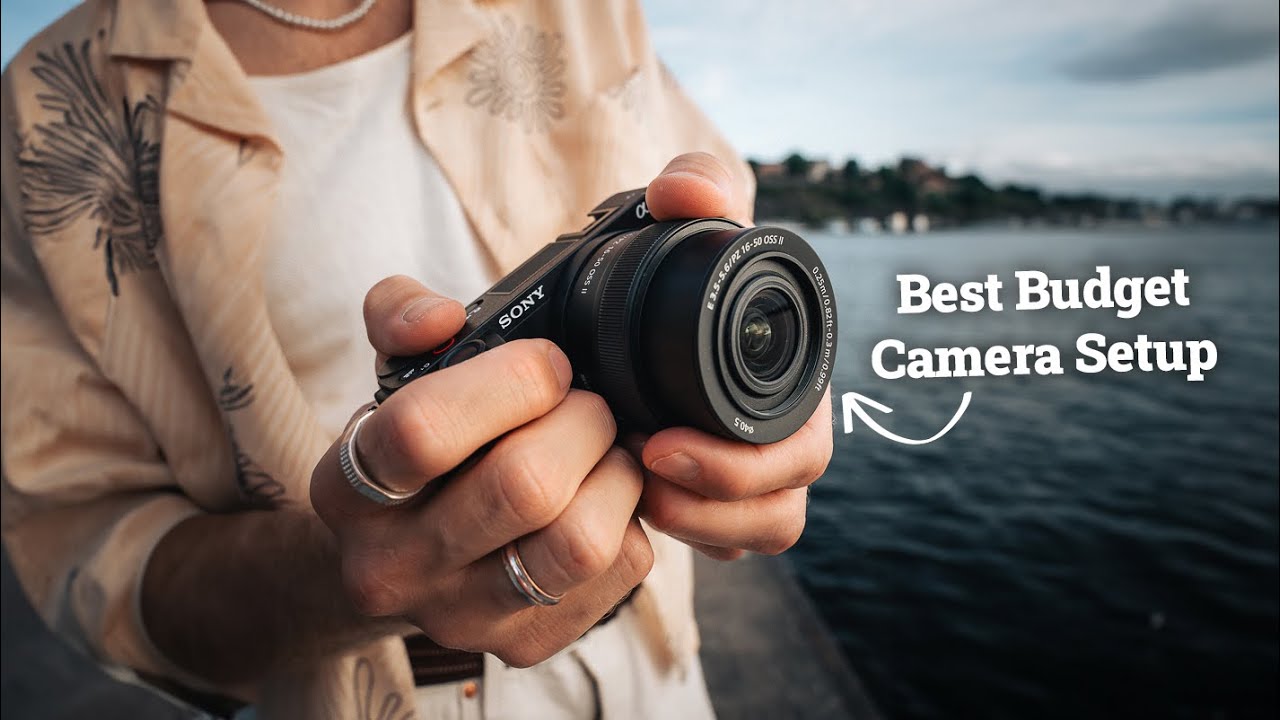
If you’re starting photography on a budget in 2025, this guide and a video by THAT ICELANDIC GUY show practical purchases that help you get great results without overspending. The tone is friendly and straightforward so you can make confident choices fast.
You’ll get 30 days of free photography tips to quickly improve your composition, presets and LUTs to speed up editing, a full gear list, and clear steps to develop your skills, grow your income, and expand your audience with like-minded photographers.
Choosing Your First Camera in 2025
You’re at the point where gear choices feel like decisions about identity: what you want to make, how you want to carry yourself, which compromises you’re willing to live with. In 2025 the field is wide, sensible, and forgiving — you can make meaningful work with almost anything. The trick is matching what you want to do to what the camera actually gives you, and being honest about how weight, lenses, and upgrade paths fit into your life.
How to decide between smartphone, compact, mirrorless APS-C, and entry-level full-frame on a budget
Start with what you already do. If you take most of your photos for social media, quick travel diaries, or casual family snaps, a modern smartphone will cover most needs and teach you composition and light without extra bags. If you want more control, better low-light, and the possibility of interchangeable lenses, a compact or mirrorless APS-C body is the logical step: lighter, cheaper lenses, and still very capable video. Entry-level full-frame gives you shallower depth of field and better high-ISO performance, but it costs more and forces you to invest in lenses to feel the difference. Decide by answering: how portable must it be? Do you want to grow into lenses? Are you prioritizing video or stills? Your answers will narrow the sensible options.
Key specs that matter for beginners: sensor size, autofocus, IBIS, video capabilities, and battery life
Sensor size matters, but it’s not everything. Larger sensors generally give cleaner images and shallower depth of field, but modern APS-C sensors and smaller full-frame sensors perform well up to reasonably high ISOs. Autofocus is crucial — look for cameras with reliable face/eye detection and subject tracking for everyday success. IBIS (in-body image stabilization) will save you from blurry shots and let slower shutter speeds be usable; for video it’s a big plus. Video capabilities are worth checking if you intend to make clips — 4K at useful crop/bitrate is common now. Battery life is easy to overlook; if you shoot all day, you’ll want spare batteries rather than a tiny body with crummy endurance.
Why mirrorless is the best long-term value in 2025 and where to compromise
Mirrorless is the platform that manufacturers are investing in, so lenses and firmware improvements land there first. Choosing mirrorless means better autofocus systems, smaller bodies for the same sensor size, and more modern video features. Long-term value comes from a healthy lens ecosystem and firmware that continues to improve old bodies. Where to compromise: you don’t need the latest high-megapixel sensor, and IBIS can be skipped if you mostly shoot bright daylight or plan to use stabilized lenses. Save on body features that won’t help your daily work and invest in lenses instead.
Budget ranges to consider and what each range typically buys you
Under $500: you’re in smartphone or used entry compact territory, great for learning composition. $500–$1,000: new APS-C mirrorless bodies, some used full-frames, and decent kit lenses. $1,000–$2,000: new APS-C with better lenses, or entry-level full-frame bodies with a simple lens — a sweet spot for serious beginners. $2,000+: you start getting pro-feel ergonomics, better IBIS, and fast native lenses. Know where you want to sit and don’t let feature lust push you up a tier just to tick boxes.
Recommendations for specific models to watch for deals and why (new releases vs proven older bodies)
Watch both recent releases and the last generation of proven bodies. Older Sony A7-series full-frames, Nikon Z5 or Z6, and Canon’s earlier R-series offer solid performance at lower prices. For APS-C, look at Fujifilm X-T/X-S series, Sony a6000-line, and Canon R7/R10 family bodies — they age well and have strong lens support. New releases bring incremental autofocus and video improvements, but older bodies often offer better value because third-party lenses are plentiful and prices drop. When a new model arrives, the generation before it becomes where bargains appear.
Buying Used and Refurbished Gear to Stretch Your Budget
You can stretch a modest budget into gear that feels and performs like an upgrade if you learn to buy smart. Used markets let you pick up lenses and bodies that photographers have already sweated on, and refurbished units from manufacturers give you warranty-backed savings. Either way, patience and inspection beat impulse buys.
Trusted platforms for used gear and how to evaluate seller reputation
Use platforms with clear seller ratings and return policies. Look for sellers with many transactions, consistent positive feedback, and clear descriptions. If a price seems too good to be true, it often is; check photos for physical wear and confirm the return window. A reputable seller will have serial numbers, detailed condition notes, and will answer questions promptly. Treat the buying process like a small project: research, ask, and don’t skip the follow-up.
How to inspect used cameras and lenses in person and what to ask if buying remotely
In person, look for signs of drops, loose mounts, haze or fungus in lenses, and for shutter and aperture behavior. Test autofocus, take photos at several ISOs, and review files on a laptop. If buying remotely, ask for high-resolution uncropped test images, shutter count, and close-ups of the lens elements and mount. Ask if there’s any moisture damage, if buttons and dials function, and whether the firmware is current. A seller who won’t provide detail is a red flag.
What to prioritize when buying used: shutter count, sensor condition, electronic functionality
Shutter count matters because shutters wear out, but many shutters last tens of thousands of actuations — know the manufacturer’s expected life. Sensor condition is critical: look for scratches, stuck pixels, or heavy dust. Check the electronic functions: autofocus, EVF/monitor, menu navigation, and any in-body stabilization. If the camera powers on but has flaky autofocus, you’ll be disappointed. Prioritize function over cosmetics; a scuffed but reliable body is worth more than a pretty one that fails.
Refurbished manufacturer warranties and why they can be worth the slightly higher price
Manufacturer-refurbished gear often comes with a short warranty and has been tested and repaired by the company. That slightly higher price buys peace of mind: fewer surprises and, if something goes wrong, a clear repair path. For a first serious camera, that warranty can be worth the premium, especially for bodies with expensive sensor repairs.
Timing purchases around product cycles and seasonal sales to get the best value
Buy when the product cycle shifts: new model announcements lower the price of the previous generation. Seasonal sales — end of year, back-to-school, or photography events — typically produce discounts. If you’re not chasing the latest features, waiting a few months after a release can save you money. Set alerts and be patient; the right deal will come.
This image is property of i.ytimg.com.
Lenses That Give the Most Value to Beginners
What you attach to your camera is where your images are actually made. Lenses change perspective and character far more than bodies. For long-term growth, invest in glass that suits the subjects you love to shoot.
Why a good lens matters more than a pro camera body for image quality
A great lens resolves detail, renders pleasing bokeh, and performs reliably across focal lengths; it determines the look of your images. Bodies add resolution, autofocus, and processing, but the lens projects the image onto the sensor. A modest body with a sharp, fast lens will generally beat an expensive body with a cheap kit lens in most real-world situations. Spend where it matters.
Starter lens kit: a versatile zoom and a fast prime to cover most genres
Start with one versatile zoom and one fast prime. For full-frame, a 24–70mm or 24–105mm covers landscapes, portraits, and general work. For APS-C, something like an 18–135mm or 17–70mm is flexible. Pair it with a fast prime — 50mm f/1.8, 35mm f/1.8, or a 30mm on APS-C — for low-light, portraits, and practice with depth of field. This combination teaches you to think in focal lengths and speeds.
Prime versus zoom for beginners: pros, cons, and practical examples
Primes force you to move and think about composition; they usually offer wider apertures and crisper optics for portraits and low light. Zooms give flexibility and convenience, especially when you can’t move much — street, travel, events. If you want one lens only, a mid-range zoom is safe. If you want to learn craft and separation, a fast 50mm or 35mm prime will change how you see light and frame subjects.
Budget lens options from major brands and third-party manufacturers
Every major brand has affordable kit and “nifty fifty” primes that punch above their price. Third-party makers like Sigma and Tamron now make excellent zooms and primes that often undercut native lenses on value. For beginners, the inexpensive 50mm f/1.8, older 24–70 or 28–75 f/2.8 third-party zooms, or the 17–70 APS-C zooms give great returns on investment. Look for used copies — you’ll often find very little optical redundancy at a lower price.
What focal lengths to prioritize based on common subjects: portraits, landscapes, street
Prioritize 35mm and 50mm for street and portraits on APS-C, and 50–85mm on full-frame for flattering portraits. Landscapes benefit from wide angles: 16–35mm on full-frame, 10–18mm or 16–35 APS-C equivalents for wider scenes. Travel and general purpose love the 24–70 or the 18–135 range because they let you cover many subjects without swapping often. Match focal lengths to what you shoot most.
Essential Accessories Under $200 That Improve Your Photography
You can dramatically improve results without breaking the bank. Small accessories change workflow, reduce frustration, and let you shoot longer and with more confidence.
Tripod recommendations by use-case: travel, studio portrait, landscape
Choose a travel tripod that you’ll actually carry: lightweight, compact, and stable enough for long exposures if needed. For studio portrait work, a sturdier full-size tripod with a ball head gives better control. For landscapes, weight isn’t as critical; stability and low-angle capability are. Spend on the tripod that matches how and where you shoot rather than the fanciest model.
Memory cards, extra batteries, and battery management for long days of shooting
Buy reliable memory cards that match your camera’s speed needs — UHS-II if you do lots of 4K or burst shooting, UHS-I if you’re more casual. Keep at least two spare batteries and a small charger. Learn to rotate batteries and format cards in-camera rather than on a phone; it avoids corruption. Batteries and cards are cheap insurance against a ruined shoot.
Camera bag choices for protection, comfort, and affordability
Pick a bag that feels like something you’ll use every day. Sling bags give quick access; backpacks carry more lenses and weather protection. A clean interior, padded dividers, and comfort on the shoulders matter more than brand prestige. You’ll use what’s comfortable, so prioritize fit.
Affordable filters and when they’re genuinely useful: ND, CPL, and UV
ND filters let you use wide apertures or long exposures in bright light — useful for flowing water or cinematic motion. CPL (circular polarizer) removes reflections and darkens skies and is practical for landscapes. UV filters are mostly protective today; they won’t improve image quality but can protect front elements if you plan on rough use. Buy good glass; a bad filter ruins images more than it helps.
Cheap but useful add-ons: remote shutter, cleaning kit, rain covers
A simple remote shutter lets you shoot long exposures without touching the camera. A cleaning kit with a blower, microfiber cloth, and sensor pen keeps your images free of distractions. A rain cover — even a DIY plastic sleeve — keeps gear working in weather you’ll want to shoot in. Small items, big peace of mind.
Lighting and Audio on a Budget for Photo and Video
Good light and sound make images feel intentional. You don’t need expensive studios to improve portraits or make watchable video; you need control and a few inexpensive tools.
Low-cost continuous LED panels and on-camera lights for video and portraits
Small LED panels give constant light that’s easy to shape and see. For portraits, a soft LED bank with adjustable color temperature will help you learn lighting ratios. On-camera lights are useful for run-and-gun interviews, but for portraits use them as fill rather than main light. LED panels are efficient, portable, and increasingly good in color rendition.
Budget strobe/flash options and using natural light effectively
A simple speedlight or battery-powered strobe transforms harsh midday sun and gives shape to faces. Learn to bounce flash and pair it with modifiers. Often the most effective and cheapest improvement is learning to use natural light: seek shade, use window light, and practice golden hour. Once you understand natural light, adding a flash makes you more consistent.
Affordable modifiers: softboxes, reflectors, and diffusers that pack small
A foldable reflector, a small softbox, or an umbrella will change harsh highlights into gentle, flattering light. Many compact softboxes and portable collapsible reflectors fit beneath $200 and pack into a backpack. They let you shape light without large stands or studio space.
Microphones and audio recorders for entry-level video work
For interviews, a lavalier mic and a portable recorder or good on-camera shotgun capture clear dialogue. For run-and-gun you can use a compact shotgun mic mounted on the camera. Audio matters more than most beginners think — viewers forgive shaky footage far less than poor sound.
Creative DIY lighting solutions when budget constraints are tight
A white sheet, a translucent shower curtain, or a cheap LED strip can be fashioned into a soft light source. Tin foil as a reflector, a bedside lamp with a white bulb, or a sheet hung across a window will teach you the basics of diffusion and direction. Resourcefulness builds skill more than gear.
Stabilization and Movement: Tripods, Gimbals, and Monopods
How you move with the camera influences the energy of your work. Stabilization helps you hold the line between decisive shutter moments and accidental blur.
Choosing a travel tripod versus a full-size tripod based on shooting style
If you walk a lot and shoot landscapes or travel, a travel tripod that packs small is a companion, not a burden. If you shoot studio portraits or need heavier lenses, a full-size tripod with a fluid or ball head will be steadier. Match your tripod to how you actually move.
When to invest in a gimbal for video and which budget models punch above their weight
Invest in a gimbal when you want cinematic movement and you’re shooting steady handheld sequences often. In 2025, compact gimbals from established makers offer excellent stabilization for mirrorless cameras at modest prices. Choose one that supports your camera-lens weight and has a good developer and user community; firmware updates and balancing ease matter.
Monopod and handheld stabilization tips for fast-moving shoots
A monopod is lighter and quicker than a tripod, perfect for events and sports. Use your body as a shock absorber — tuck your elbows in, use your legs, breathe with your shutter. For handheld, practice smooth walking, keep elbows tight, and use the camera strap as a sling for extra tension. Technique often beats hardware.
Maintenance and care to keep stabilization gear working reliably
Wipe legs after dusty shoots, keep bearings free of grit, and check screws and plates before leaving home. If your gimbal feels stiff, a careful clean and balanced setup fixes many problems. Routine care extends the life of inexpensive tools more than careful use does.
Renting stabilization gear for occasional needs instead of buying
If you need a gimbal or heavy tripod for a specific project, renting can be cheaper and lets you test features before committing. Use rentals to learn what specs truly matter to you, then buy with confidence.
Editing Software, Presets and LUTs for Beginners
Editing is where your vision comes alive. The software you choose shapes your workflow and how quickly you learn to make choices that feel like your own.
Free and low-cost editing options in 2025: what they can and can’t do
Free programs like Darktable, RawTherapee, and DaVinci Resolve are powerful and capable of professional outcomes. They can handle RAW files, color grading, and exporting for web or print. They may lack some convenience features of paid apps and have steeper learning curves, but they’re completely usable for beginners who are willing to learn.
Subscription vs one-time purchase: Lightroom, Capture One, Affinity, DaVinci Resolve
Subscriptions like Lightroom give cloud integration and ongoing features, which is convenient if you want a simple mobile-to-desktop pipeline. Capture One offers advanced color tools and tethered workflows but costs more. Affinity Photo and DaVinci Resolve offer strong one-time purchase or free tiers for serious editing without subscriptions. Consider how often you’ll edit, whether collaboration matters, and whether you need cloud sync.
How presets and LUTs can speed learning and the right way to use them
Presets and LUTs speed learning by showing you how color and contrast decisions affect mood. Use them as starting points, not final recipes. Apply a preset, then tweak exposure, white balance, and local adjustments to suit your image. You’ll learn faster by dissecting presets than by slavishly copying them.
Customizing presets to develop your own look instead of copying others
Start with a preset, then make three small changes that reflect your taste: a slight tint, tightened shadows, or a contrast tweak. Save those changes as your own preset and apply them across a project. Over time you’ll refine a signature without becoming a walking catalog of other people’s looks.
Where to find reliable presets/LUTs and how to avoid over-processing
Buy or download packs from creators who provide before/after examples and explain what each preset changes. Avoid packs that promise one-click perfection — diverse lighting and skin tones demand tailored edits. Use subtlety: strong processing screams novice; restraint reads like intent.
Storage, Backup and File Management Without Breaking the Bank
Data is your work. Losing it is more painful than spending a little on redundancy. Make a plan before you’re on a deadline and your card corrupts.
Practical folder and naming conventions for an efficient workflow
Use a simple, consistent folder structure: year/month-event or client, and name files with date and short descriptor. Consistency makes searching and backups manageable. Keep RAWs and exports in clearly labeled subfolders so you never overwrite originals.
Local vs cloud backup strategies and affordable cloud providers in 2025
Adopt the 3–2–1 rule: three copies, two different media, one offsite. Local backups are fast; cloud backups protect against theft or fire. Affordable cloud providers now offer decent plans per terabyte — pick one with sensible restore options and no hidden transfer costs. Use cloud for critical sets and local drives for bulk archives.
Hard drive recommendations for speed, reliability, and cost per TB
Use SSDs for current projects for speed and HDDs for long-term, cost-effective storage. Buy from reputable makers and consider RAID or mirrored drives for local redundancy. Balance speed and price: NVMe for editing, spinning disks for archives.
Automated backup tools and simple routines to avoid data loss
Automate backups with scheduled software that syncs new files to a backup drive and cloud. Make a habit: at the end of each shoot, copy files to two locations before formatting cards. Automation reduces the cognitive load and significantly lowers risk.
Long-term archival tips for RAW files and finished exports
Keep at least two independent copies of your RAWs in different locations, refresh drives every few years, and keep a catalog with previews and metadata. Export finished JPGs or TIFFs for delivery so you don’t need to access RAWs for client revisions often. Think like an archivist: redundant, organized, and cautious.
Learning Resources to Accelerate Progress Quickly
Skill grows with deliberate practice, feedback, and exposure to work you admire. The right resources speed you up and keep you inspired without wasting time on vanity metrics.
How to make the most of free resources: YouTube channels (including THAT ICELANDIC GUY), blogs, and forums
Digest free tutorials with purpose. If you watch THAT ICELANDIC GUY for gear lists and compact tips, take notes and try one technique immediately. Use forums and comment sections to ask focused questions, not to argue about gear. Free content is abundant; treat it like a buffet — sample, choose, practice.
Evaluating paid courses and memberships for value and practical outcomes
When a course costs money, expect clear learning outcomes, assignments, and feedback. Look for instructors who share work-in-progress critiques and community interaction. A short, project-based course that demands deliverables is often more valuable than a long, passive curriculum.
Leveraging short, focused challenges like ’30 Days Free Photography Tips’ to improve composition
Short challenges force discipline. Commit to 30 days of shots with a single constraint — one focal length, one lighting setup, one theme — and you’ll see rapid improvement. Use prompts to break habits and build muscle memory for framing and exposure.
Books and hands-on exercises that actually move the needle
Books that teach seeing — composition, light, and cadence — are more useful than gear guides. Pair reading with hands-on assignments: mimic a chapter’s exercise, then deviate and compare results. Repetition with intention matters more than covering every tip.
Finding mentors, local meetups, and critique groups for faster feedback
Feedback accelerates growth. A mentor or critique group will point out consistent mistakes you won’t notice alone. Seek local meetups, workshops, or online groups that trade honest, constructive critiques. The right circle will be frank and encouraging.
Conclusion
You’ll learn fastest by making pictures, not by buying gear. The choices you make now should reduce friction and increase the number of times you pick your camera up. Prioritize lenses, practice, and a small but reliable workflow.
Key takeaways: prioritize lenses and learning, buy smarter by using used/refurbished markets, and invest in workflow
Spend where it counts: lenses first, then a dependable body, then workflow and backup. Buying used or refurbished saves money and can get you much better glass than a new budget kit. Invest in a backup routine and a comfortable bag — they keep you shooting.
A simple starter shopping list for 2025 with approximate budget brackets
Under $500: smartphone or used compact, a protective case, and a small tripod. $500–$1,000: APS-C mirrorless body or used full-frame body plus an inexpensive prime (50mm f/1.8). $1,000–$2,000: new APS-C kit with a versatile zoom and fast prime, or entry full-frame body with a single good lens. Add $200–$500 for essential accessories and a modest lighting or audio addon if you make video.
Action steps for the next 30 days: pick gear, commit to daily practice, and sign up for a short course or challenge
Choose the kit that feels right, buy used if it extends your lens options, and then commit to shooting every day for 30 days with a narrow focus — portraits, street, or landscapes. Sign up for a short course or a 30-day challenge to get weekly feedback. Set small, measurable goals and keep them.
How to keep improving without unnecessary spending and when to upgrade
Upgrade when a lens or camera is holding you back creatively, not when a spec sheet tempts you. If you’ve outgrown autofocus, low-light performance, or need a focal length you can’t fake, that’s the time to buy. Until then, practice, feedback, and selective rentals will move you further than buying more kit.
Final encouragement: consistency, experimentation, and joining communities like THAT ICELANDIC GUY’s audience to accelerate growth
You’ll improve through small, steady acts: showing up, making mistakes, and trying the things that feel risky. Join communities, learn from creators you admire — THAT ICELANDIC GUY teaches gear and structure but your growth comes from using what he shows you and making it yours. Be patient, be curious, and let the gear serve the work rather than the other way round.