
You’ll get a friendly, practical primer on compact digicams that capture a vintage look without breaking the bank. You’ll learn why small cameras are great for your everyday snapshots, with sample photos showing what to expect.
Inside, you’ll find top digicam picks for 2023, a Fuji setup walkthrough, essentials and extra accessories, film recommendations, current deals, and the editing rig used to process the photos. You’ll also see a note that purchases through affiliate links may earn a small commission.
My Fuji Setup
Overview of the Fujifilm bodies and why I prefer them for vintage aesthetic
You like cameras that suggest a history when you pick them up, and Fujifilm bodies do that quietly. They feel tactile, with dials and a discipline to their controls that resembles analog practice, and their film simulations are more than marketing — they’re starting points. The colors, the contrast response, the grain-friendly pipelines: all of it makes your digital images read like remembered photographs rather than just perfect files, which is central to the vintage look you’re chasing.
Specific models I use and recommend with pros and cons
You’ll want to consider a range: the X100V for its fixed classic 35mm-ish field of view and beautiful leaf shutter; the X-Pro3 if you like rangefinder ergonomics and being deliberate; the X-T4 for a well-rounded, fast system with IBIS; the X-S10 or X-E4 if you prefer smaller, viewfinder-optional bodies. Pros are the tactile controls, film sims, and lens ecosystem; cons are that some of the older bodies lack the latest autofocus or IBIS, and prime lovers may grumble at the cost of Fujinon glass. Choose by how you like to shoot rather than by specs alone.
Favorite in-camera film simulations and why they work for digicam photos
You’ll find yourself returning to Classic Chrome for mood and restraint, Classic Negative for a punchier documentary vibe, and Provia when you want faithful, balanced color. Velvia is great for saturated life moments, and ACROS for monochrome texture and grain. These simulations compensate for small-sensor quirks by giving you an immediate aesthetic that’s close to what you imagined on the street, which saves nudges in post and preserves the digicam spontaneity.
Lens choices and focal lengths for everyday shooting with Fuji
For everyday shooting you’ll reach for a 23mm or 35mm equivalent for streets and interiors, a 56mm or 50mm equivalent for portraits, and a compact 16–50 or 18–55 if you want zoom flexibility. The XF 23mm f/2 or 35mm f/2 are nimble, sharp, and unobtrusive; the 56mm f/1.2 gives you that creamy separation. On the X100V you already have the ideal everyday focal plane built in. Pick focal lengths that match your rhythm — the best lens is usually the one on your camera.
How I balance size, controls, and image character for street and lifestyle shots
Balance comes down to compromise: a smaller body like the X-E4 or X-S10 keeps you discreet but gives fewer physical dials; a chunkier X-T4 gives physical joy but attracts attention. You’ll prioritize controls that let you set exposure quickly, a size that fits your life so you actually carry it, and a sensor/lens combination that produces the textures you want. For street and lifestyle the character often comes from your restraint — limited gear, decisive composition, and simulations that read aged rather than overprocessed.
Accessories I pair specifically with my Fuji setup
You’ll pair leather half-cases, small wrist straps, and a simple lens hood that doesn’t look industrial. A spare battery and a small USB-C charger are essential, because the tactile joy means you’ll never stop shooting. I also recommend an ND filter for the X100V if you shoot wide open in daylight, and a compact soft diffuser for small flashes when you need fill without losing mood. Keep accessories minimal so the camera remains part of your everyday rhythm.
Top Digicams I Recommend
Small, pocketable point-and-shoots that deliver nostalgic vibes
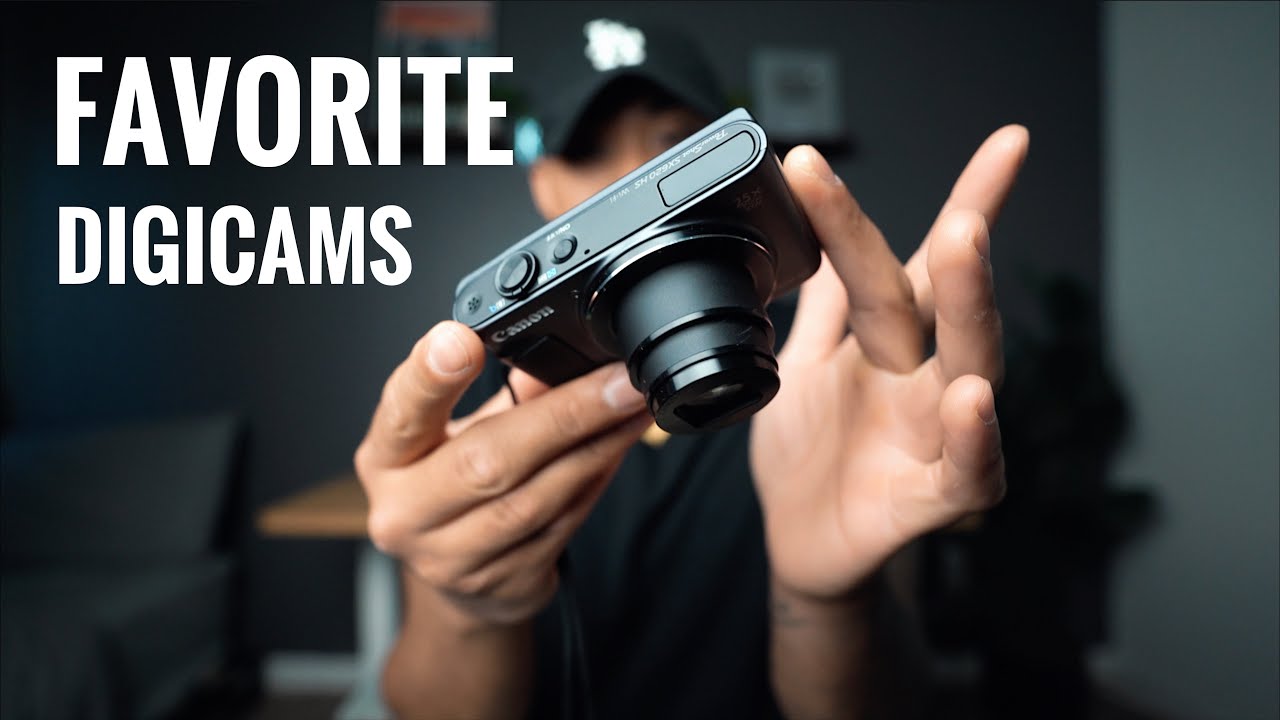
Pocketable wonders like the Ricoh GR III, Canon G7X series, and older Fujifilm X70 deliver that small-camera, large-personality feeling. They slip into a coat pocket, invite quick compositions, and deliver images that feel candid and immediate. You’ll appreciate the decisiveness of a serious compact — it forces choices and gives you a consistent look if you stick with one for a while.
Advanced compact options with large sensors for better image quality
If you want the image quality of a bigger camera without the size, the Ricoh GR III (APS-C) or the Panasonic LX100 II (MFT) stand out. These cameras give you larger sensors in a compact body, and that translates into nicer colors, more control in low light, and a film-friendly dynamic range. You’ll notice that these bodies also encourage a contemplative shooting pace — you think a bit longer, and your images gain weight.
Affordable, durable models for beginners and everyday carry
For durability and affordability look to the Olympus Tough series, Canon ELPHs, and older PowerShots; they’re not regal but they’ll survive real life and keep giving you characterful images. These models teach you to work within limits and to accept imperfections as part of the look. You’ll carry them without fuss and come back with honest photos.
Older discontinued digicams worth seeking out for character
There’s charm in discontinued models: the Fuji X100F, Ricoh GR II, early Sony RX1, and Canon G5X Mark I have idiosyncrasies you can learn to love. They might lack the latest autofocus or stabilization, but they have distinct color rendering and handling that often reads more personal than modern homogenized output. Hunting them down is part of the pleasure; using one makes you practice patience and attention.
Why each model makes the list: look, color science, usability
Every camera on this list earns its place for a mix of looks and behavior. The Ricoh GR line has a documentary temperament, Fujis give you film simulations and purposeful controls, Sony compacts compact excellent JPEG engines. Usability trumps raw specs: the camera you enjoy using will yield more interesting work over time than an unwieldy “better” camera you leave at home.
Sample shooting scenarios where each camera shines
Use a GR III for quiet urban edges where you need discretion and punchy blacks; a G7X for travel vlogs and cafés where a flip screen helps; an Olympus Tough for hiking and summer swimming; a Fuji X100V for birthday bars and rain-swept streets where you want a consistent 35mm voice. Each camera excels in environments that match its temperament: match the terrain to the tool and you’ll make better pictures.
This image is property of i.ytimg.com.
Essentials for Digicam Users
Must-have items to carry with your digicam every day
You should carry a spare battery, a microfibre cloth, a small pouch for cards and keys, and a simple strap. Add an ND filter if you shoot in bright sun and a tiny notepad or app for jotting moments you want to revisit. Keep your kit light enough that it becomes part of your day rather than a burden.
Spare batteries and power management tips
Carry at least one spare battery, two if you’re shooting long days. Charge them fully before outings and keep a small USB power bank if your camera charges via USB-C. Turn off Bluetooth and Wi‑Fi when you don’t need them, dim the LCD, and use the camera’s economy or power-save settings to avoid missing decisive moments because you forgot one small charge.
Memory card recommendations and organization strategies
Use reliable SD cards — mid-to-high UHS-I or UHS-II depending on your camera — in 64–256GB sizes. Keep a rotation: card A in camera, card B as backup, and card C as archive. Label cards with masking tape or a permanent marker and import immediately after shooting, making a redundant copy on a portable drive if the shoot matters. Organization is the easiest way to preserve your work and your headspace.
Quick cleaning supplies and basic maintenance kit
A small kit should include a blower, microfiber cloth, lens cleaning solution, and a brush. For compact fixed-lens cameras you rarely need sensor cleaning, but carry sensor swabs if you’re comfortable with them or leave it to a technician. A little daily care prevents dust and grime from becoming aesthetic compromises you regret later.
Protective cases and straps that suit a vintage aesthetic
Choose leather half-cases, canvas pouches, or braided cotton straps for the vintage look. Avoid modern neon and tech-heavy bags. Vintage-inspired cases soften the camera’s modern lines and make it feel personal; straps with subdued colors and simple metal hardware look like something you inherited rather than bought.
Mini checklist for short outings and travel
Before you head out, check battery, card, strap, lens cloth, and an extra layer of warmth (for long waits). Decide on one or two lenses or a single compact, set your film simulation or color profile, and put your watch on the same wrist you use to hold the camera. Small rituals keep the work quiet and steady.
More Accessories to Enhance the Look
Lens filters that add character (warming/softening/vignetting)
A warming filter or light diffusion filter changes mood subtly: Tiffen-style softening or a subtle warming filter can simulate older emulsions and make skin tones glow. You can introduce gentle vignetting with cheap screw-on adapters or selective postprocessing, but a physical filter often produces organic results that feel less engineered.
External flashes and modifiers for balanced fill light
Small speedlites with simple diffusers are enough for fill light without obliterating mood. Bounce cards and silicone diffusers soften light and keep skin looking kind. You want your flash to feel like light in the room, not a spotlight; subtlety is the point.
Tape and stickers for customizing a retro look intentionally
A strip of gaffer or cloth tape on the body, a faded sticker, or a custom label can make your camera feel lived-in and not brand-new. Use these sparingly — the goal is suggestive wear, not cartoonish makeover. The right mark makes the camera feel yours from the moment you pick it up.
DIY accessories that create film-like imperfections
Create light leaks with tiny pieces of translucent tape near the lens aperture (used carefully), or smear a little Vaseline on the edges of a clear filter for dreamy softness. These techniques are precarious — do them on a cheap filter, not the lens itself — and accept that randomness is part of the charm. Old-world imperfection beats sterile perfection.
Tripods, grips, and hands-free solutions for stable shots
Compact travel tripods and gorillapods let you do longer exposures and still lifes. A wrist strap plus a small grip can improve stability for single-handed shooting. For street portrait projects, a small tabletop tripod makes environmental portraits feel considered rather than staged.
Where to find vintage-style straps, cases, and camera skins
You’ll find what you want at independent camera boutiques, maker marketplaces, and secondhand shops. Seek shops that repair and resell, rather than just mass-market customizers; their wares often age better. The pursuit is part of the pleasure — the item you find in a frame: that will feel right.
My Film Recommendations and Digital Alternatives
Film stocks I love for reference when editing digicam photos
Kodak Portra 400 and 800, Kodak Gold 200, Fuji Superia and Pro 400H, and Ilford HP5 are your reference points. Portra gives skin tones a warm, forgiving render; Kodak Gold offers saturation that reads like afternoons; HP5 gives grain and contrast that age well. Keep their characters in mind when you’re grading.
How certain films translate into digital color and contrast choices
Portra cues you toward lower contrast, muted saturation, and warm midtones; Kodak Gold suggests slightly higher saturation and punch; HP5 asks for stronger midtone contrast and grain. Translate these by pulling down highlights, lifting shadows slightly, and nudging color balance toward warm midtones or neutral depending on the film you’re emulating.
Digital presets and LUTs that emulate popular film looks
Use presets as starting points: they speed you into a mood. Look for film-inspired packs that emphasize color roll-off, highlight behavior, and grain. Presets are tools, not answers — you’ll still tweak exposure, white balance, and local contrast to fit each image’s light.
Balancing grain, saturation, and dynamic range for a filmic outcome
Grain should feel like texture, not noise; add it intentionally and sometimes mask it to keep faces clean. Pull saturation back from digital extremes, and protect highlights to mimic film’s gentle roll-off. If your digicam has limited dynamic range, expose for highlights and bring up shadows with localized adjustments to keep the image alive and film-like.
When to shoot RAW vs JPEG for easiest vintage editing
If you want absolute control and to push colors around later, shoot RAW. If you adore in-camera film sims and want minimal editing, shoot high-quality JPEGs or RAW+JPEG: you get the instant look and the safety net. Many Fuji shooters rely on JPEGs for social sharing and RAW for archival work.
Combining film scans and digicam shots in mixed projects
Mixed projects can feel rich when you respect the differences: scan film at a resolution that preserves texture, then grade digital shots to sit alongside them by matching contrast, grain, and color palette. Keep a visual anchor — a consistent palette or recurring motif — so the mixed media reads as a single body of work rather than a collage.
Sample Photos and What I Learned From Them
Selection of representative images and the story behind each
You’ll curate images that show rooms, streets, and relatives. One photo of a rainy bench taught you to wait for reflection and soft bokeh; a portrait at golden hour taught you how skin behaves when backlit with Sim Classic Chrome; a still life of a table taught you to make texture the subject. Each image is a small narrative about the place and the camera’s limits.
Shooting conditions, camera settings, and what worked or failed
You learned that underexposing slightly preserves highlights for filmic grade, and that wide apertures on small sensors flatten backgrounds less than you expect. Shutter speeds matter: too slow and you get motion you don’t want; too fast and you lose ambient mood. You now habitually check the histogram, and you accept that some failures teach more than successes.
Post-processing steps taken on each sample photo
Your edits tend to follow a pattern: straighten and crop, adjust exposure and white balance, apply a filmic preset, refine color with split toning or curves, add grain, and then do local clarity or dodge/burn to taste. Sometimes you stop early and let the in-camera simulation carry the image; restraint often translates into authenticity.
Lessons about composition, timing, and candid capture
You’ve learned that patience yields the best street portraits, and that getting low or high changes everything. Timing is about rhythm: finding when a scene breathes and placing yourself there. Candid shots require light feet and quiet intent — be present and then absent, and people will offer you their unposed truth.
How samples informed changes to gear or workflow
From your samples you decided to carry a second battery and a small tripod; you moved certain presets to the top of your library; and you started favoring a 35mm-equivalent field for most street work. Your workflow became about speed and fidelity: cull fast, work slowly on the chosen few.
Ideas for recreating similar shots with your own digicam
To recreate a rainy bench, look for reflections, shoot low, and use a muted film sim with added grain. For golden-hour portraits, backlight with a soft fill and favor Classic Chrome or Provia. For tabletop still lifes, use a narrow depth of field and a warming filter to suggest faded afternoons. Copy the conditions, not the exact settings — your light will differ, but the intention translates.
Shooting Techniques for a Vintage Aesthetic
Compositional rules and framing choices that feel retro
Favor centered compositions sometimes, and embrace negative space. Use windows, frames within frames, and oblique angles. Vintage-looking images often carry a quiet geometry—straight lines and subtle asymmetry rather than aggressive cropping. Let the scene breathe.
Color palettes, contrasts, and tones that suggest age
Lean into muted midtones, warm highlights, and slightly green or magenta shadow casts depending on the emulsion you’re referencing. Reduced saturation with selective pops communicates age better than flat desaturation. You’re crafting a memory, not a catalog.
Using light, shadows, and backlight to evoke nostalgia
Backlight and rim light compress time. Shoot into sunlit windows, accept soft flares, and let shadows describe form. The interplay of light and shadow is how you make contemporary imagery feel inherited; it suggests a day remembered rather than recorded.
Intentionally embracing imperfections: light leaks, blur, grain
Accept light leaks, soft focus, and grain as aesthetic gestures. Use them sparingly and with intention; a single, well-placed imperfection is more convincing than many accidental ones. Imperfections function as emotional punctuation.
Working with lower-resolution sensors to your advantage
Lower resolution can read as intimacy: it forces simpler compositions and discourages overcropping. Use it to focus on silhouettes, textures, and color relationships rather than pixel-peeping detail. If detail is necessary, lean in optically rather than digitally.
Examples of shooting methods for street, portraits, and still life
On the street, set a readable shutter speed and aperture, zone-focus if the moment is quick, and prefer wider fields for context. For portraits, work with available light, bring a reflector if you can, and keep interaction brief but kind. For still life, stage light carefully and remix real objects for composition; the ordinary becomes meaningful when arranged.
My Editing Rig and Workflow
Hardware I use for culling, editing, and exporting images
You’ll want a reliable laptop or desktop with a good display, an external SSD for fast storage, and a calibrated monitor if you print. A tablet or a mouse with precision scrolling can help when you’re grading long sessions. Good hardware keeps the job from feeling like a fight.
Software stack: cataloging, raw processing, and finishing tools
Lightroom Classic and Photoshop remain staples for cataloging and detailed editing; Capture One is a strong alternative if you prefer precise color control. For quick film emulation you might use film-specific plugins or standalone processors. Choose tools that fit your tempo; you won’t do good work if your software fights you.
Step-by-step editing workflow from import to final export
Import and back up immediately. Cull ruthlessly, then flag the keepers. Do global exposure and white balance first, then apply filmic presets conservatively. Use local adjustments for eyes, skin, and highlights. Add grain last, review across devices, and export at sizes appropriate to your outlet. Keep an editing ritual so you don’t second-guess every choice.
Favorite presets, profiles, and custom adjustments I regularly apply
You’ll keep a small palette of presets: a muted Portra-style base, a warm Kodak-esque variant, and an ACROS-like mono. Your custom adjustments are often small curve tweaks, split toning to warm highlights and cool shadows, and selective desaturation. Consistency matters more than novelty.
Batch-processing tips to keep a consistent vintage look
Create a base preset and adjust per session, then sync selectively: exposure and white balance will vary, but tone curve and grain can remain consistent. Use virtual copies for variations and keep a clear archive of applied presets so you can reapply an overall look to future work.
Export settings and file naming conventions for archives and posting
Export at the resolution appropriate for the medium: high-res for print, medium for web. Embed color profiles and include metadata. Name files with date_camera_subject for easy retrieval. Consistent naming and folders are boring but essential; they keep your work usable and alive.
Presets, Filters, and Mobile Editing Options
Recommended desktop presets for Lightroom/Photoshop and equivalent apps
Pick presets that emulate real films honestly — those that prioritize highlight roll-off and subtle grain over garish color shifts. Keep a small, well-curated set and modify them to taste. Remember that presets are starting points; a preset that works in one light will fail in another unless you tweak it.
Mobile apps that mimic film looks and how to use them effectively
Apps like VSCO, RNI Films, and analog-style editors provide good mobile emulations; use them for quick edits and social sharing. Start with a base look, then adjust exposure and white balance to match your intent. Keep edits subtle on mobile — authenticity reveals itself in nuance.
How to tailor presets to different cameras and lighting conditions
Adjust white balance and exposure per camera and per session. The same preset will look different on a GR III versus a smartphone. Create camera-specific variants of your favorites and document your go-to tweaks for certain lights: morning shade, neon, golden hour.
Creating your own signature preset for consistency
Build a signature preset by isolating the small moves you make repeatedly: a curve, a split tone, a grain amount. Test it across diverse images and refine until it sings. Your signature should be flexible enough to adapt, strong enough to be recognizable.
Combining multiple filters and subtle retouching for authenticity
Layer small filters — a color curve, a mild vignette, and a grain layer — instead of one heavy-handed filter. Subtle retouching, like gentle skin clean-up or dust spot removal, preserves authenticity while keeping viewers in the moment rather than distracted by artifacts.
Saving and sharing your presets across devices
Export and back up your presets, keeping versions labeled by camera and date. Use cloud or manual transfer to move them between laptop and mobile. A shared preset library helps you keep visual consistency and speeds up your workflow when you switch devices.
Conclusion
Summary of key takeaways for choosing and using digicams
Choose cameras that fit your life and encourage you to shoot. Favor tactile controls, filmic color, and lenses that match your visual habits. Carry minimal but thoughtful accessories, and use presets and film references to shape mood instead of forcing it.
Final tips for achieving and maintaining a vintage aesthetic
Be deliberate about imperfections, favor warmth and subtle contrast, and keep grain tactile, not aggressive. Let your camera’s limitations define a style rather than trying to erase them. Consistency over flashiness will make your work feel like a cohesive world.
Encouragement to experiment and make a personal visual style
Try things, fail, and keep the ones that feel honest. Your visual style is a conversation between you and the world — it changes. Experimentation is how you find the language that fits your life.
Next steps: gear upgrades, practice routines, and community engagement
Plan small upgrades that answer real gaps: a battery, a lens, a compact tripod. Build shooting routines — a daily walk, an evening portrait session — and share work with communities that care about craft, not follower counts. Feedback matters, but listen to your own eye first.
How to track progress and refine your editing signature
Keep a dated archive, revisit old edits, and note what you’d change. Track your presets and adjustments, and evolve them slowly. Progress shows up in decisions: you’ll edit faster, choose better light, and trust your instincts more.
Invitation to share results, ask questions, and join the conversation
You have a camera and a taste; now bring them into public life. Share what you make, ask for notes, and be curious about others’ approaches. Photography is both private practice and collective conversation — your images belong in that exchange.