
This buyer’s guide helps you choose the right YouTube camera by walking you through four things to consider and 13 essential features like sensor size, video resolution, autofocus, audio, and image stabilization. You’ll get clear timecodes so you can jump to topics such as frame rate, clean HDMI for live streaming, and record time limits.
You’ll also find specific recommendations — Sony ZV-1, ZV-E10, Nikon Z30, and Canon EOS R10 — plus best full-frame and budget picks, tips to avoid common budgeting mistakes, and ways to save money when buying gear. Use this roadmap to match your skill level, shooting style, and budget so you can pick the camera that fits your channel.
Choosing the Right Camera for Your YouTube Channel
You’re thinking about a camera because you want to shape how people see what you make; a camera is a partner in that, not just a tool. Before you click buy, you need to hold a few practical and emotional ideas in your mind: what you make, who watches, where you shoot, how much you carry, and whether this choice will still feel right in a year. These are not separate decisions so much as a conversation you have with yourself about what matters to your work.
Clarify your content style and typical shots
Think about the rhythm of your videos: are they intimate monologues, quick vlogs on the go, cinematic travel pieces, or interview-focused episodes? Your shots will follow that rhythm—tight close-ups want a lens that blurs the background, while wide B-roll needs a wider field of view. When you know the typical framing and movement you prefer, you can choose a camera and lens combination that makes those images feel effortless instead of always fighting for them.
Define your audience expectations and platform requirements
Your audience will expect a certain visual standard based on the genre and platform. If you’re making educational how-to videos, clarity and steady framing matter more than cinematic texture; if you’re aiming for polished short films, higher resolution and color depth are more than vanity. Also consider platform constraints: some social places compress aggressively, so extreme bitrates might be wasted, while live streams require specific outputs and stability.
Assess filming environments and lighting conditions
Where you film—small indoor rooms, bright outdoor scenes, or dim cafes—will dictate sensor needs and lens choices. If you often shoot in low light, you’ll want better low-light performance and fast glass; if you’re outside most days, dynamic range and weather sealing might become important. The practical truth is that lighting is usually the bigger lever: good lights will salvage cheaper cameras, while poor lighting will frustrate even the best sensor.
Decide on portability versus production value
Ask yourself how often you’ll move: do you vlog with a backpack and a deadline, or do you build mini-sets and sit down to record? Portability favors compact cameras and small lenses; production value leans toward larger bodies, full-frame sensors, and a wider lens ecosystem. Neither is inherently better—only better for your daily practice.
Plan your long term needs and upgrade path
You should imagine the camera as the first chapter, not the final edition. Think about lenses you might add, whether you’ll need external recorders, and how the brand’s ecosystem supports future features. A system with many lens options and accessories reduces the pressure to replace the body; it lets you upgrade one piece at a time.
Core Considerations Before You Buy
You can get lost in specs, which is what the market wants. Stop for a moment and set boundaries: how much you can spend, which features truly serve your content, how comfortable you’ll be using the kit for long sessions, and whether the platform you choose will reward the investment. These core considerations keep your purchase practical and sustainable.
Establish a realistic budget and expected return on investment
Decide how much you can afford without the camera becoming a debt. Consider the total cost: body, lens, microphone, memory, batteries, and possibly gimbals or lights. Think about what return you expect—fewer editing headaches, more views, faster production—and whether that justifies spending more now or incrementally improving later.
Prioritize features that directly impact your content
Focus on features that affect your videos every time: autofocus reliability if you move a lot, mic inputs for clear dialogue, stabilization if you’re handheld. Avoid being seduced by rare features that won’t change your output daily. Your content will improve more from consistent workflows than from one shiny spec.
Balance size and weight with comfort for long shoots
If you record for hours, a heavy rig will wear you down and shorten your patience. Smaller cameras can be used more often, increasing your output. Conversely, if you rarely shoot and want maximum image quality, a heavier body might be worth the discomfort. Pick what you will actually use regularly.
Consider ecosystem and lens compatibility for future growth
A strong lens ecosystem is a safety net. A camera brand with many native lenses and third-party options gives you choices as your needs change. Also consider adapters and backwards compatibility—sometimes an older lens you own can live on with a new body through an adapter.
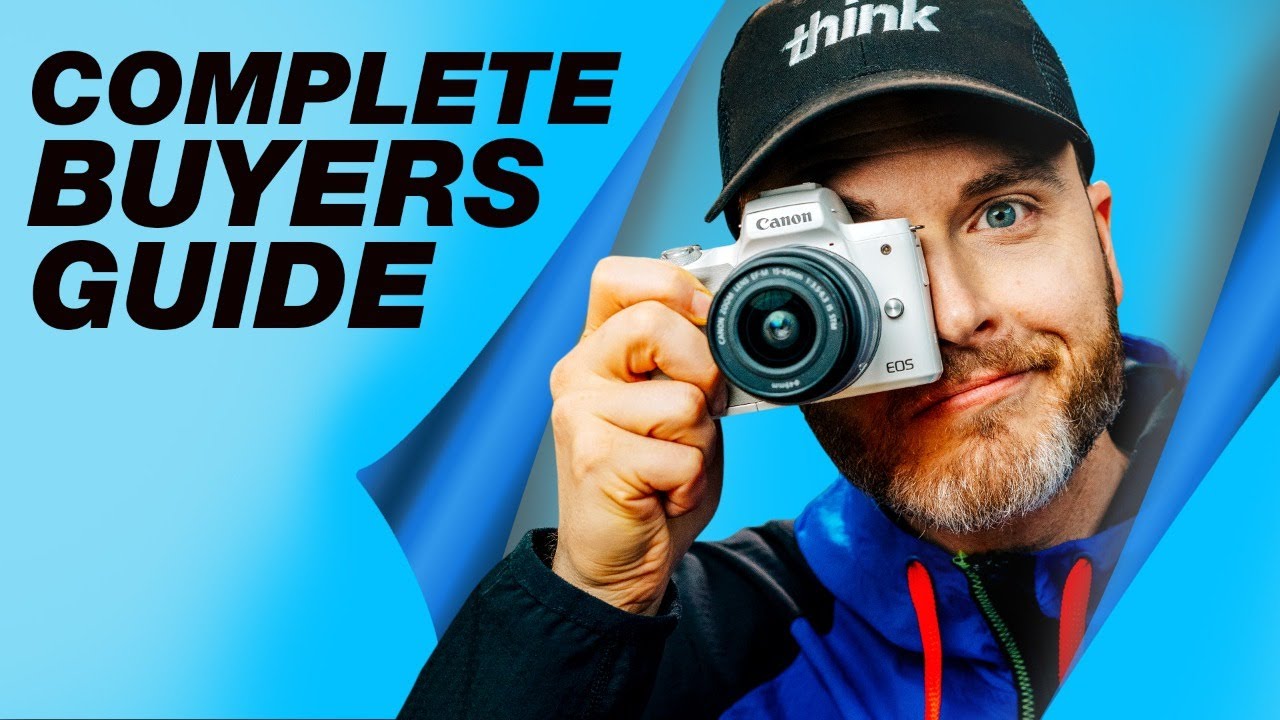
This image is property of i.ytimg.com.
Important Camera Features Explained
There are many features that manufacturers shout about; some actually matter for your workflow, others do not. Here is a clear, practical explanation of the features that will shape your day-to-day recording and the quality of your final videos.
Sensor size and its impact on image quality and depth of field
Sensor size affects how much light is captured and how you control depth of field. Larger sensors generally give better low-light performance and shallower background separation, which some people find more cinematic. But bigger sensors require larger lenses and can be costlier. Consider the look you want and the practical trade-offs.
Video resolution and codec options
Resolution determines how much detail you record; codecs determine how that detail is compressed and how easy files are to edit. 4K gives you more room for cropping and futureproofing, but it uses more storage and requires heavier editing hardware. Choose codecs the editing software on your machine handles well.
Lens aperture and available lens ecosystem
A lens’s aperture influences low-light ability and background blur. Fast lenses (small f-number) let you shoot in lower light and isolate subjects visually. But aperture must be considered with the lens ecosystem—can you buy the focal lengths you need with fast apertures at a price you can stomach?
Autofocus performance during video
Good autofocus keeps the image usable without constant manual focus fiddling. Look for smooth transitions, reliable tracking, and good face/eye detection if you talk to camera or move. Poor AF disrupts the viewer’s focus; excellent AF lets your performance be the priority.
Audio inputs and onboard microphone quality
Onboard mics are convenient but limited. If you value clear speech, ensure the camera has a mic jack and, ideally, headphone monitoring. XLR inputs are a bonus for professional setups. Remember that audio often matters more to viewers than pixel count.
Size, weight and build quality
Build quality affects how the camera feels over time—magnesium bodies last longer, weather sealing matters if you shoot outdoors, and ergonomics determine whether you enjoy using the device. Size and weight tie back to your comfort and mobility.
Selfie screen and touchscreen usability
A flip-out selfie screen that’s readable outdoors makes vlogging and framing yourself simple. Touchscreens speed up menu navigation and focus selection. If you do many self-records, these features dramatically reduce friction.
Record time limits and heat management
Some cameras cap recording times or overheat during long 4K sessions. If you plan longer takes or live streaming, opt for bodies known to handle heat well or allow continuous recording. Otherwise you’ll be managing interruptions that break the flow of your work.
Wireless connectivity options and remote control
Wi-Fi, Bluetooth, and apps let you transfer files, control the camera remotely, and sometimes trigger recording. These features aren’t essential, but they can streamline workflows—for example, framing a shot from your phone when the camera is tripod-mounted across the room.
Required skill level and ease of use
Be honest about what you’ll learn and maintain. Some cameras reward manual control and learning curves; others are designed to produce pleasing results out of the box. If you want to spend energy on content rather than technical troubleshooting, pick a user-friendly model.
Image stabilization options and types
Stabilization can be in-body (IBIS), lens-based, or electronic. IBIS helps with many lenses, while lens stabilization can be strong for specific focal lengths. Electronic stabilization crops and sometimes softens the image. Know what stabilization you need based on how you move.
Frame rates and slow motion capabilities
Frame rates determine motion aesthetics: 24fps feels cinematic, 30fps is standard for vlogs, and higher rates like 60/120fps let you slow footage smoothly. If slow motion is central to your style, check the camera’s high-frame-rate options and any resolution compromises that come with them.
Clean HDMI output for live streaming
Clean HDMI means the camera outputs video without overlays, which is essential for live streaming through a capture card. If you plan regular live shows, confirm the camera can provide an uninterrupted clean feed at the resolution and frame rate you need.
Sensor Sizes and Practical Effects
This is where physics meets aesthetics. Sensor size choices change not only how your footage looks technically but how you compose, move, and budget.
Differences between full-frame, APS-C, micro four thirds and 1-inch sensors
Full-frame sensors are large and give shallow depth of field and excellent low-light performance. APS-C is slightly smaller but offers a compromise between reach, cost, and image quality. Micro Four Thirds is smaller still, enabling compact systems with good stabilization and more telephoto reach per lens. 1-inch sensors are common in compact cameras and offer portability with respectable image quality.
Low light performance and noise characteristics
Larger sensors generally handle noise better at high ISO, giving cleaner shadows and richer detail in dim spaces. If you often shoot without robust lighting, a larger sensor pays off; if you control lighting, smaller sensors can be a practical and affordable choice.
Depth of field control and subject separation
If you want that soft background that isolates faces, larger sensors and fast lenses make it easier. Smaller sensors give deeper depth of field at the same aperture, which can be desirable for educational content where everything in frame should be sharp.
Crop factor effects on focal length and field of view
Smaller sensors multiply the effective focal length of lenses, which can be a benefit for getting closer with a short lens set, but a downside when you need wide angles. Consider how your chosen sensor size will change lens behavior and composition.
How sensor choice affects lens selection and cost
Larger sensors typically require larger, more expensive lenses to cover the image circle. This impacts your long-term investment—full-frame ecosystems often cost more, while APS-C or Micro Four Thirds can be more wallet-friendly and lighter to carry.
Resolution, Frame Rates and Codecs
These determine what you can do in post and how future-proof your footage is. They also place demands on storage and editing hardware.
When 4K is worth it versus staying at 1080p
4K is worth it if you want to crop, stabilize, or future-proof your work. It also helps in delivering cleaner downscaled 1080p. But 1080p remains perfectly fine for many creators, especially if you’re constrained by storage, upload times, or older editing systems.
Higher resolutions and futureproofing considerations
Higher resolution gives you more options later—reframing, digital zoom, or delivering higher fidelity on new platforms. Yet it also requires better cameras, bigger cards, and more powerful computers. Balance ambition with practicality.
Choosing frame rates for cinematic, vlog and slow motion looks
Use 24fps for cinematic feel, 30fps for a slightly crisper look common on social platforms, and 60–120fps for smooth slow motion. Pick a few frame rates you’ll actually use and ensure the camera handles them well at the resolutions you need.
Understanding bitrates, codecs and file sizes
Higher bitrates and efficient codecs preserve image quality but produce large files. Some codecs are edit-friendly (intra-frame), others are storage-friendly (long-GOP). Consider how much disk space you have and whether your editing rig can handle heavy files.
Recording formats that simplify editing and color grading
Log and raw formats give more latitude for color grading but require a workflow and time. If you prefer faster edits, choose cameras with good out-of-camera color or accessible profiles that don’t demand heavy grading.
Lenses and Aperture Choices
The lens is where the look happens. Your choice will shape the emotion and clarity of your videos more than the camera body.
Prime versus zoom lenses and the tradeoffs
Primes offer speed, sharpness, and character at fixed focal lengths; they force you to move and think about composition. Zooms give flexibility and speed in changing scenes. Many creators have one fast prime and one versatile zoom to cover most needs.
Aperture effects on low light and background separation
Wide apertures let in more light and create softer backgrounds, but they narrow the focus plane, which can be a challenge with moving subjects. Choose aperture values that balance look with practicality.
Focal lengths recommended for vlogging, interviews and B roll
For vlogging, wide-to-normal focal lengths (10–24mm on crop, 16–35mm on full-frame) work well for self-shots; interviews often sit in the 35–85mm range for flattering perspective and subject separation; B-roll is mixed—use wider for context and longer lenses for compressed detail.
Lens mounts and long term compatibility with camera systems
Lens mounts lock you into an ecosystem; consider which brands offer lenses that match your long-term style and budget. Adapters can bridge incompatibilities but add complexity.
Specialty lenses for macro, wide angle and portrait work
Specialty glass opens creative possibilities: macro for detail, ultra-wide for immersive scenes, and fast portrait lenses for headshots. Keep a wishlist of one or two specialty lenses to grow your visual vocabulary over time.
Autofocus and Stabilization for Video
These systems decide whether your footage feels professional or accidentally amateur when you move or perform.
Types of autofocus and what to look for in video AF
Contrast-detect AF can be precise but slower; phase-detect systems (or hybrid) are faster and better at tracking. Look for continuous AF modes designed for video that prioritize smooth transitions over aggressive hunting.
Eye and face detection performance and reliability
Eye and face detect allow you to move and still stay in focus, which is a game changer for solo creators. Test how they respond in low light, side lighting, and with quick movements—reliability matters more than the marketing name.
In body image stabilization versus lens stabilization
IBIS steadies many lenses and helps even when using primes without IS; lens stabilization can be very strong for certain focal lengths. Together they can be powerful, but check how systems work together on your chosen body.
Electronic stabilization, cropping and quality implications
Electronic stabilization can smooth footage but usually crops the frame and can introduce artifacts. Use it as a convenience, not a substitute for good stabilization hardware when you need pristine image quality.
When to use gimbals or external stabilizers for smooth motion
If you move a lot and need cinematic motion, gimbals remain superior. They demand setup and practice, but they transform handheld movement into something fluid and intentional.
Audio Essentials and Recording Workflows
Audio is where your videos will either hold attention or lose it. Prioritize it early and simply.
Limitations of onboard microphones and how to mitigate them
Onboard mics pick up room sound and handling noise. Use them only as backup or for casual tests. Mitigate their limits with directional mics, lavaliers, or better room treatment.
Recommended external microphones for YouTube creators
A shotgun mic on camera is versatile for general recording; a lavalier is excellent when you move or speak directly to camera. Choose microphones known for clear, natural voice reproduction rather than exaggerated bass.
Lavalier mic use cases and wireless options
Lavaliers are ideal for interviews, active vlogs, and situations where you want consistent voice levels. Wireless systems give freedom but require battery management and testing for interference.
Using audio recorders and sync workflows
External recorders produce better sound and let you capture backups. Use clap syncing or software that auto-aligns tracks. A simple two-track workflow—camera audio for rough sync, recorder for final—keeps things manageable.
Monitoring audio and avoiding common recording mistakes
Always monitor with headphones to catch clipping, wind noise, or loose connectors. Record a few test lines and listen back—it’s faster than fixing bad audio later.
Live Streaming Requirements and Clean HDMI
If live streaming is in your plan, treat the camera as part of a live appliance rather than a cinematic stills tool.
What clean HDMI output means and why it matters
A clean HDMI output sends a video signal without overlays, which your streaming software needs. Without it you’ll see menus or status info in your broadcast.
Camera features to check for reliable streaming
Look for continuous power options, clean HDMI, and the ability to stay on for long sessions without overheating. Some cameras also support USB streaming directly—convenient, but check quality and stability.
Using capture cards and streaming software
Capture cards turn your camera feed into a webcam input for streaming software. Choose a card and software pairing that your computer can handle; latency and resolution depend on this chain.
Power solutions for extended streaming sessions
Continuous power via AC adapters or USB-C power delivery prevents shutdowns mid-stream. Batteries are fine for short sessions, but plan for mains power for consistency.
Overheating and continuous record limitations during live use
Some cameras were not designed for continuous output and will overheat or stop recording. If you stream long-form regularly, prefer bodies known for thermal management or those with external recorder bypass options.
Conclusion
Buying a camera is partly practical and partly intimate: you’re deciding what you want your work to feel like and what you can live with daily. Keep perspective—gear supports, it doesn’t define, your voice.
Summarize actionable steps to choose the right camera for YouTube
Decide your content style and shooting environments, set a realistic budget, prioritize features that you’ll use every shoot (audio, autofocus, stabilization), choose a lens ecosystem that makes future growth painless, and test gear in the ways you actually work before committing.
Emphasize prioritizing audio, lighting and lenses over chasing specs
Good sound and light will elevate modest cameras into professional-looking videos; the right lens shapes your image far more than the absolute resolution or the number of pixels. Spend where it matters for your content.
Encourage testing gear and starting with what you already have
Rent, borrow, or use your phone to test ideas before investing. Start creating with what you own—consistency matters more than gear—and let your needs evolve naturally so upgrades feel intentional.
Final tips for making a confident purchase and planning upgrades
Buy with patience: choose systems with upgrade paths, consider gently used bodies and lenses, and plan accessories alongside the camera. Most importantly, remind yourself that the best camera is the one you will pick up and use tomorrow; choose the one that helps you make things you actually want to watch.