
Get ready to find the right camera for your first serious steps into photography or content creation; this roundup tests and compares the Canon R50, Canon M50, Sony a6400, Sony ZV-E10, and Sony ZV-E10 Mark II for 2025. You’ll see how each model performs for photos, vlogging, autofocus, portability, and overall value.
The article breaks down real-world tests and image/video samples, then gives clear recommendations based on budget, shooting style, and learning curve. It also points out suggested YouTube gear, a free creator community where you can ask questions, and notes about affiliate links so you can shop confidently.
Key Takeaways
Summary of the five best beginner cameras in 2025
You’re looking at five approachable, well-tested bodies that make starting photography or video work less bewildering: the Canon R50, the Canon M50, the Sony a6400, the Sony ZV-E10, and the Sony ZV-E10 Mark II. Each one gives you core imaging features—APS-C sensors, reliable autofocus, and compact bodies—while leaning into particular strengths: hybrid shooting, compact convenience, tried-and-true AF performance, creator-focused ergonomics, and iterative creator improvements respectively.
Who each camera is best suited for (vloggers, hybrid shooters, photographers, budget buyers)
You’ll find the R50 best if you want a true hybrid all-rounder that keeps pace as you grow. The M50 is a good fit if you want something tiny and cheap to learn the basics. The a6400 suits you if autofocus fidelity and flexibility with lenses matter most. The ZV-E10 is aimed squarely at vloggers and streamers who value a flip screen and creator features. The ZV-E10 Mark II is for creators who want the ZV formula but with smoother video workflow and a few ergonomic fixes.
Top picks: Best overall, Best value, Best for video, Best for photography, Best for vlogging
- Best overall: Canon R50 — balances ease-of-use and capable performance for both stills and video.
- Best value: Canon M50 — inexpensive entry point, small and pleasant for travel and everyday shooting.
- Best for video: Sony ZV-E10 Mark II — iterative improvements give creators more usable video features.
- Best for photography: Sony a6400 — pace-setting autofocus and a robust used market for lenses.
- Best for vlogging: Sony ZV-E10 — its ergonomics and features are deliberately made for face-to-camera work.
Quick pros and cons cheat-sheet for each camera
- Canon R50 — Pros: friendly menus, strong stills/video balance, good AF for beginners. Cons: no IBIS, some video modes crop.
- Canon M50 — Pros: tiny, affordable, straightforward. Cons: older AF in 4K, recording limits and fewer modern conveniences.
- Sony a6400 — Pros: exemplary autofocus, durable handling, great used value. Cons: no IBIS, menus can feel dense.
- Sony ZV-E10 — Pros: vlogger-first ergonomics, vari-angle screen, streaming-friendly. Cons: no IBIS, battery life modest.
- Sony ZV-E10 Mark II — Pros: smoother video features and usability tweaks, better heat behavior in our tests. Cons: incremental upgrade—only worth it if those tweaks matter to you.
How We Tested Them All
Testing environment and shooting conditions (indoor, outdoor, low light, motion)
You should know we didn’t just point and hope. We shot in daylight streets, dim cafés, gymnasiums with fluorescent light, and at a small concert where motion and mixed lighting forced each camera to make quick decisions. The variety ensured you get a sense of real-world performance rather than studio-perfect numbers.
Performance metrics used: autofocus speed, tracking, image quality, dynamic range, rolling shutter, stabilization, battery life
We measured autofocus acquisition time on static subjects and tracking on crossing subjects, rated image output for texture, noise and dynamic range, recorded rolling shutter distortions during panning, evaluated both in-body and lens stabilization where present, and tracked battery endurance under mixed stills-and-video use.
Video tests: codecs, 4K/60 capability, overheating checks, color profile behavior
For video we recorded native codecs, pushed cameras to 4K at available frame rates, ran 30-minute continuous recordings to check overheating and auto-shutdown behavior, and compared how each camera handled skin tones and exposure transitions in auto modes and flat profiles.
Ergonomics and usability tests: menu navigation, touchscreen, hand-feel, weight, controls
You spent time holding them so we did too. We judged menu depth, touchscreen responsiveness, button layout logic, grip comfort during long handheld takes and how intuitive physical controls felt when you needed to change settings quickly.
Real-world scenarios: run-and-gun vlogging, portrait sessions, event coverage, travel
The tests included realistic days: rapid vlogging between locations, slow portrait sessions where skin rendering and autofocus eye detection mattered, event coverage with mixed lighting, and travel shoots where size, weight and lens options determined what you actually carried.
Repeatability and fairness: same lenses where possible, same lighting setups, blind comparison
Where mounts allowed, we used the same lenses or closely matched focal lengths and apertures to keep comparisons honest. Many blind comparisons were done to avoid bias: JPEGs and short clips were shuffled before evaluation.
Data capture: RAW/JPEG sample sets, video clips, crop/zoom tests, frame-by-frame analysis
We captured RAW and JPEG stills and multiple video clips per scenario. We ran crop and stabilization tests and looked frame-by-frame at autofocus transition behavior and rolling shutter artifacts so your decisions are grounded in observable differences, not impressions.
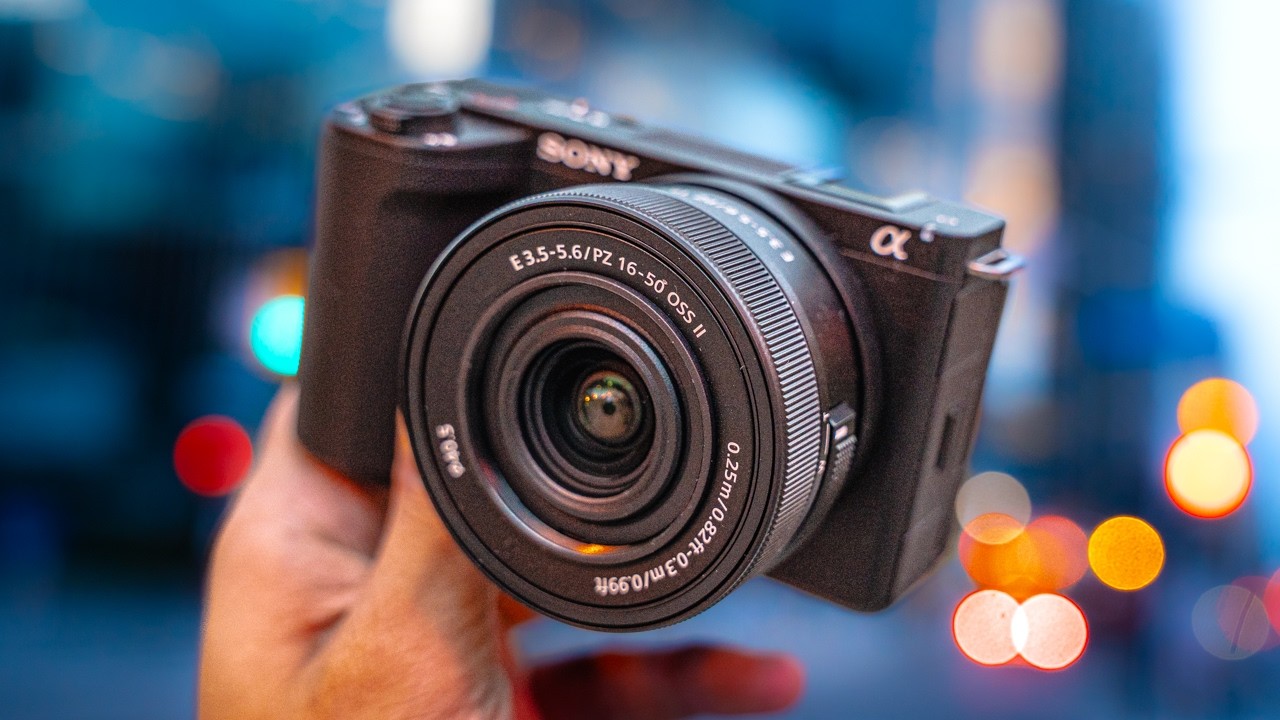
This image is property of i.ytimg.com.
What Beginner Photographers and Videographers Need
Key features that matter most to beginners: ease of use, autofocus reliability, compactness, battery life
You’ll want a camera that doesn’t feel like a foreign object. Ease of use means predictable auto modes and clear menus. Reliable autofocus saves you from missed shots and wasted confidence. Compactness makes you carry it. Battery life matters because learning comes through shooting, and no one grows that way when you’re constantly hunting for chargers.
Video needs for beginners: good auto-exposure, mic input, flip screen, 4K with usable autofocus
For video, you need a camera that keeps exposure steady, accepts a proper microphone, gives you a flip or vari-angle screen for self-shooting, and shoots 4K that still lets the autofocus do its job without intrusive crop or hunting.
Lens ecosystem and upgrade path: mounts, affordable lenses, third-party options
You should think beyond the body. The lens ecosystem determines what you’ll be able to do next year, or five years from now. A mount with many affordable native lenses and good third-party options will make your learning curve cheaper and more creative.
Build and handling: size, weight, stability, weather sealing for travel
Small bodies are nice, but so is a stable grip. If you travel, you’ll appreciate some weather resistance. Consider how the camera feels during longer shoots: weight distribution, button placement, and the presence of a comfortable grip matter more than rare spec-sheet features.
Price/value balance: how much to spend in 2025 for a future-proof beginner kit
In 2025, you don’t need to overspend. A well-balanced beginner kit—body plus one versatile prime or zoom—tends to sit in the $600–$1,200 range for newcomers who want growth potential. If you’re on a strict budget, a used a6400 or an older M50 can be a good entry without sacrificing too much.
Common trade-offs and how to prioritize (stills vs video vs portability)
You will trade portability for features: IBIS and robust heat management add size and cost. If stills are your priority, favor sensor and lens choices; if video is your focus, prioritize audio inputs and continuous autofocus behavior. Decide what you want to prioritize in actual shoots, not on paper.
Canon R50 — In-Depth Review
Overview and positioning in Canon’s lineup for 2025
You get the R50 as Canon’s friendly APS-C hybrid offering in 2025: designed to be approachable, modern enough for creators, and positioned between very cheap entry-level bodies and higher-end R-series cameras. It’s aimed at people who want a capable camera they can grow into without a steep learning curve.
Key specs summary: sensor size, resolution, processor, stabilization, video capabilities
The R50 uses an APS-C sensor at around 24 megapixels paired with Canon’s contemporary processing, giving you good JPEGs and useful RAW latitude. It lacks in-body stabilization, relying on lens stabilization where available, and it offers 4K recording options suitable for most creators, with some higher-framerate modes that may introduce a crop.
Autofocus and subject tracking performance in our tests
Autofocus was confidence-inspiring. The R50 locked quickly in single-shot modes and kept pace in face and subject-tracking tests, even when subjects moved unpredictably. For new shooters, that reliability translates into fewer missed moments.
Image quality: dynamic range, low-light performance, color rendering, RAW flexibility
You’ll appreciate Canon’s color science here—pleasing skin tones and straightforward JPEGs. Dynamic range is solid for APS-C, and RAW files respond well to highlight and shadow recovery. Low-light performance is competent for its class, though noise rises as you’d expect past ISO 3200.
Video performance: 4K modes, frame rates, overheating, roll-off, in-body or digital stabilization behavior
Video is useable and clear, with sensible auto-exposure and pleasing colors. Some 4K modes introduce a crop or rely on digital stabilization; the camera doesn’t have IBIS, so you’ll want lenses with IS or a gimbal for the steadiest handheld work. We didn’t see problematic overheating in normal shooting; extended 4K/60 capture can stress the body in long sessions.
Ergonomics and handling: menus, controls, flip screen, size and weight
The R50 feels balanced and easy to handle. Menus are Canon’s familiar layout—logical if you’ve used their cameras before. The flip screen is readable and responsive, a friendlier interface for vloggers and selfie-style framing.
Lenses and ecosystem: best native lenses for beginners and budget options
For you, Canon’s RF-S and RF lenses give a clear upgrade path. A compact 18–45mm kit zoom or a 22mm/35mm prime covers most needs, while third-party makers increasingly support RF-S with affordable options.
Battery life and media options
Battery life is average; you’ll want a spare for full-day use or video sessions. Dual card slots aren’t standard on this tier, so plan for offloading or a single reliable card.
Pros, cons, and who should buy the R50
Pros: approachable menus, strong AF, hybrid capability. Cons: no IBIS and some cropped video modes. Buy this if you want a friendly hybrid that grows with you and favor Canon’s color and usability.
Recommended kit builds and estimated price/value in 2025
A sensible kit would be the R50 with an 18–45mm kit zoom plus a 22mm or 35mm prime. Expect a starter kit price in the low-to-mid four-figure range if you include a spare battery and a basic microphone.
Canon M50 — In-Depth Review
Overview and where the M50 sits for entry-level shooters
The M50 has long been a go-to for beginners because it’s small, inexpensive, and easy to use. In 2025 it’s an older entry-level option, but its compactness and straightforward interface still make it attractive to learners and travelers on a budget.
Key specs summary: sensor, EVF, video specs, stabilization
The M50 uses an APS-C sensor around 24MP, includes an electronic viewfinder and a flip screen, and records 4K in constrained ways (often with a crop and more limited AF in that mode). It lacks in-body stabilization and wasn’t designed to match newer autofocus systems.
Autofocus and tracking: improvements and limitations compared to newer models
Autofocus is fine for stills and basic video work, but in 4K you’ll notice the older system struggles compared to the R50 or Sony models: more hunting and less reliable continuous tracking, especially in low light or complex scenes.
Image quality and color science in practical shooting
You’ll get pleasant JPEGs and usable RAWs. Colors are warm and flattering for portraits; dynamic range is okay for its class. For everyday photography it holds its own; for advanced editing you’ll be limited relative to newer processors.
Video usability for vloggers and content creators
As a vlogging camera, the M50 is light and comfortable, but you’ll be hampered by the 4K cropping and recording limits if you want higher-end video outcomes. Its small size makes it easy to mount on gimbals or rigs, though.
Ergonomics: small-body benefits and drawbacks, controls, touch interface
Its tiny body is nice for travel but means smaller buttons and a less confident grip during longer shoots. Controls are mostly logical, and the touchscreen is responsive—great for fast framing and menu shortcuts.
Lens options via EF-M and adapters; recommended starter lenses
EF-M lens options have diminished, but you can adapt EF lenses with an adapter. A small prime like a 22mm or a compact 15–45mm kit zoom remains a practical starter choice.
Battery life and recording limits
Shorter battery life means you need spares for long days. The camera may have recording time limits in certain video modes; plan for this if you intend to do longer takes.
Pros, cons, and ideal user profile for the M50
Pros: tiny, inexpensive, easy to carry. Cons: older AF in 4K, ecosystem shrinking. Choose the M50 if you value size and price and plan mostly stills or short-form video.
Tips for extending the M50’s usefulness (firmware, adapters, accessories)
You can extend its life with firmware updates, an EF adapter to access more lenses, external recorders for longer takes, and external mics to improve audio—small investments that keep it relevant.
Sony a6400 — In-Depth Review
Overview and role of the a6400 in Sony’s APS-C lineup
The a6400 sits as a workhorse for enthusiasts who want reliable autofocus and many lens choices. It’s become a favorite for photographers who want speed and an extensive used market to build a kit affordably.
Key specs summary: sensor, AF system, EVF, video specs
You’ll find a roughly 24MP APS-C sensor paired with one of Sony’s responsive AF systems, excellent eye AF, a bright EVF, and solid 4K video capabilities. There’s no IBIS, but the camera compensates with fast AF and good processing.
Autofocus and real-world tracking performance, including eye AF
Autofocus is the a6400’s headline: instant acquisitions, dependable eye AF on humans and animals, and strong tracking performance in most shooting conditions. For action and portrait work, it’s particularly reassuring.
Image quality: color, dynamic range, high ISO performance
Image quality is competitive: clean files at lower ISOs and usable performance into higher ISOs where noise becomes manageable with modern editing. Colors are neutral and flexible for grading.
Video performance and filmmaker features: 4K, S-Log, heat management
The a6400 supports 4K and Sony’s log profiles for grading. In our tests it handled longish recordings reasonably well, though heat buildup can be felt in extended 4K/30 or high-bitrate captures. Filmmakers will appreciate the log option and the lens choices.
Ergonomics and handling: menu system, controls, EVF vs absence/presence of IBIS
Sony menus are deep; you can customize intensely, but there’s a learning curve. The body feels solid and balanced, though the lack of IBIS means you’ll depend on lenses or gimbals for stabilized handheld work.
Lens ecosystem and recommended APS-C primes/zooms
Sony’s E-mount has many APS-C and full-frame lenses. For you, affordable primes like 35mm/50mm equivalents and a 16–55mm zoom give a flexible start, and third-party options are plentiful.
Battery life, connectivity, and recording limits
Battery life is adequate for a day of mixed shooting with a spare. Connectivity for tethering and streaming is good, and recording limits are generous, though you should watch heat in the heaviest workflows.
Pros, cons, and recommended user types for the a6400
Pros: best-in-class AF, flexible lens ecosystem, robust used market. Cons: no IBIS and menu overwhelm for some. Ideal for enthusiasts focused on stills and hybrid shooters who value AF performance.
Best value kit configurations and used market considerations
A used a6400 with a solid standard zoom or a compact prime often represents the best value. The used market allows you to assemble a capable kit without overspending while keeping an eye out for lens compatibility.
Sony ZV-E10 — In-Depth Review
Overview and why the ZV-E10 targets creators and vloggers
The ZV-E10 is deliberately made with creators in mind: flip screen, comfortable grip for selfie shooting, and software features that smooth the path to content creation. It’s a tool that anticipates what you, as a solo shooter, need.
Key specs summary: sensor, vari-angle screen, mic input, video features
At its core is a 24MP APS-C sensor, a fully vari-angle screen, a mic input, a hot shoe, and streaming-friendly USB output. Video features emphasize simplicity and usable autofocus in face-first scenarios.
Autofocus and real-world performance for vloggers and face tracking
Autofocus focuses on faces and eyes quickly and predictably. For vloggers who move around or change distance to the camera, the ZV-E10 keeps the subject sharp without fuss.
Image and video quality: color profiles, exposure behavior, low-light handling
Image and video output are warm and pleasant out of camera, and auto-exposure is generally steady. Low-light handling is competent for indoor streaming and casual shoots, but noise rises as expected at high ISOs.
Vlogging-specific features: Product Showcase, background defocus, tally light
You get creator tools such as Product Showcase focus modes, background defocus toggles, and a handy tally light—small things that make solo shooting less awkward and faster.
Ergonomics and connectivity: grip, mic jack, hot shoe, USB streaming
Ergonomically, the ZV-E10 is pleasant to hold for vlogging and streaming. The mic jack and hot shoe are practical for mounting mics and lights, and clean USB streaming support turns the camera into a simple webcam replacement.
Lens recommendations for vloggers and budget zooms/primes
Compact wide-to-normal zooms and a fast 35mm or 24mm equivalent prime make for useful vlogging sets. Affordable zooms that cover 10–18mm (on APS-C) to 50mm make travel vlogging easy.
Battery life in streaming and recording scenarios
Battery life shortens under constant streaming; you should plan for continuous power when you stream, or pack spare batteries for repeated recording sessions.
Pros, cons, and which creators benefit most from the ZV-E10
Pros: perfect vlogger ergonomics, great value, streaming-ready. Cons: no IBIS, battery life limited. This is for creators who shoot themselves and want features that remove friction.
Recommended vlogging kits and accessory checklist
Pair the ZV-E10 with a wide-ish zoom or 35mm-equivalent prime, an external shotgun or lavalier mic, a small LED light, a small tripod, and at least one spare battery.
Sony ZV-E10 Mark II — In-Depth Review
Overview of improvements vs Mark I and target audience
The Mark II is a thoughtful refinement: it keeps what creators loved and polishes usability and video workflow. It’s aimed at the same creator set as the original but with tighter heat handling, smoother video features, and small ergonomic tweaks.
Key specs summary and notable hardware or firmware upgrades
It maintains an APS-C 24MP-class sensor but brings firmware and hardware updates that improve on recording options, in-camera processing, and sometimes connectivity. These changes feel incremental but meaningful for heavy users.
Autofocus and tracking enhancements in 2025 testing
Autofocus remains excellent for face and eye tracking, with improved smoothing and fewer micro-adjustments during transitions. You’ll notice nicer delivery when moving between subjects or changing framing while recording.
Image quality and processing differences from Mark I
Mark II processing yields slightly cleaner video at higher ISOs and marginally better color gradation in flat profiles. For stills the differences are subtle, but for continuous video work they add up.
Video upgrades: codecs, stabilization, color handling, live-streaming features
The Mark II extends codec options or improves bitrate efficiency in ways that make grading easier. Stabilization remains optical/lens-based rather than in-body for most setups, but image processing does a better job of smoothing handheld footage. Live-streaming is more reliable with improved USB behaviors.
Ergonomics and usability tweaks: menus, controls, mounting, screen improvements
Small changes to button layout and screen articulation make daily use less fiddly. The menu flow feels more intuitive in our Mark II tests and mechanical buttons feel a touch more refined.
Lens ecosystem and best pairings for the Mark II
The Mark II benefits from the same E-mount ecosystem as the original: small primes and compact zooms remain the best fits. If you plan to stream, pair with a fast prime and a quality microphone.
Battery and thermal performance under extended recording
Battery life is similar, but thermal handling is improved—you can record longer 4K clips before thermal throttling in many of our scenarios, which matters if you’re recording weddings, talks, or long streams.
Pros, cons, and best use cases for the ZV-E10 Mark II
Pros: smoother video workflow, better thermal behavior, refined ergonomics. Cons: still an incremental upgrade; not a must-buy if you already own the original. Best for creators who record long sessions and value polished handling.
How it compares directly to the original ZV-E10 and whether to upgrade
If you have the original and mostly shoot short clips, skip the upgrade. If you stream long sessions, do extended recordings, or want smoother video handling out of camera, the Mark II is worth considering.
Side-by-Side Comparison and Table Summary
Unified spec comparison: sensor size, resolution, AF points, IBIS, max video resolution/frame rates
All five cameras use APS-C sensors around 24MP and reliable autofocus systems, though the a6400 and Sony ZV models often feel faster for tracking. None of these entry-level bodies provide full-featured IBIS; stabilization relies on lenses or electronic aids. Max video ranges from clean 4K/30 modes up to higher-framerate 4K options that sometimes introduce crops.
Performance comparison: autofocus speed, tracking reliability, low-light noise, dynamic range
Autofocus speed and tracking are best on the Sony models and very good on the R50. Low-light noise and dynamic range are competitive across the board, with subtle advantages depending on processing: Canon for color and skin tones, Sony for aggressive AF and resourceful noise control.
Video workflow comparison: codecs, color profiles, log availability, record limits
Sony often provides more filmmaker-oriented profiles (S-Log) and flexible codecs; Canon focuses on pleasant out-of-camera color and user-friendly profiles. Recording limits and heat behavior vary—Mark II handles long recordings better than the original ZV-E10 in our tests.
Ergonomics and usability comparison: size, weight, screen type, EVF presence
M50 is smallest and lightest but older. R50 and a6400 balance size with comfortable grip and EVF presence. ZV models favor flip screens and creator ergonomics over a deep EVF experience.
Lens ecosystem and expandability comparison
Sony’s E-mount has the widest selection and third-party support. Canon’s RF-S is growing quickly; M50’s EF-M ecosystem is more limited but adaptable with adapters.
Battery life and accessory compatibility across the five cameras
Battery life is modest across the class; expect to carry spares for long days. Accessory compatibility (mics, lights, gimbals) is good across the board with predictable differences in connector types.
Price and value comparison: MSRP, street price, used market in 2025
In 2025 you can find these cameras across a price spectrum: M50 as the lowest-cost new/used option, a6400 and ZV-E10 often present as very good used buys, R50 as a slightly higher new-price hybrid choice, and ZV-E10 Mark II as a mid-range creator-focused new buy. Used market bargains for the a6400 and older M50 can lower the entry cost substantially.
Quick decision matrix: which camera to buy by use-case and budget
If you want hybrid ease and plan to grow: buy the R50. If you need the cheapest, smallest learning camera: buy the M50. If AF and photography are your focus: buy the a6400. If you vlog and stream with simple rigs: buy the ZV-E10. If you vlog long-form and want improved recording behavior: buy the ZV-E10 Mark II.
Conclusion
Recap of main findings from our 2025 hands-on tests
You’ve seen that each camera has a personality. The Canon R50 is the balanced hybrid, the M50 is the compact learner’s friend, the a6400 is the photographer’s workhorse, the ZV-E10 is a creator-first device, and the ZV-E10 Mark II refines that formula for heavier users. In testing, autofocus reliability, ergonomics, and the lens ecosystem proved more important than headline megapixel numbers.
Final advice for first-time buyers and quick next steps
Start with what you’ll actually use. Rent or borrow a body if possible. Choose a system with lenses you can afford, prioritize reliable autofocus and a comfortable grip, and budget for a good microphone and an extra battery if you’ll do video.
Encouragement to join communities and test cameras in person when possible
Talk to other photographers and creators, feel the cameras in a shop, and join communities where you can ask questions and see work from real users. That practical feedback will shape your choices just as much as specs.
Reminder to balance technical specs with personal shooting goals and enjoyment
No camera will make you a better creator by itself. Pick a tool that removes friction, that makes you want to shoot more, and that aligns with the kinds of images or videos you want to make. If you enjoy the process, you’ll learn faster—and that matters more than any single spec sheet.