
Video By Anthony Gugliotta Exploring Entry Level Versus Pro Camera Differences puts a $5,000 Canon R5 against an entry-level Canon R10 so you can see whether the photo quality and handling truly justify the price gap. You’ll find side-by-side photo comparisons and real-world shooting examples that make it easy to judge what matters for your own work.
The article outlines sensor and autofocus performance, low-light behavior, ergonomics, and lens choices to help you pick the best camera for your needs. You’ll also get his recommended entry-level picks, a gear list, and where to follow Anthony on Instagram @gugliotta.one and TikTok @blameanthony.
Video By Anthony Gugliotta — Context and Purpose
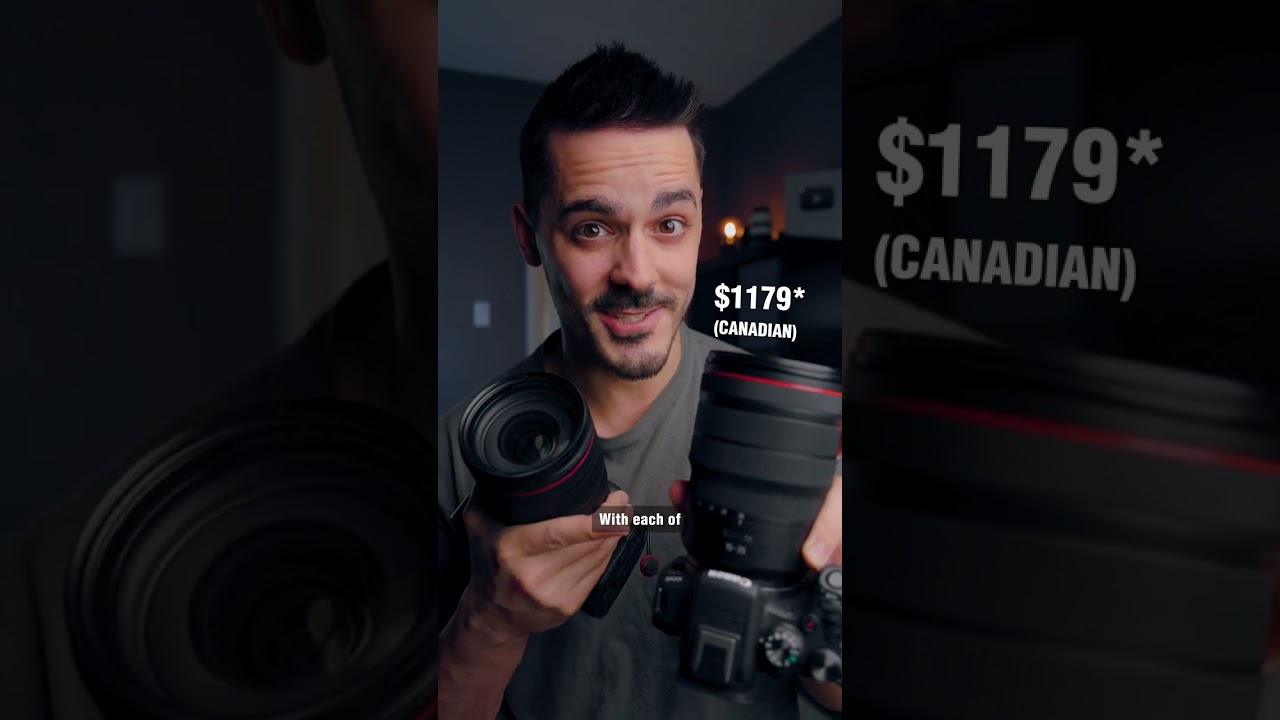
You’ve probably seen the thumbnail: two pictures side by side and the caption asking if you can tell which came from a $5,000 pro body and which came from an entry-level camera. Anthony Gugliotta’s video leans into that provocation, and the point isn’t to provoke you for clicks so much as to force a practical question: how much of the image comes from the sensor, and how much comes from the person behind it? You’ll watch footage and stills shot on a Canon R10 and a Canon R5, and the video’s purpose is to show, not just tell, where the differences actually matter.
The comparison is framed around a simple experiment: side-by-side images and videos, similar settings, same lenses when possible, and tests that simulate real shooting conditions. You should understand that the video isn’t an exhaustive lab report; it’s a real-world stress test aimed at people who shoot for a living, hobbyists who want to upgrade, and beginners deciding what matters most. Practical tests like this matter because spec sheets don’t always translate into your day-to-day results — the conditions you shoot in, the lenses you use, and the decisions you make will change how obvious those differences are.
Overview of the comparison: Entry-level Canon R10 versus pro Canon R5
You’re comparing two cameras that sit at opposite ends of Canon’s lineup: the R10 is compact, light, and accessible; the R5 is expansive, heavy, and designed to do everything at a professional level. On paper, the R5’s sensor, processing horsepower, and feature set outstrip the R10 in almost every category. But when you look at photos and videos edge-to-edge, you’ll begin to see that context matters — subject matter, lighting, and your own technique can shrink or widen the visible gap.
If you’re the type who prioritizes resolution, dynamic range, and professional codecs, the R5 is obviously aimed at you. If you value portability, affordability, and a modern AF system that’s still very capable, the R10 will speak to you. The question Anthony asks — can you tell the difference? — nudges you to think practically: will the increased investment change the images you produce or just make parts of your workflow marginally easier?
This image is property of i.ytimg.com.
Central question: Can you tell the difference between photos and video from each camera?
You’ll find that in many situations you can’t reliably tell the difference with a quick glance, especially with well-exposed JPEGs or lightly graded video. Small social images, web uploads, and many client deliverables will conceal the differences. But when you start to push the file — crop heavily, pull shadows, grade aggressively, print large, or need long shooting runs without overheating — the distinctions become clear.
For stills, fine detail, megapixels, and dynamic range create separations that matter for large prints and aggressive crops. For video, codecs, bit depth, and thermal management reveal themselves in grading latitude, long takes, and frame rates. So your answer depends on what you demand from your files: if your work will be scrutinized at 100% or printed full-frame, you’ll notice; if your output is mainly for the web or quick deliveries, you might not.
Scope: stills, video, autofocus, handling, cost-of-ownership
You should approach this comparison like a shortlist for an important purchase: weigh stills and video equally if you do both, but if one is your priority let that guide you. Autofocus matters for run-and-gun, weddings, and wildlife, while handling and ergonomics shape how fast and comfortably you can work. Cost-of-ownership includes batteries, cards, lenses, and potential repairs or upgrades; the body is only part of the long-term investment.
Anthony’s video covers stills and video side-by-side, autofocus tests, handling notes, and practical outcomes. You’ll get a sense of how each camera behaves under pressure, how reliable AF is in real-world scenes, and what the long-term financial picture looks like beyond the headline price.
Audience: beginners, enthusiast shooters, pros deciding whether to upgrade
If you’re a beginner, this comparison will help you see where to spend money — lenses and technique often outrank bodies. If you’re an enthusiast, you’ll learn whether the R5’s extra features will actually expand what you can do or just make shooting a bit more convenient. If you’re a pro, the video asks whether those pro features justify an upgrade in terms of reliability, workflow efficiency, and client expectations.
You should use this video as one data point: it’s practical, direct, and aimed at people who care about outcomes more than specs. The honest take is that many beginners will be delighted with an R10, many enthusiasts will be satisfied, and many pros will find real advantages in the R5; the question is which group you belong to.
How the video frames the comparison and why practical tests matter
Anthony frames the comparison as an experiment with real usage scenarios: portraits, action, low light, and video grading. Practical tests matter because they reveal ergonomics, thermal behavior, and sustained autofocus performance — things you don’t get from spec sheets. You’ll see the cameras ask different questions of you: the R5 expects a professional workflow and rewards you with latitude; the R10 expects smart compromises and rewards you with ease and portability.
You’ll also notice that the video values what you can perceive without a lab: visible noise when printing, how quickly focus locks on a moving subject, and how long you can record before the camera gets hot. Those are the differences that make a camera feel like an instrument versus a toy.
Camera Specifications and Core Hardware Differences
You should start by recognizing the basic architectural differences. The R5 sits at the top with a full-frame sensor, higher resolution, robust heat management, and a more advanced processing pipe. The R10 uses a smaller APS-C sensor, which impacts depth of field, field of view, and light-gathering capability. These architectural choices shape everything you do with the camera — from lens choices to ISO decisions.
The R5’s build is heavier and more purpose-built; the R10 sacrifices some of that solidity for affordability and lighter weight. Knowing the hardware differences helps you predict where each camera will shine and where it will struggle.
Sensor type and size differences between entry and pro models
You’ll notice that the R5 uses a full-frame sensor while the R10 uses APS-C. That difference means more surface area to gather light on the R5, and thus advantages in dynamic range and high-ISO performance. It also affects depth of field: the R5 can achieve shallower depth of field at similar focal lengths and apertures, which changes the look of portraits and subject isolation.
The APS-C crop of the R10 gives you extra reach with the same lenses — useful for wildlife and sports — but it also means you’re starting with less light per pixel compared to a similarly sized full-frame pixel.
Resolution and pixel density: tradeoffs between megapixels and noise
The R5’s higher megapixel count gives you room to crop and large print capabilities without sacrificing detail. But more megapixels packed onto a sensor also mean each pixel can be smaller and potentially noisier if the sensor design doesn’t compensate. The R10’s fewer megapixels on a smaller sensor can result in less resolution for big prints, but often presents cleaner files at moderate ISOs.
You’ll have to weigh whether you need the extra pixels for your work: if you print posters or do heavy cropping, the R5’s resolution will repay you. If you rarely exceed web sizes or small prints, the R10 will be fine.
Processor, buffer sizes, and overall performance headroom
The R5’s processor and larger buffers enable longer continuous shooting bursts, faster write speeds, and better handling of high-frame-rate video. If you shoot sports or events where long bursts are essential, you’ll appreciate the R5’s headroom. The R10 performs well for its class but will hit buffer limits earlier and might throttle when pushed hard.
You should consider how often you need sustained high-speed shooting; if it’s frequent, the R5 saves you from missed moments and workflow headaches.
IBIS presence and design differences
In-body image stabilization (IBIS) on the R5 is sophisticated, allowing for more stops of compensation and combining well with stabilized lenses. The R10’s stabilization is less capable or absent at the same level, relying more on lens IS or your technique. For handheld low-light shooting and video, the R5’s IBIS can be the difference between usable footage and shake-heavy clips.
You’ll find IBIS particularly valuable when you can’t or don’t want to use a gimbal or tripod.
Build materials and weather sealing
The R5’s body uses more robust materials and comprehensive weather sealing, making it better suited to heavy professional use in marginal conditions. The R10 is lighter and less weather-sealed; you’ll need to be more cautious in rain, sand, or extreme environments. For travel and occasional use you might accept that tradeoff, but for consistent professional assignments, the R5’s durability is an investment in reliability.
Image Quality: Resolution, Dynamic Range, and Detail
When you compare images, resolution and dynamic range shape their expressive potential. The R5 gives you more room to maneuver in shadows and highlights, and its high resolution preserves fine textures. The R10 produces pleasing images that will satisfy most clients and people sharing photos online, but it will show limits under extreme editing or when pushed to large print sizes.
Your eye will pick up differences in micro-contrast and texture when viewing at 100%, but in everyday viewing those differences are often subtle.
Native resolution and how it affects cropping and printing
Native resolution determines how much you can crop before detail breaks down and how large you can print without interpolation. With the R5, you can crop tightly and still retain detail for a gallery print. With the R10, heavy cropping will expose resolution limits, and very large prints may look softer.
If you need pixel headroom for commercial work, the R5 is the logical choice; for social, editorial web work, or moderate prints, the R10 suffices.
Dynamic range comparisons for highlights and shadows
The R5’s full-frame sensor typically offers superior dynamic range, giving you more latitude to recover shadow detail and retain highlight information. That matters in backlit scenes, high-contrast landscapes, or when you need clean tonal transitions. The R10 performs admirably for its class but can clip highlights or crush shadows earlier when pushed.
You’ll notice this in scenes with strong sunlight and deep shade — the R5 gives you more breathing room.
Color rendering and color depth across RAW and JPEG
Color depth and rendering vary subtly between the two bodies. The R5’s files tend to retain more chromatic information for grading and have a bit more nuance in skin tones and midtones. The R10’s JPEG output can be pleasing straight out of camera and its RAW files are flexible, but you’ll have less room for aggressive color pushes without artifacts.
For portrait work and color-critical assignments, you’ll appreciate the R5’s extra latitude.
Fine detail, micro-contrast, and perceived sharpness
Fine detail and micro-contrast contribute to the sense of sharpness. The R5’s resolution and sensor design preserve micro-contrast better, giving files a three-dimensional clarity. The R10 can deliver sharp images too, especially with high-quality lenses, but very fine textures may appear softer compared to R5 files.
Perceived sharpness is also influenced by lens choice, focus accuracy, and sharpening in post; you shouldn’t blame the body alone.
When resolution differences are visible to the viewer
Resolution differences become visible when you examine images at 100%, print large formats, or need to crop tightly. For casual viewing — on phones, social media, or small prints — the differences are often negligible. You should decide based on how often your work will be scrutinized at close inspection.
Autofocus and Subject Tracking
Autofocus can make or break a shoot. The R5’s AF systems are designed for speed, reliability, and comprehensive subject detection. The R10 benefits from Canon’s advancements too but is tuned for consumer use and sometimes makes different priorities in tracking or subject recognition. You’ll feel the difference when subjects move unpredictably or when you need eye detection in a chaotic environment.
Phase-detection autofocus systems vs hybrid AF implementations
Both cameras use phase-detection elements embedded in their sensors, but the implementation and processing power differ. The R5’s system is faster and more precise across a wider range of lenses and apertures, while the R10’s hybrid approach is excellent for stills and everyday video but can struggle on the edges of its envelope.
You’ll notice the R5 holding focus more tenaciously in high-speed sequences.
Eye, face, and animal detection performance in stills and video
Detection systems on both cameras work well on humans and animals, but the R5’s larger processing headroom and more advanced models offer more consistent detection, especially for small or erratic subjects. The R10’s detection is impressive for its class and often indistinguishable in portrait work, but it can lose track in cluttered scenes.
If you shoot wildlife or run-and-gun weddings, that reliability matters.
Low-light AF sensitivity and acquisition speed
The R5’s AF stays confident in dimmer conditions and acquires focus faster in many low-light scenarios. The R10’s AF is strong but reaches limits earlier; you might need to nudge ISO or use a faster lens to maintain the same hit rate. Low-light AF performance can be the difference between a usable image and a missed moment in dim environments.
Continuous tracking reliability for sports and run-and-gun video
For fast sports or continuous run-and-gun video, the R5’s continuous AF and tracking tend to be more reliable over long bursts and in difficult lighting. The R10 will still capture many of the same moments but with a slightly higher risk of losing the subject during complex motion.
If your work demands near-perfect hit rates, the R5 reduces editorial anxiety.
Customization, AF modes, and touch/joystick ergonomics
Customization matters because it lets you tune the camera to how you shoot. The R5 offers more granular AF customization, allowing you to adapt sensitivity and tracking behavior. The R10 provides intuitive modes and a helpful interface for beginners but fewer professional tweaks. Physically, joystick controls, touch AF, and menu shortcuts may be more refined on the R5, speeding your workflow.
You’ll appreciate configurable controls when you need to react fast.
Video Capabilities and Frame Rates
Video is where many pros see the value proposition of a pro body: higher bitrates, internal raw or high-quality codecs, and practical features like overheating control. The R5 offers 8K and higher-quality internal recording formats; the R10 is aimed at accessible 4K and efficient use of cards and batteries.
Your choice depends on whether you need maximum frame flexibility and post-production latitude or elegant, easy-to-use 4K for quick turnarounds.
Maximum resolutions and frame rates available on each camera
The R5 supports 8K recording and multiple high-resolution options, with high-frame-rate capabilities in 4K and potentially oversampled 4K from 8K. The R10 focuses on 4K at practical frame rates, often with options for 60p or 120p depending on crop and settings. If you need 8K for future-proofing or heavy reframing, the R5 is the tool for that.
For many creators, the R10’s 4K is more than sufficient and easier to handle in post.
Internal codecs, color sampling (4:2:0 vs 4:2:2), and bitrates
The R5 records at higher bitrates and better chroma subsampling options internally, giving you more color information for grading. The R10’s codecs are competent but use more compressed formats and lower subsampling in many modes, which limits grading leeway. If you plan to push color or do heavy VFX work, you’ll want the richer codecs.
For fast edits and social output, the R10’s compressed files speed up the workflow.
Raw and Log recording options, plus native picture profiles
The R5 supports internal raw and high-quality log profiles, which offer maximum latitude for colorists. The R10 may offer profiles like Canon’s log options but often not the same internal raw options. You’ll find the R5 gives you more flexibility in post, while the R10’s profiles are simpler to work with straight out of camera.
If you don’t plan to grade heavily, the R10 can be liberating in its simplicity.
Crop factors, oversampling, and 4K/8K quality differences
The R5’s ability to oversample from 8K to 4K produces very sharp, clean 4K footage with reduced moiré and noise. The R10’s 4K may be cropped or use pixel binning depending on mode, which affects field of view and detail. Oversampling can make a tangible difference in perceived sharpness and color fidelity.
You should test the exact modes you’ll use, because crop factors change framing and lens choices.
High frame rate slow motion and practical use cases
Both cameras can deliver useful slow motion for action sequences, though the R5 often does so in higher bitrates and with less cropping. The R10’s high-frame-rate options are excellent for social content and stylized video, but if you need cinematic slow motion at high resolution and long recording times, the R5 will serve you better.
Consider whether slow motion is an occasional creative tool or a frequent requirement.
Image Stabilization and Motion Handling
Stabilization can rescue handheld footage and make low-shutter-speed stills possible. The R5’s IBIS plus lens IS combinations give you robust stabilization that helps both stills and video. The R10 relies more heavily on lens IS and software stabilization, which works well but has limits that you’ll hit in very low light or with very long focal lengths.
Effectiveness of in-body stabilization versus lens stabilization
IBIS on the R5 stabilizes across many lenses and axes, often outperforming lens-only stabilization in many scenarios. Lens IS is still valuable and sometimes necessary for long telephoto work, but IBIS gives you a baseline of steadiness for many shooting situations. The R10’s stabilization strategy is lighter, and you’ll want to use stabilized lenses or gimbals for serious video.
You’ll notice steadier handheld footage more often with the R5.
Handshake in handheld video and performance with different shutter speeds
Handheld video on the R5 is smoother across slower shutter speeds, making it possible to capture usable footage in dimmer conditions without a gimbal. The R10 handles everyday handheld work well but will show shake earlier as shutter times lengthen. For expressive handheld motion or documentary work, the R5 reduces the friction.
Shutter speed choices and camera movement styles still matter more than raw stabilization capacity.
Gimbal and tripod workflows: when stabilization matters most
You shouldn’t treat stabilization as a substitute for proper technique. Gimbals still provide refined motion control, and tripods remain essential for static compositions. But in fast-paced or run-and-gun situations, the R5’s IBIS reduces reliance on additional gear. The R10 makes a lighter kit possible but may push you toward gimbals sooner in challenging scenarios.
Decide based on how mobile and fast your shooting needs are.
Rolling shutter behavior and how each camera handles fast motion
Rolling shutter artifacts show up differently depending on sensor readout speed and processing. The R5’s readout and processing minimize skew and wobble more effectively, especially when using high-frame-rate modes. The R10 can show more rolling-shutter artifact under extreme panning or when capturing quick action.
For fast-moving subjects and critical motion fidelity, the R5 gives you cleaner results.
Impact on low-shutter-speed stills and panning shots
For stills at low shutter speeds, stabilization can help keep images sharp, but you’ll still need technique for panning shots. The R5’s stabilization combined with lens IS helps reduce blur and maintain subject sharpness more consistently. The R10 can handle many situations but will be less forgiving for creative slow-shutter effects.
Practice remains the biggest multiplier of your results.
Low-Light Performance and Noise Control
Low-light performance is where sensor size, pixel design, and processing converge. The R5’s full-frame sensor and more aggressive noise handling usually give cleaner files at higher ISOs. The R10 is competent up to moderate ISOs, but you’ll find noise earlier and may need to compromise on shutter speed or aperture more often.
How often you work in low light should influence which camera feels like an upgrade versus an unnecessary expense.
ISO performance and usable ISO ranges for each camera
Usable ISO ranges differ: the R5 gives you more headroom into higher ISOs before images become objectionably noisy. The R10 performs excellently in daylight and moderate indoor lighting, but you’ll need to watch your upper ISO choices more carefully. For event work in dim venues or nighttime street photography, the R5 is forgiving.
You’ll learn to trust a camera when it reliably delivers usable files under the conditions you most often face.
Noise characteristics: chroma vs luminance noise and grain structure
The R5 tends to manage luminance noise better and preserve detail without excessive chroma blotch. The R10’s files might show more visible grain and chroma noise when pushed aggressively. Noise character affects how you can grade and print images; grainier files can be stylized, but they can also be limiting.
Noise reduction in post can help, but it’s no substitute for raw data quality.
Noise reduction strategies in-camera and in post
Both cameras offer in-camera noise reduction and long-exposure noise reduction settings, and both yield files you can manage in post. The R5’s cleaner source helps you apply NR more subtly while retaining detail. On the R10, you may need stronger NR or accept softer detail when shooting at high ISO.
Test NR presets on your typical subjects to find a workflow that preserves the look you want.
Practical shooting examples: indoor events, night street photography
At a wedding reception or a dim bar, the R5 will more reliably capture usable shots at lower shutter speeds or lower ISOs. The R10 will still get many keepers, especially with fast lenses and good technique, but you’ll be more constrained. For night street photography, the R5’s lower noise floor lets you push exposures and retain shadow detail.
You’ll adapt your shooting style to the gear you have; sometimes that adaptation is a creative benefit.
When low-light differences will affect assignment outcomes
If your assignments demand high hit rates in dim venues, the R5 increases the odds of delivering consistent results. If your work is mostly daylight or you can control lighting, the R10 will likely serve you well. Consider the cost of a missed moment — if it’s high, invest in tools that reduce that risk.
Color Science, Picture Profiles, and Grading Flexibility
Color is a subjective measure but a professional necessity. The R5’s files tend to offer more latitude for grading, and its log and raw options let you shape color more dramatically without artifacts. The R10 produces pleasant color straight out of camera and is friendlier for quick turnarounds.
If grading is central to your workflow, the R5’s extra flexibility will save you time and expand creative options.
Default color rendering and skin tone reproduction tendencies
Both cameras render color attractively, but the R5 tends to render skin tones with more subtlety and smoother transitions. The R10’s default profiles are punchy and often ready for web. If you’re shooting client-facing portraits and you want maximum control over skin tones, the R5 simplifies that work.
Log profiles, HDR options, and latitude for color grading
The R5’s log profiles and internal raw options give you wider dynamic range to work with, which matters when you need dramatic color grading or HDR outputs. The R10’s log options and HDR modes work well for less intensive grading but won’t tolerate extreme grade pushes as cleanly.
Decide how much time you’ll invest in post when choosing your tool.
White balance behavior and ease of correction in post
Both cameras handle white balance reasonably well, but the R5’s greater color fidelity makes correction easier and less destructive. The R10 may require more careful WB choices in mixed lighting to avoid color shifts. Custom white balance and AWB behavior both work well, but pro workflows benefit from the R5’s stability.
How bit depth and chroma subsampling affect grading decisions
Higher bit depth and better chroma subsampling on the R5 allow you to manipulate color aggressively without banding or posterization. The R10’s more compressed files constrain how far you can push saturation or color separation. If your deliverables require heavy grading, choose the camera that gives you headroom.
LUTs, color-matching between cameras, and the grading workflow
Matching footage between the two cameras requires attention to log profiles and LUTs; you’ll find the R5 offers cleaner inputs for matching and less nasty edge cases when pushing contrast. If you mix bodies, shoot ample color charts and raw frames to ease matching in post. Consistency in lighting and exposure is still the main thing.
Ergonomics, Controls, and Usability
Ergonomics determine how quickly you can work and how much fatigue you’ll feel after a shoot. The R5’s larger body and refined control layout favor long shoots and quick adjustments. The R10’s compact design is easier to carry and less intimidating to beginners, but may feel cramped under heavy use.
Choose the body that fits your daily rhythm. The best camera is the one you bring and use comfortably.
Body size, grip comfort, and button layout differences
The R5’s grip is chunkier and more secure for large lenses, and its button layout puts frequently used controls within easy reach. The R10’s smaller body is lighter and more discreet, but you might find it less comfortable for all-day shooting. Button placement and heft influence how confidently you operate under stress.
If you shoot with heavy glass, a stable grip matters.
Viewfinder and rear screen quality, articulating options
The R5 offers a higher-resolution EVF and superior rear screen options, often with vari-angle or tilt that suits video and creative angles. The R10’s EVF and screen are very good but less luxurious. For precise manual focusing, the R5’s viewfinder can make a practical difference.
You’ll appreciate clarity when you’re tracking small highlights or concentrating during a long edit.
Menus, custom buttons, and ease of accessing video settings
Menu depth and customization differ: the R5’s menu system is more extensive but sometimes denser, while the R10 aims for simpler navigation. Custom buttons and quick menus on the R5 let pros streamline complex workflows; the R10’s interface helps beginners find essentials without getting lost. You should spend time customizing whichever camera you use to fit your hands and habits.
Battery life under stills and video loads and charging options
Higher processing demands and larger sensors can influence battery life; the R5 consumes more power under heavy video loads and may require more spare batteries for long shoots. The R10 is efficient and lighter on battery usage for many casual scenarios. For long days or video-heavy shoots, invest in spares and consider external power options.
Think about how often you can reasonably change batteries mid-shoot.
Useability for run-and-gun creators versus studio shooters
Run-and-gun creators will value the R10’s lightness and simplicity, while studio shooters will appreciate the R5’s control, larger EVF, and professional interfaces. Each camera suits different workflows; you should choose based on whether mobility or control is your daily priority.
Conclusion
You should finish this comparison understanding that the differences between an entry-level R10 and a pro R5 are both technical and experiential. The R5 gives you resolution, dynamic range, stabilization, and professional video features that matter for high-end commercial work, large prints, and demanding shoots. The R10 gives you portability, affordability, and surprisingly capable image and video results for most common uses.
Match features to your needs: if you print big, grade aggressively, shoot in low light often, or require top-tier AF and durability, the R5 is worth the cost. If you’re building skills, prioritize lenses, or produce content primarily for web and client deliverables that don’t demand 8K or extreme cropping, the R10 will serve you well.
Summary of the most impactful differences between entry-level and pro cameras
The most important differences are sensor size and resolution, video codecs and bitrates, stabilization capability, sustained performance under load, and build quality. These affect not just image quality but your ability to deliver consistently in varied conditions.
Decision framework: match features to real shooting needs and budget
Make a list of your frequent shooting scenarios and rank which features would change outcomes: low-light reliability, cropping needs, grading flexibility, continuous AF reliability, and physical durability. Use that to decide whether the R5’s premium features will change your results enough to justify the cost.
Key takeaways: when differences matter and when they don’t
Differences matter when files are scrutinized, printed large, graded aggressively, or shot under challenging conditions. They matter less for social media, casual photography, and many client needs where good lenses and technique do most of the work.
Actionable next steps: tests to run, rentals to try, and purchases to consider
You should rent an R5 for a day of shooting in conditions you normally encounter and compare it to the R10 or a borrowed body. Run low-light, action, and long-recording tests that mimic your workflows. Consider investing first in one or two high-quality lenses if budget is tight — lenses often change the look more than the body.
Final thought: invest in skill and lenses as much as in the body
At the end of the day, your skill, vision, and lenses will usually matter more than whether you own an R10 or an R5. The pro body makes hard things easier and reduces risk on demanding assignments, but the entry-level camera lets you shoot more, experiment more, and master your craft without the same financial pressure. You’ll get better pictures by practicing with what you have and choosing upgrades that remove the specific limits you encounter most.