
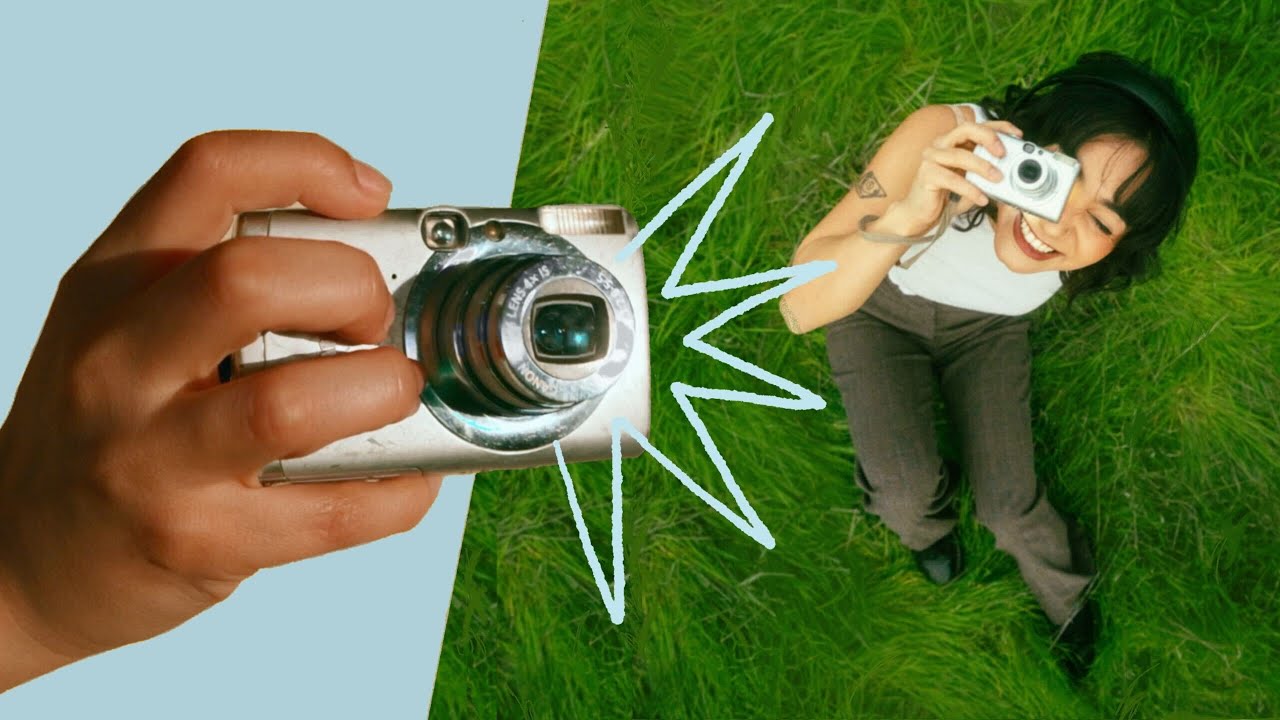
This is your sign to buy a Digicam! You’ll discover why owning a digicam is worth it — lightweight, compact bodies, flash use, getting it ready to shoot, and smart SD card and file-transfer tips.
Timestamps guide you through buying options, affordability, where to find your first unit, and why they’re tons of fun; there’s a quick recap and a giveaway too. Picture what you’ll shoot with a digicam and use this as a friendly nudge to start exploring options.
Introduction to Digicams
You might think digicams belong to another decade, an object trapped in the soft light of nostalgia, but they are quieter companions than most gadgets and simpler to love. In this section you’ll get a clear sense of what a digicam is, how it came to be, and why it still matters when everyone else is filming on their phones.
Definition and brief history of digicams
A digicam, short for digital camera, is a compact camera designed primarily to capture still photos and often casual video without the bulk of interchangeable lenses. The story begins in the late 20th century when sensors replaced film, and suddenly images lived as data you could move and duplicate. Over time digicams simplified—smaller bodies, easier menus—and developed their own aesthetic and use cases: spontaneous crispness, playful experimentation, and a physical habit of holding a camera that changes how you look at things.
How digicams differ from smartphones and DSLRs
You will notice immediately that digicams sit between two extremes. Unlike a smartphone, they often have larger sensors or optical zoom, physical buttons and dials, and a tactile experience that separates seeing from swiping. Compared with DSLRs or mirrorless cameras, digicams are simpler, lighter and less intimidating—you don’t need to learn lens etiquette or carry a bag full of glass. They trade absolute manual control and extreme low-light performance for convenience, personality and immediacy.
Common types and form factors of digicams
There are several shapes you’ll recognize: the tiny point-and-shoot you can fit in a coat pocket, the travel zoom with a long telescoping lens, and the more advanced compact with a larger sensor and raw shooting options. Some are clamshell-style with rotating screens, others are boxy and small. Each form factor tells you what the camera wants to be: modest and fast, versatile and zoom-hungry, or artistically discreet.
Why You Need To Be Owning A Digicam
buying a digicam is more than a practical choice; it’s a small ritual that reshapes how you pay attention. This section will persuade you, softly, that having one will alter which moments you notice, keep and edit.
Advantages over relying solely on phone cameras
Your phone is great because it’s always there, but that convenience comes with compromises: lens limits, automatic processing that flattens mood, ergonomic awkwardness when you want to shoot for a stretch. A digicam gives you better zoom without digital tricks, less aggressive image processing, and buttons that let you capture rhythmically. You’ll find images that feel less like an extraction of your feed and more like a thing you made.
Situations where a digicam outperforms other options
On holiday when you want optical zoom for a distant coastline, at dim cafés where a larger sensor reduces noise, or during events where a physical shutter sound helps you pace your shots—these are the moments a digicam wins. It’s also more reliable in windy or sandy conditions because you’re less precious with it than with a pricey phone or a weekend DSLR. When you want a plain, good photo without fuss, this is the tool.
How owning one expands creative possibilities
When you carry a digicam, you’ll shoot differently. You’ll think about framing because you have a viewfinder or a small screen that invites composition. You’ll experiment with intentional exposure and flash because it’s available and forgiving. You’ll make small series of images, notice light changes and return to places you might have passed by with only your phone. Owning one multiplies the ways you can tell a visual story.
This image is property of i.ytimg.com.
Lightweight and Compact Benefits
One of the digicam’s quiet virtues is how little it asks of you physically. This section explores why smallness matters and how it changes what you do.
Portability for travel and daily carry
It’s easy to underestimate the value of a small camera until you’re traveling and tired, or standing on a rainy street and don’t feel like hauling a bag. A digicam’s portability means you actually carry it. You take photos in between things—on a train, at a market, waiting for a friend. That accumulation of gentle observations is where many of the best photographs come from.
How compact size encourages more shooting
Because a digicam is unobtrusive, you’ll shoot more candidly. People relax; you do too. There’s less performance in your body language and more attention in your eyes. You’ll be less likely to overthink settings and more likely to try odd angles, quick bursts, or a long sequence. The camera’s size removes friction, and you’ll start to picture your days as a roll of frames rather than a handful of highlights.
Weight and pocketability compared to other camera types
Compared with a mirrorless system or a DSLR with multiple lenses, a digicam is featherlight. It slips into a coat pocket or small purse and doesn’t change how you move. That means you’re not choosing between carrying a camera and wearing the coat you want; you can have both. Weight matters because it’s the everyday cost of making images—less weight means you pay it more often.
How to Use the Flash Effectively
Flash can be ugly and tired if you let it be; used well it’s a tiny studio on demand. Here you’ll learn the modest tactics that transform flash from offender to tool.
When to use built-in flash and when to avoid it
Use the built-in flash when you need to freeze motion in dim light, when the background doesn’t matter, or when you want the slightly crisp, bright look of a flash-lit portrait. Avoid it when ambient light is part of the scene’s mood—sunsets, candlelit dinners, or soft window light—because flash tends to flatten texture and atmosphere. If the flash ruins the vibe, find a higher ISO or a steadier surface instead.
Simple techniques to reduce harshness and red-eye
To soften flash, don’t put it too close to the subject’s face; step back and zoom in a little to reduce intensity. Tilt or bounce the flash if your camera allows a swivel head—pointing it toward a ceiling or wall warms and diffuses the light. For red-eye, ask your subject to look slightly away from the lens, use the camera’s red-eye reduction (with caution, since pre-flashes can annoy), or edit it out afterward. Small spatial adjustments make a big difference.
Creative uses for flash in low-light and fill-light situations
Think of flash as a fill-light: use it to gently lift shadows on a subject against a bright background, or as a rim light to separate someone from darkness. Slow-sync flash can let you retain ambient light while freezing a subject in the foreground, creating a sense of motion and place. You can also experiment with off-camera light sources—an LED, a phone—if you want unorthodox shadows or colored accents. The flash is not only functional; it’s expressive.
Getting Your Digicam Ready to Shoot
There’s a small set of rituals that make owning a digicam less about panic and more about pleasure. Here’s what to check before you leave the house.
Basic camera settings to check before heading out
Verify the shooting mode—auto for ease, aperture priority if you want background control, or program for balanced flexibility. Check image quality: if you want to edit later, set it to the highest JPEG option or raw if your camera supports it. Confirm ISO and white balance; automatic is fine, but if you’re in a predictable environment, manual choices can save you time later. Finally, ensure autofocus mode matches your subject: single for stills, continuous for moving people or pets.
Charging and battery care for reliable performance
Charge your battery fully before a shoot, and if you’ll be out for hours, bring a spare. Batteries age; if you notice rapid drain, it’s time to replace. Keep batteries cool and dry and avoid leaving them fully discharged for long periods. Bring a small charging kit or power bank if your camera supports USB charging—low-profile and efficient for travel days.
Setting date/time, formatting the card, and resetting defaults
Set the correct date/time so your files organize sensibly and metadata is accurate. Format the SD card in-camera rather than deleting files on a computer; that reduces the chance of file system errors. If you borrow a camera or buy one used, reset to defaults to clear rogue settings and get a predictable starting point. These small habits keep your workflow neat and your images easy to find.
Storage and SD Cards
A digicam’s utility is as much about its memory as its lens. Understanding cards and storage will stop you from missing moments.
Choosing the right SD card type and speed class
Look for SD cards matched to your camera’s needs. Standard SD, SDHC, and SDXC indicate capacity ranges—most modern digicams use SDHC or SDXC. Speed class matters: a higher class means better support for continuous shooting and video. UHS-I and UHS-II are common; you don’t need the top tier unless you shoot high-bitrate video or fast bursts. Balance capacity and speed for your typical use.
How to estimate needed storage based on resolution and video
Estimate storage by considering file size: higher resolution photos and raw files take significantly more space than compressed JPEGs, and video quickly consumes gigabytes. If you shoot mostly photos at high quality, a 32–64GB card is comfortable; for lots of video or raw sessions, 128GB or more prevents frequent swaps. Keep one spare card in your bag because an unexpected surge of good shots is inevitable.
Safe storage practices and when to swap or replace cards
Swap cards when they approach the end of a project rather than when they’re half full; clearing cards frequently and backing up prevents data loss. Replace cards showing errors, slow write times, or that have been used intensively for years. Store cards in a case away from magnets and extreme temperatures. Regularly back up to your computer or a drives routine: the card is a temporary home for your images, not the final one.
Transferring and Managing Your Digicam Files
What you do with images after you shoot them is as important as the shooting itself. A calm, simple system keeps your photos alive.
Methods for transferring: cable, card reader, Wi‑Fi, Bluetooth
You can transfer files via the USB cable bundled with the camera, a fast card reader, or wirelessly if your camera supports Wi‑Fi or Bluetooth. Card readers are often the quickest and most reliable; Wi‑Fi is convenient for instant sharing but can be slower and less dependable. Choose what fits your pace: speed and reliability for bulk backups, wireless for quick social uploads.
Organizing files and backups on your computer or cloud
Create a folder structure that makes sense to you—by year, then by event or month—and use consistent file naming to make things findable. Back up immediately: one local copy on an external drive and a remote copy in cloud storage is a practical minimum. Regularly run backups and spot-check that files open; a backup that won’t open is misinformation, not protection.
Simple editing and file conversion workflows for beginners
Start with small edits: crop, exposure, and color balance. Use straightforward software that handles JPEG and raw if you shoot raw. Convert raw files only when you need them; raw preserves detail but takes more space. Export copies for sharing at lower resolution and keep originals archived. Your workflow should be repeatable and quick so editing doesn’t become a chore you avoid.
Where to Find Your First Digicam
You’re ready to buy, and choices multiply. This section helps you find a camera that fits your life and budget.
Buying new from retailers and manufacturer outlets
New cameras come with warranty and the comfort of a return policy. Retailers and manufacturer stores often bundle accessories or provide hands-on time so you can feel the weight and layout. Buying new is sensible if you want the latest features, full warranty coverage, and zero surprises about the camera’s condition.
Tips for finding reliable used or refurbished digicams
Used or refurbished cameras offer value. Look for reputable sellers who test and certify their devices and provide some warranty. Inspect for clean optics, shutter count (if available), and intact bodies without sticky buttons. Refurbished models from manufacturers or trusted stores give you near-new reliability at a discount.
How to test a used camera in person or evaluate listings online
When testing in person, power the camera on, shoot a few photos at different zooms and apertures, and check images for lens issues like fungus or haze. Test all buttons, menus, and flash. Online, ask for sample images, the shutter count, and close photos of any wear. If the seller won’t answer practical questions, walk away—the perfect past life for a camera includes clear answers.
Affordability and Pricing
Cameras suit different budgets; this section demystifies what to expect at each price point and how to make a choice that feels good to you.
Typical price ranges and what features correspond to each tier
At the lowest tier you’ll find simple point-and-shoot digicams that are cheap and cheerful—good for snapshots and travel. Mid-range models add better sensors, optical zoom and manual controls. High-end compacts approach mirrorless performance with larger sensors and raw capability but at a higher price. Prices reflect sensor size, zoom range, build quality and features like raw shooting and stabilization.
How to prioritize features when on a tight budget
Decide what matters most: is it image quality, zoom reach, or size? If you shoot travel and landscapes, prioritize sensor size and image stability. If you want to document daily life, portability and battery life may be the priority. Buy the best sensor and lens you can afford rather than chasing features you won’t use. A modest camera you love beats an expensive one that sits unused.
Timing purchases around sales and seasonal discounts
Cameras go on sale around major shopping seasons and when new models arrive. If you aren’t chasing the newest model, buying last year’s model during a sale gives good value. Watch for refurbished deals from manufacturers and clearance promotions from retailers; they often reduce price without dramatically changing real-world performance.
Conclusion
This last part is a gentle nudge. You’ve read the reasons, weighed the use cases, and considered the logistics. Now, you’re invited to act.
Final encouragement to take the step and buy a digicam
If you’ve been waiting for permission, this is it: buy a digicam because it will change how you move through ordinary days. It’s not only about better pictures—it’s about noticing things you otherwise wouldn’t, and having a device that asks only to be used.
One-line reminder of the main benefits and next action
A digicam gives you better optics, real buttons, and the freedom to shoot without overthinking—so pick a model that fits your pockets and plans, and try it out this weekend.
Invitation to share what you’ll shoot and join the community
Once you have it, tell someone what you photographed—friends, a local group, or an online community that appreciates small-camera work; your images will find a life beyond your hard drive, and you’ll be surprised how sharing one small frame can start a conversation.