
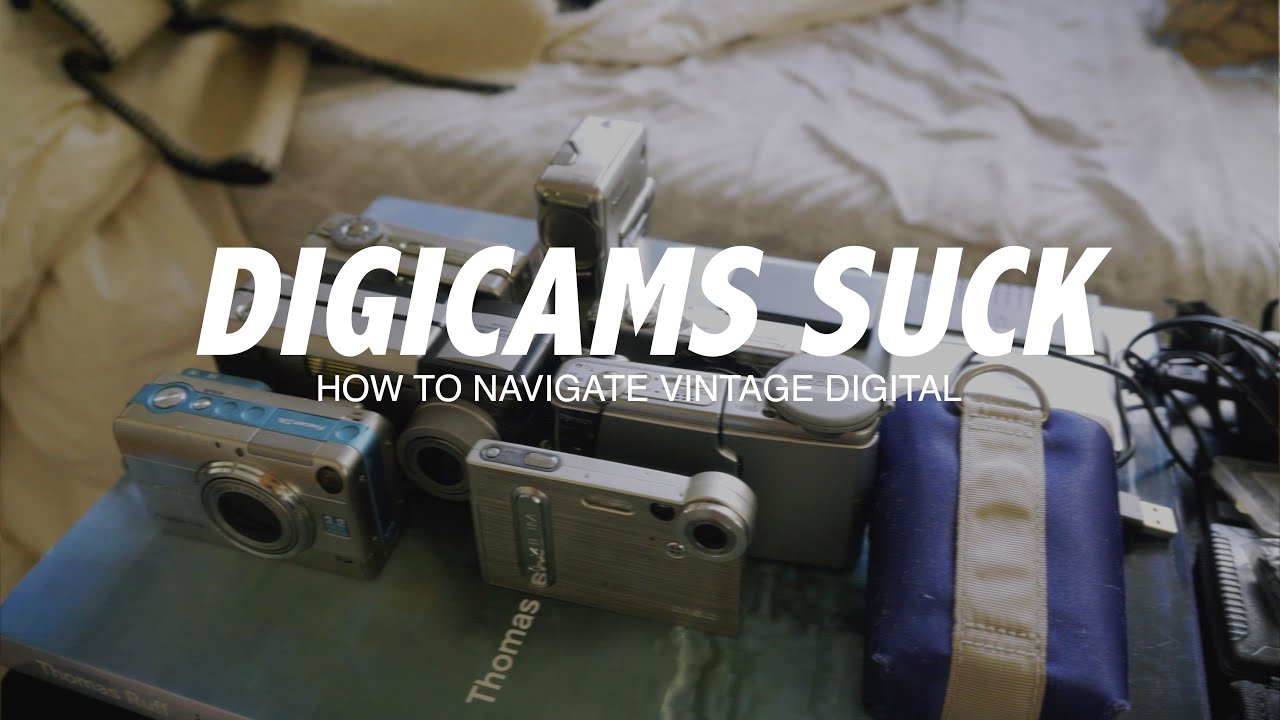
Buying a Digicam Guide to Navigating Vintage Digital Cameras shows you how to pick a classic digital camera without the stress, answering whether a CCD sensor matters or what an XD memory card is. You’ll get friendly, practical tips on where to shop, what to inspect, and how to handle common issues like sensor dust and rising prices.
The guide outlines where to buy and how to find deals, covers memory formats and card readers, explains sensor-cleaning methods like the vacuum technique, and recommends models that give a film-like look. A short video by One Month Two Cameras provides timestamps and demos, so you can learn the pitfalls quickly and get your vintage digicam into action.
This image is property of i.ytimg.com.
Where to Buy Vintage Digicams
You’ll find vintage digicams everywhere if you begin to look — they turn up in places you wouldn’t expect, like the drawer you inherited from an aunt, and in the places you would, like online shops and flea markets. Think of this section as the map for where to start the search, and how each route changes what you should be ready for.
Online marketplaces and auction sites and how to evaluate seller ratings
Online marketplaces and auction platforms are where volume lives: lots of models, lots of photos, and lots of variance in condition. When you scan listings, learn to read the seller’s history like a face. Look for consistent positive feedback, detailed photos, clear return policies and fast, responsive messaging. High ratings matter less if reviews mention misrepresentation — prioritize sellers who post full-resolution photos of serial numbers, interior lens shots and test images. If something feels evasive, walk away; the low price rarely compensates for surprises.
Specialty camera shops, estate sales, and consignment stores for vetted gear
Specialty camera shops and vetted estate sales are quieter but more reliable places to buy because someone has already filtered the stuff for you. You’ll pay a premium compared to garage-sale finds, but you’ll also get people who can answer questions about model quirks, battery availability, and likely repairs. Consignment shops often inspect gear and provide short guarantees; estate sales can hide gems but require quick decisions — show up with cash and a realistic sense of what you’ll accept.
Local classifieds, garage sales, and thrift stores for bargains and serendipity
Classifieds, thrift stores and garage sales are where you cultivate patience and luck. You’ll encounter one-off bargains and weird configurations, and sometimes you’ll buy into mystery — no batteries, no cables, unclear condition. In these places you exercise judgment: small outlay, big potential payoff, or cheap souvenir. Bring a charger and a basic checklist, and don’t be afraid to haggle a little. If you can test there, test; if you can’t, take photos and ask about returns.
Camera swap meets, photo clubs, and local meetups to try before you buy
Swap meets and photo-club gatherings are the rare opportunity to hold a camera first, to twist the zoom, to listen to the shutter, to meet the person who once loved the instrument. You’ll learn more in ten minutes of hands-on handling than in ten pages of listings. These settings are also good for bargaining and for learning where to get parts or a trusted technician. Bring a friend or someone who knows cameras if you feel unsure; experienced eyes can spot telltale wear.
Community channels such as Discord servers and niche forums for trades and recommendations
Community channels — forums, niche message boards and Discord servers — are where collectors congregate in the long-form way people do when they care. Post what you want and you’ll get recommendations, warnings about serial-numbered recalls, and sometimes private sales from people who prefer to trade within the group. Trust builds here more slowly, so watch how people interact and follow threads; members often share repair tips, photos of typical failures, and sensible prices, which will sharpen your sense of what’s fair.
How to Find Good Deals
If you want a good deal, you’ll learn to be attentive, patient and a little strategic. Deals exist because markets fluctuate and because not everyone knows the value of what they own. Your role is to be the attentive buyer who recognizes value and knows when to act.
Timing purchases around market cycles and seasonal sales
Market cycles matter. Interest in vintage digicams spikes with trends, influencer posts and nostalgia waves; prices soften during quieter months, or after new retro announcements. Seasonal sales around holidays or end-of-year cleanouts can produce bargains, as can moments when sellers clear out estates or collections. If you can wait, watch the market for a couple of months to learn typical price ranges and pounce when a model dips below that.
Searching for mislisted items, bulk lots, and non-working units for parts
You’ll find gold by looking for mislisted items — cameras labeled too generically, or with photos that don’t match the title — and by watching bulk lots from estate sellers. Non-working units are often sold cheaply and are valuable for parts; buy several and you may salvage batteries, screens, or lens elements. Be realistic: a parts unit might cost you time and patience, but if you’re after one component it can be a bargain.
Negotiation tactics and best practices for private sellers
When you negotiate with private sellers, be friendly, clear and reasonable. Compliment the camera if you mean it, ask specific questions and offer a fair counter rather than an insultingly low bid. Use timing to your advantage — offer a slightly lower price if the item has been listed for a while — and bundle: sellers often prefer a single sale and will drop price for extra items. Always agree on shipping, returns and payment method before you send money.
Understanding when a low price hides costly repairs or missing parts
A price that seems too low should make you curious, not elated. Low prices often hide issues: fungus inside the lens, corroded battery compartments, jammed zooms, or missing chargers and proprietary cables. Ask for test shots, close-ups of lens interiors and the battery bay, and a clear statement of what’s included. If the seller refuses, or can’t provide basic checks, assume you’ll pay for repairs and factor that into your decision.
Setting alerts and saved searches to catch newly listed items quickly
You won’t win if you’re always late. Set saved searches and alerts on marketplaces so you’re notified the moment a desired model pops up. Use multiple variations of model names and common misspellings to capture mislistings. Speed matters most for hot models and rare formats: when something good appears, be ready to message, ask for a quick test photo, and make an offer.
Understanding Memory Cards and Readers
Memory cards are the little containers of the camera’s voice — each obsolete format carries its own quirks and fragility. When you buy a vintage digicam, you must think not only about the body and lens but about how you’ll get images out and keep them safe.
Overview of legacy card formats: xD, Memory Stick, SmartMedia, CompactFlash, and early SD
Legacy formats come in a confusing variety: CompactFlash (CF) is large and robust and was common in early prosumer and pro digicams; early SD cards moved the market toward small, cheap storage; SmartMedia and Memory Stick are vendor-specific formats that are now rare; xD cards were small cards used by certain compact cameras. Each format differs in durability, capacity limits and availability — some do not play nicely with modern devices or require adapters.
How to read and transfer files from obsolete cards and where to buy readers
To read files from obsolete cards you’ll often need a specialized USB card reader that supports the specific format. There are multi-format readers for CF and SD, but SmartMedia, xD and Memory Stick readers are less common and sometimes require older USB standards. You can buy readers from camera shops, electronics recyclers or secondhand sellers; if you can’t find a reader, look for an intermediary device — an older laptop with built-in slots — that can export files to a modern system.
Adapters and workarounds for modern computers lacking legacy ports
Adapters are your friend. CF-to-USB adapters, SD-to-microSD shells, and specialty dongles plug old cards into modern machines. If physical adapters aren’t available, use an older laptop or an intermediate camera as a bridge: mount the old card in a working digicam and transfer over USB. Be gentle with adapters; fragile pins and awkward fits can damage cards. Always make a raw copy of the files before experimenting.
File formats, resolution, and compatibility concerns with older cameras
Older cameras frequently produce proprietary or obsolete file formats, limited resolution and odd aspect ratios. RAW formats may be unreadable by modern software without specific plugins or converters; JPEGs may be highly compressed. Check what files the camera creates and test compatibility before buying if you care about editing freedom. If you’re buying for aesthetic reasons, JPEG quirks can be part of the appeal; if you need archival-quality files, expect limits.
Long-term archiving strategies and recommended file backups for vintage images
Once you’ve extracted images, assume storage will fail eventually. Back up to at least two physical media types — an external drive and a cloud or off-site copy — and consider long-term formats like lossless TIFF for important images. Preserve original files as well as processed versions. Use checksums for large collections, rotate backup media every few years, and keep multiple redundant copies in different locations so your images survive hardware obsolescence.
Sensor Types and Image Characteristics
The sensor is where the magic of a digicam happens, and different sensor technologies age differently. Knowing what the sensor does and how it behaves will help you choose a camera that matches the look you want and the practical needs you have.
Differences between CCD and CMOS sensors and what that means visually
CCD (charge-coupled device) and CMOS sensors detect light differently. CCDs were common in older cameras and often read out in a way that produces uniform color with lower high-ISO noise patterns, while CMOS sensors, which became ubiquitous later, are more power-efficient and support faster readouts. Visually, CCDs tend to render a certain smoothness and color character, while early CMOS sensors might show harsher noise and different color casts.
Why CCD sensors are prized for certain vintage ‘film-like’ looks
You’ll hear that CCD sensors give a filmic quality, and there’s truth in it: the color response, highlight roll-off and midtone behavior of many CCDs produce images that feel warm and organic in a way some people associate with film. The grain structure of CCD noise and the way it responds to highlights often reads pleasingly to the eye, which is why collectors chase CCD-equipped digicams for portraits and moody scenes.
Resolution limits, dynamic range, and noise performance of older sensors
Older sensors have clear limits: lower megapixel counts, narrower dynamic range and less effective high-ISO performance. That means blown highlights, crushed shadows, and noise at higher sensitivities. But these limits are also part of the charm; if you accept the constraints and compose for them, you can make images that feel deliberate and intimate. Know a camera’s native ISO range and test it under conditions you’ll shoot in.
How sensor electronics influence color rendering and contrast
Beyond the sensor itself, the electronics — the color filter array, the on-board image processing and the firmware — shape color and contrast. Two cameras with similar sensors can render skin or daylight very differently because of processing choices made by the manufacturer. If you love a particular palette, seek out sample images or request test shots from sellers before committing.
Which sensor traits to prioritize based on your shooting goals
Let your goals guide you: prioritize CCD and pleasing color response for portraits and film-like aesthetics; seek larger sensors and better dynamic range if you plan to crop or print large; if you need speed and autofocus reliability, newer CMOS-based models may be preferable. Balance nostalgia against practicality — choose a sensor that serves your creative intentions, not just one that looks good in a gallery.
Sensor Dust, Cleaning, and the Vacuum Method
Sensor dust is the small, relentless enemy of older digicams — it shows up as dark spots and ruins long exposures. You’ll want to know how to spot it, how to clean it safely, and when to ask for help.
How sensor dust affects image quality and how to spot it in test shots
Dust shows up as small, generally round dark marks that are most visible at small apertures and in uniform areas like sky or walls. To spot dust, take a test shot of a plain white surface or blue sky using a small aperture (large f-number) and examine the image at 100%. If you see repeating spots in the same place across images, you have dust. Distinguish dust from dead pixels by zooming in: dead pixels are tiny single points, while dust casts shadow shapes that move if you change lenses.
Safe cleaning methods: blower, swabs, and sensor-specific solutions
Start with the simplest tool: a hand blower to dislodge loose particles. If dust persists, use sensor swabs with a small amount of sensor-cleaning solution designed for your sensor type and size. Work in a clean, dust-minimized environment, use new swabs for each pass, and follow the swab maker’s directions. Never touch the sensor with canned air or rough cloths. If you’re nervous, practice on an expendable camera or ask for a demonstration.
Step-by-step description of the vacuum method and when to consider it
The vacuum method is controversial but effective when done carefully. The idea is to gently suction dust from the sensor with a low-suction tool fitted with a soft, clean tip. Steps: ensure the battery is charged so the camera can lock the mirror or open the shutter as needed; mount the camera on a sturdy surface in a clean room; power the camera into sensor-cleaning mode to expose the sensor; use a vacuum designed for electronics or a purpose-built sensor vacuum at minimal power; keep the tip just above the sensor, never touch it; make a few short passes; then power cycle and test. Consider this only if you have experience or a trustworthy guide; the risk of contact or electrostatic discharge is real, and the method is not suitable for every sensor type.
When to seek professional cleaning to avoid sensor damage
Take any hesitation as permission to consult a pro. If the dust is sticky, if there’s grime, oil or suspected fungus, or if you’re dealing with high-value gear, professional cleaning is worth the cost. Technicians have clean rooms, ultrasonic cleaners and the right tools to remove stubborn contamination and to inspect for deeper issues. If you’ve attempted cleaning and things worsen, stop and hand it over to a technician.
Preventive measures to keep sensors cleaner during use and storage
Prevention is easier than cure: change lenses in clean environments, avoid leaving the sensor exposed, store cameras in dry, dust-free cases with silica gel packs, and keep battery compartments clean. Regular gentle maintenance and disciplined handling — cover the mount when not using the camera, use lens caps and keep straps off dusty surfaces — will reduce the frequency of deep cleans.
Inspecting a Used Digicam Before Purchase
When you inspect a camera, you’re doing more than checking for cosmetic flaws; you’re assessing whether the instrument will reliably capture the moments you want. Develop a checklist and don’t skip the basic functional tests.
Exterior examination: body wear, loose parts, and corrosion points to check
Look closely for body cracks, sticky buttons, loose hinges, and corrosion — especially in battery compartments and around tripod sockets. Worn grips are cosmetic but can hide drops; corrosion often indicates water damage. Open ports and inspect pins. Small dents can be benign; pitting and verdigris are not. Ask the seller about the camera’s history and whether any drops or water exposure occurred.
Lens and zoom checks: aperture blades, glass clarity, fungus, and zoom smoothness
Inspect the lens for haze, separation, fungus and scratches; shine a light through it to spot internal haze or spores. Check aperture blades for oil or stickiness by using a manual aperture test if possible; blades should open and close cleanly. Zoom mechanisms should be smooth without grinding or jerkiness; a sticky zoom often indicates dirt or mechanical wear that can be expensive to fix.
Functional tests: power up, menu navigation, autofocus, shutter, and flash
Power the camera, cycle menus and make sure the display shows cleanly. Test autofocus across distances and in different lighting; listen for odd mechanical noises. Fire the shutter at various speeds and check for consistent exposure and timing. Test the flash — if it fires, does it recycle properly? If the camera has a battery, test with a charged one; if not, ask for recent test shots that cover a range of ISOs and modes.
Battery health and availability of replacement batteries and chargers
Battery health is both immediate and long-term: old batteries may not hold charge and proprietary batteries can be costly or unavailable. Check that chargers work and that you can still source replacements or find reliable modern equivalents. If the battery compartment shows corrosion, budget for replacements and possibly for connector cleaning.
How to request test photos and specific files from sellers to verify condition
Ask sellers for specific, unedited test files: full-resolution JPEGs and RAWs from different ISOs and apertures, shots of a flat white surface to inspect dust, and photos of the lens mount and battery compartment. Request that the files be transferred without compression and that EXIF data be preserved; EXIF can confirm shutter count, firmware and other details. A cooperative seller will oblige — evasiveness is a red flag.
Common Mechanical and Electronic Issues
Vintage digicams often fail in predictable ways. If you know the typical symptoms and fixes, you’ll be less likely to overpay for a camera that needs a major intervention.
Symptoms and fixes for sticky or grinding zoom mechanisms
Sticky zooms are common in older compact cameras where lubricants have gummed up or dust has entered the mechanism. Symptoms include slow or jerky zooming and grinding noises. Fixes vary: sometimes gentle ultrasonic cleaning of the barrel helps, sometimes a technician must disassemble and relubricate. If the zoom is essential to you, prioritize cameras with smooth action at inspection, because repair can be intricate.
Power and charging failures: common battery and connector problems
Power issues manifest as failure to charge, intermittent shutdowns, or inability to power on. Often the problem is a dead or swollen battery, corroded connectors, or a failed charging circuit. Try a known-good charger and battery if you can; examine contacts for green or white residue. Connector repairs can be straightforward, but if the mainboard is affected, costs rise quickly.
LCD issues, dead pixels, and flaky displays: diagnosis and repair options
LCDs can crack, lose backlight, or develop dead pixels. Diagnosis is easy — power on and look for black spots or weird colors — but repair varies in cost: replacing an LCD panel is usually possible and not catastrophic, but donor parts may be rare for obscure models. If the camera has a live view but you plan to use optical composition only, a flaky display might be acceptable; otherwise factor in replacement costs.
Shutter and autofocus failures and the cost-benefit of repair vs replacement
A shutter that sticks or an autofocus system that hunts indefinitely are serious. Shutter repairs often require parts and precise calibration; autofocus can fail due to mechanical linkage or sensor issues. Compare repair estimates to market prices for working units. If repair costs approach the price of a functioning camera, walk away unless the model is irreplaceable to you.
Firmware quirks and when firmware updates or downgrades matter
Firmware controls much of a camera’s behavior; older firmware can have bugs, while some updates have introduced quirks or stripped beloved features. If you’re buying, check the firmware version and ask whether updates are available and reversible. Updating firmware can fix bugs and add compatibility, but never update unless you’re confident of power stability and have a reliable source for the firmware file.
Parts, Repairs, and Maintaining Legacy Cameras
Keeping legacy gear working requires sourcing parts, finding someone who knows how to fix old electronics, and a willingness to tinker. Your decisions here determine how long your camera will continue making pictures.
How to source spare parts: OEM vs aftermarket and reputable suppliers
OEM parts are ideal but rare and expensive; aftermarket parts are more available but vary in quality. Source parts from specialist suppliers who list compatibility and return policies. Salvaged units are often the most cost-effective source for unique components. Keep a small inventory of common consumables like door latches, battery contacts and small screws if you plan to maintain a collection.
Finding skilled technicians for older camera repairs and restoration
Not all repair shops accept vintage cameras. Look for technicians who advertise experience with film-era and early digital gear, or who are recommended by community forums. Ask about warranties and request a simple inspection quote before committing to expensive work. A good technician will explain the failure and give options — repair, replace or walk away.
DIY repair resources: tear-down guides, parts diagrams, and safety tips
If you choose to DIY, gather resources first: service manuals, tear-down guides and parts diagrams. Work slowly, keep screws organized, and ground yourself to prevent electrostatic discharge. Use proper tools, good lighting and a clean workspace. Start with simple tasks like replacing battery contacts or cleaning battery compartments before attempting complex disassembly.
Cost estimates for common repairs and deciding when to walk away
Typical small repairs — new battery door, button cleaning, LCD replacement — often range from modest to moderate costs; motorized zoom or sensor replacement can be expensive. Get quotes and compare to the market value of a working unit. Walk away when repair costs plus purchase price exceed the reasonable value of a working camera, unless you’re restoring for sentimental reasons.
Storing cameras and parts to prevent deterioration and future problems
Store cameras in cool, dry places with silica gel to control humidity and prevent fungus. Keep parts organized and labeled, and avoid stacking gear in ways that stress mounts or lenses. Periodically charge batteries or remove them entirely to avoid leaks, and check stored equipment yearly for early signs of corrosion or deterioration.
Accessories to Buy or Replace
Accessories are the small, essential things that make ownership practical. Some are trivial; some will determine whether you actually use the camera you bought.
Batteries and chargers: finding safe modern replacements and battery care
Proprietary batteries can be sourced new or as modern replacements; prioritize reputable third-party makers with good reviews. Avoid cheap, unbranded batteries that risk swelling or fire. If possible, buy two batteries so you never run out in the middle of a shoot. Use smart chargers and avoid leaving batteries on charge indefinitely.
Memory cards, readers, and adapters for legacy formats
Buy cards compatible with your camera’s maximum capacity and speed, and buy readers that physically fit legacy cards or reliable adapters. Keep multiple cards to avoid catastrophic loss of images if one card fails. Label cards and rotate them like film to ensure even wear and predictable archiving.
Protective gear: cases, filters, straps, and screen protectors
Protective gear is unexpectedly important. Cases shield against bumps and dust; filters protect the front element of the lens and can be cheaper to replace than a scratched lens. Replace old straps that show fraying or metal fittings that can scratch finishes. Screen protectors preserve older LCDs that may be expensive to replace.
Tripods, remote releases, and external flashes compatible with vintage models
Compatibility varies: some older cameras use proprietary hotshoe signals or unique triggers for remotes. When buying flashes and remotes, ensure trigger voltages are safe for the camera’s circuitry and that connectors match. A sturdy tripod and a mechanical or optical trigger can extend the usefulness of your digicam dramatically for low-light or long-exposure work.
Cleaning kits and maintenance tools tailored to digicams
Buy a good blower, sensor swabs, lens cleaning fluid and microfiber cloths. A small set of precision screwdrivers, tweezers and a magnifier will serve you well if you plan light maintenance. Store cleaning tools separately from used swabs and avoid sharing liquids between cameras to prevent cross-contamination.
Conclusion
You’re at the point where the buy-or-walk-away decision hangs in the balance, and you want a short, steady list of priorities. These final thoughts will help you choose confidently and keep enjoying the camera you bring home.
Summarize key priorities when buying a vintage digicam: condition, parts, and purpose
Prioritize condition over nostalgia, parts availability over a bargain that becomes a project, and your shooting purpose over what looks cool on a shelf. A camera in good mechanical and electronic health, with accessible batteries and a readable card workflow, is worth more than a rare model that doesn’t work.
Balance nostalgia and aesthetics against practicality and repairability
Nostalgia will seduce you, and aesthetics matter, but balance that against repairability. Ask yourself whether you want an object to admire or an instrument to use. If you want to shoot with it regularly, favor models with service support, available parts and community knowledge.
Use community knowledge, thorough testing, and cautious purchasing to avoid pitfalls
Lean on communities, request test images, inspect carefully and be prepared to walk away. Collective experience is often the fastest route to a sensible price and realistic expectations. Buy slowly, test quickly, and don’t let someone else’s enthusiasm rush you.
Start shooting, learn from the quirks of older gear, and enjoy the unique results
Once you have the camera, shoot a lot. The quirks — the color casts, the shutter rhythms, the particular way it handles light — are where the joy lives. Learn its limits and find the scenes it loves; your work will improve as you adapt to the camera rather than forcing it to be something it’s not.
Resources and next steps: set alerts, join communities, and collect sample images to refine your choice
Your practical next steps are simple: set alerts for models you like, join a forum or server where people trade and share tips, and compile sample images that show the look you want. Over time you’ll build a small, reliable library of models and know which cameras give you the color, grain and personality that make you want to pick them up again.