
Buying a used digital camera can feel exciting and risky at the same time, but with a few smart checks you can score a great deal without buyer’s remorse. This short guide points out common pitfalls so you can save money and avoid surprises when evaluating older gear.
You’ll learn quick ways to verify shutter count and sensor condition, what to test in person, which accessories and batteries to insist on, and why firmware, return policies, and seller reputation matter — plus a coupon code “snappiness” for 10% off when available.
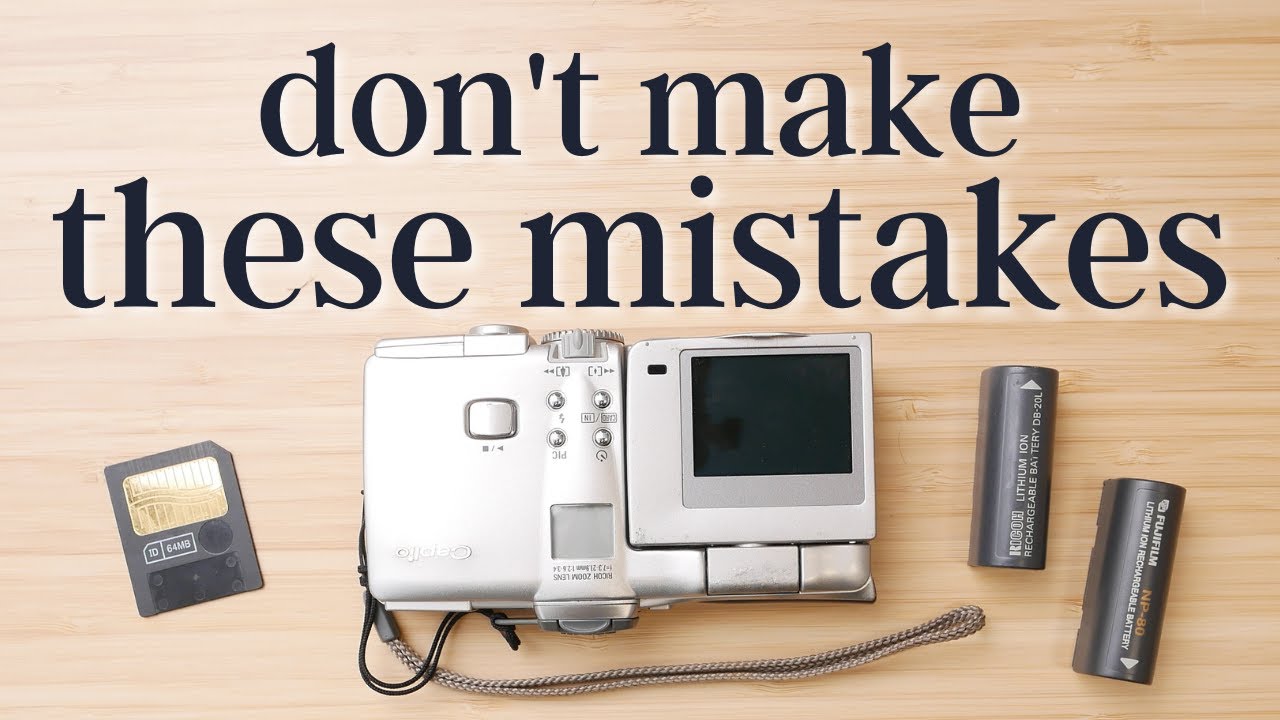
This image is property of i.ytimg.com.
Know the true costs beyond purchase price
When you see a used camera at a good price, it feels like finding a book someone else has already loved and left in a café; you want to take it home immediately. But you have to look past that shiny number on the price tag and think in terms of ownership, which is less romantic and more arithmetic. You need to imagine every small payment that might follow the sale, and how those add up until the camera becomes, in practice, yours in a way that’s useful and reliable.
Factor in repair and service costs for shutter replacement, sensor cleaning, and stuck aperture blades
Repairs are the kind of things that slip into your life unexpectedly, like rain during a picnic, and they can be expensive. A shutter replacement, professional sensor cleaning, or fixing stuck aperture blades can each cost a significant portion of the used price, especially for older or high-end bodies. When you’re considering a bargain, mentally subtract the likely repair expenses and ask yourself whether you still feel like it’s a bargain.
Include the cost of essential accessories like batteries, chargers, memory cards, and lens caps
You may buy a body without a battery or a charger, or with a battery that won’t hold a charge. Memory cards get left behind, and lens caps are startlingly easy to lose. These items are small but essential, and together they can add a chunk to the initial outlay. Think of them as ingredients to making the camera actually usable; without them you haven’t bought a camera, you’ve bought potential.
Budget for calibration, CLA (clean, lubricate, adjust) service for heavily used bodies
If the body you’re eyeing looks like it’s been to a thousand weddings, budget for a CLA service. Clean, lubricate, adjust isn’t glamorous, but it’s what keeps mechanical parts behaving predictably. Calibration can also be necessary for lenses and autofocus systems — you want to know your equipment isn’t quietly misbehaving. Factoring this in prevents the unpleasant surprise of spending more after purchase just to bring the camera into good working order.
Consider the long-term cost of proprietary batteries and rare replacement parts
Some manufacturers use proprietary batteries or parts that are later discontinued, and that scarcity makes maintenance expensive or impossible. If the camera relies on a battery model that’s already uncommon, ask yourself whether an investment in that ecosystem makes sense. The camera can be cheap now, and useless in a few years if batteries become rare or parts unobtainable.
Account for sales tax, shipping, import duties or customs if buying internationally
The final bill often includes taxes, shipping, and customs fees, and those can transform an appealing price into something less sensible. When you buy internationally you also add transit risk — damage, loss, complicated returns — and potential delays. Add these predictable extras to your budget before deciding the deal is worth it.
Choose trustworthy sellers and marketplaces
Trust in the seller is the scaffolding that keeps a used purchase standing. You can learn a lot from how a seller presents a camera: clear photos, honest descriptions, and a willingness to answer questions are small indicators that they understand what they’re selling and respect the buyer. Choosing where to buy can mean the difference between a smooth transition and a long, frustrating saga.
Compare pros and cons of authorized dealers, specialized used camera stores, and individual sellers
Authorized dealers will usually offer some warranty and a clean transaction, but they charge for the convenience. Specialized used shops often inspect and refurbish gear and can give a fair warranty, which might be the best middle ground. Individual sellers may offer the lowest price, but that comes with the highest risk. You have to decide which trade-offs you can live with — lower price for higher uncertainty, or more certainty for more money.
Look for marketplaces with seller verification, buyer protection, and clear return policies
Sites that verify sellers, offer buyer protection, or provide clear return policies give you leverage. Buyer protection can cover you if a camera arrives in a condition vastly different from its listing. Even when a seller seems honest, policies matter: they protect you when things go sideways and reduce the pressure you’ll feel if you discover a problem after the sale.
Know reliable places to buy used gear such as KEH, B&H Used Department, MPB, Adorama, LensAuthority, and reputable local shops
There are marketplaces and stores known for their standards and consistency; these are worth the slight premium because they reduce the number of unknowns. Reputable shops often grade items, disclose faults, and offer short warranties or return windows, and that peace of mind is often worth what you pay for it. When in doubt, prioritize a reliable seller over a mysterious bargain.
Understand risks of auctions and classifieds like eBay, Craigslist, and Facebook Marketplace and how to mitigate them
Auctions and classifieds can feel exciting; it’s easy to imagine getting a perfect camera for a fraction of the normal cost. But they come with risks: misrepresentation, hidden damage, or scams. Mitigate those risks by insisting on recent, high-resolution photos, asking for serial numbers, requesting sample RAW files, and — if possible — meeting in person in a safe public place. If something feels off, walk away.
Check seller history, ratings, detailed photos, and whether serial numbers are shared on request
Ratings and history are tangible evidence of a seller’s reliability. Detailed photos can reveal wear patterns, and the willingness to share serial numbers or additional images suggests transparency. If a seller resists simple requests, that’s a red flag. You want someone who treats the sale like a conversation rather than a closed transaction.
Inspect camera body and mechanical condition
The exterior is the first language a camera speaks to you. Dings or dents tell a story about how it was treated; missing screws or misaligned panels suggest corner-cutting repairs. A careful inspection of the body will save you from buying stories you didn’t intend to own.
Examine the exterior for dings, dents, deep scratches, and evidence of drops or impact
Scratches and dents aren’t just cosmetic; they can indicate dropped cameras and potentially damaged internals. Small scuffs are normal and often harmless, but deep marks or cracked areas may mean the camera endured a significant impact. Look closely at seams and corners where force typically concentrates.
Check the lens mount and surrounding area for bent metal, play, or signs of heavy wear
The lens mount is a functional interface; if it’s bent or loose, lenses won’t seat properly and electrical contacts might be damaged. A worn mount can cause play that affects image quality or creates intermittent failures. Test for wobble, alignment, and visible wear around the mount area.
Test all physical controls: dials, buttons, doors, battery and memory card compartments
Every dial and button should move with appropriate resistance; nothing should feel crunchy or loose. Open and close battery and memory doors to ensure latches work and hinges aren’t cracked. If possible, cycle every switch and menu control; missing functionality is often a signal of deeper issues.
Look for signs of water damage such as corrosion, white residue, or sticky buttons
Water damage is subtle and corrosive in ways that aren’t always immediately apparent. Look for white residue in ports, green or black corrosion on contacts, or sticky buttons that won’t spring back. Even cameras marketed as weather-sealed can fail if gaskets are compromised, and water’s long-term effects are rarely cheap to fix.
Assess viewfinder and LCD for scratches, cracks, or damage to covers and seals
Scratches in viewfinders and LCDs can be maddening in daily use. Cracked covers or compromised seals indicate poor handling or impact. Check for looseness around the viewfinder and ensure any protective glass is intact; a damaged display may work but could hide further internal problems.
Evaluate sensor condition and image quality
The sensor is the heart of a digital camera, and its health directly affects your photos. Where the body’s condition can sometimes be cosmetic, sensor issues are usually irrecoverable or costly. You should always, always assess image files from the sensor before committing.
Inspect sample RAW files at various ISOs for hot pixels, banding, and unusual noise patterns
Ask for RAW files and open them on your computer. Shot at different ISOs, files will reveal hot pixels (bright individual pixels), banding (stripes), or unnatural noise patterns that in-camera JPEG processing can sometimes hide. These artifacts tell you about sensor wear and potential electronics issues.
Shoot solid-color frames at small apertures to reveal dust spots and sensor contamination
Solid-color frames — an evenly lit white or gray surface at a small aperture — make dust spots and contamination conspicuously visible. These are fixable via cleaning, but excessive contamination suggests neglect. Consider how much time and money you’ll spend cleaning the sensor regularly.
Look for signs of sensor scratches or defects when using bright light sources and test images
Sensor scratches are uncommon but devastating, and they usually show up when you shoot into bright lights or point light sources directly. Ask for test images with highlights or point lights. If you see streaks or irreversible artifacts, that’s a costly problem to correct.
Check for inconsistent color cast or patterning that could indicate sensor issues
Uneven color or subtle banding in images can indicate sensor circuitry problems or failing amplifiers. If colors look odd in RAW files or there’s a persistent cast across exposures, it might be a calibration problem — or it could be a deeper hardware fault that won’t be solved by a simple adjustment.
Understand the cost and availability of sensor replacement or professional cleaning
Professional cleaning is routine and affordable; sensor replacement is not. Know which is likely for the camera you’re considering. For rare or older models, parts might be unavailable or prohibitively expensive. If the sensor needs work, you need to know how much that will cost and whether it’s sensible relative to the camera’s value.
Check lens condition and mount compatibility
A lens in good condition can outlive multiple camera bodies, but it can also be fragile in ways that only show up when you use it. Optics degrade in invisible ways — haze, fungus, or separation — and mounts wear. Check both the glass and the fit.
Inspect optics for scratches, haze, fungus, separation, and internal dust
Scratches on the front or rear elements can often be tolerated; haze, fungus, and element separation are worse because they scatter light and reduce contrast. Internal dust is common and usually innocent, but fungal growth and haze are signs of exposure to moisture and can be incurable.
Test aperture blades for oil, sticky movement, and smoothness across the range
Aperture blades should snap to position cleanly and without delay. Oily or sticky blades mean slow responses and can ruin bokeh or exposure consistency. Cycle the aperture through its range to ensure it’s responsive and quiet.
Look for zoom creep, loose rings, and smooth focus action
Zooms should not slide under gravity when pointed downwards unless the design expects it. Loose rings, gritty focus action, or inconsistent resistance are signs of mechanical wear. Manual focus should be smooth and predictable; any grinding or catching is a red flag.
Verify lens mount fit and flange wear, and confirm compatibility with your camera body
Ensure the lens mounts securely without play and that electronic contacts engage if the lens is autofocus or communicates with the body. Flange wear can introduce focusing issues, particularly with lenses that rely on mechanical precision. Confirm in advance that the lens will perform as expected on your body, or be prepared to accept adaptation compromises.
Consider the cost and feasibility of CLA or repair for older or rare lenses
Older and rare lenses may be beautiful and characterful, but repairs can be specialized and expensive. Before you become attached to a lens because of its look or price, check whether parts and service technicians exist for that model. If you’ll need frequent or costly maintenance, that changes the equation.
Verify shutter count and usage history
Shutter count is one of the clearest indicators of a camera’s mechanical life. It’s not everything — cameras age in many ways — but it’s a critical data point for estimating how much life remains and whether you’re buying a camera near the end of its rated lifespan.
Request or obtain the shutter count to estimate remaining life and compare to the rated shutter lifespan
Shutter count gives you a sense of how much the camera has been used and allows you to compare to the manufacturer’s rated life. Some cameras have counts easily available; others require software or service inspection. Use this number as a frame for your negotiation and your expectations.
Ask for maintenance history, original purchase receipt, and reason for sale
Knowing whether the camera has been serviced, whether the shutter was replaced, or why the owner is selling can change how you view the purchase. A recent CLA or shutter replacement is reassuring; a vague “upgrading” answer is less so. Original receipts can also demonstrate authenticity and age.
Be cautious with bodies that have very high shutter actuations or unclear usage records
High actuation counts don’t always mean a camera is near death, but they raise the likelihood of upcoming mechanical issues. If usage records are unclear, assume the worst and price accordingly. It’s better to buy with realistic expectations than to be surprised by a repair bill.
Understand that some mirrorless cameras have electronic shutter use which affects interpretation of shutter count
Mirrorless bodies complicate counting because many shots may use an electronic shutter and not contribute to mechanical shutter wear. If you’re comparing DSLR and mirrorless machines, understand how the manufacturer reports counts and whether those counts include electronic acts, mechanical acts, or both.
Factor potential shutter replacement cost into the negotiated price
If the shutter count is high or near the rated lifespan, factor the cost of a shutter replacement into the price you’re willing to pay. Consider whether it’s worth buying an older camera at a lower price that will immediately need a new shutter, or paying a little more for a body with lower actuations.
Confirm firmware, compatibility, and features
Firmware is the subtle software personality of a camera; it shapes usability, fixes bugs, and sometimes adds features. Buying a used camera without checking firmware is like buying a phone without knowing its OS — it might run into problems you didn’t anticipate.
Check the installed firmware version and whether manufacturer support or updates are still available
Some cameras are no longer supported and will never receive fixes for known issues. Check the firmware version and ask whether updates exist that address bugs or improve compatibility with lenses and accessories. If critical fixes were made after the firmware the camera has, you might want to insist the seller update it before sale.
Verify compatibility with your lenses, accessories, and camera systems
Even if a camera body looks right on paper, compatibility issues can arise with certain lenses, flashes, or batteries. Confirm that your existing gear will communicate correctly with the used body, and be mindful that adaptors sometimes introduce autofocus or stabilization problems.
Confirm important features actually work: autofocus points, image stabilization, metering modes, and custom functions
Don’t assume features work as expected. Test autofocus across different points, verify image stabilization operates, and run through metering modes and custom settings. Sometimes a feature can be partially failed — an image-stabilization unit that vibrates, or a dead AF point — and those partial failures can be hard to spot unless you check for them.
Research whether firmware updates fix known issues or add important compatibility
If a camera had a problem that was later fixed by an update, confirm whether the seller has applied that update. Conversely, sometimes updates have introduced quirks; know the history so you can make an informed decision. If an important compatibility fix requires a firmware update that the seller hasn’t applied, you can ask for it to be done before purchase.
Ensure third-party accessories like batteries and grips will function safely with that firmware
Third-party batteries and grips are cheap and convenient but can behave unpredictably, especially with certain firmware revisions. Ask whether the camera has been used with third-party power solutions and whether any issues were observed. Safety and reliability are worth a little extra caution.
Understand warranties, returns, and refurb options
Warranty and return policies are your safety net. Without them, you’re playing a different game — one where luck and stubbornness decide whether you get a fair outcome. Prefer sellers that offer clear, reasonable recourse in case things go wrong.
Prefer gear with a store warranty or short return window over private sales with no recourse
A short warranty or return window from a reputable store is often worth paying more for. It protects you against problems that show up after you’ve had meaningful time with the gear. Private sales can be fine, but they require you to be more thorough in inspection and documentation.
Know what manufacturer warranties cover and if they transfer to a second owner
Manufacturer warranties sometimes don’t transfer to a second owner, and even when they do, their scope can be limited. Know exactly what’s covered and for how long. If a manufacturer warranty is valuable to you, prioritize sellers who can confirm transferability or provide proof of purchase and serial numbers.
Consider buying manufacturer-refurbished units for a balance of price and warranty
Refurbished units from manufacturers often come with a warranty and an assurance that the camera was inspected and repaired as needed. They’re a middle ground between new and used — more expensive than a private sale but less risky, and often the smart economical choice.
Read return policy fine print for used sections and clarify who pays return shipping for defects
Return policies for used goods often carry conditions: time limits, restocking fees, and who pays for return shipping. Read these terms before you buy and, if they’re unclear, ask. You don’t want to discover after the fact that returning an item will cost you almost as much as the repair.
Keep records of transactions, serial numbers, and communications in case you need to claim a warranty
Document everything: receipts, serial numbers, screenshots of listings, and your messages with the seller. If a warranty claim or dispute arises, that paper trail is how you protect yourself. It’s a small administrative task that saves you from long frustrating conversations later.
Test before you buy: checklist for in-person and remote tests
Testing is where price and reality meet. A camera that looks good in photos but stutters in your hands isn’t worth owning. Whether you’re buying in person or remotely, insist on tests that reveal functional truths, not just cosmetic ones.
Bring a compatible lens, memory card, and battery to shoot test images and check AF accuracy
If you can, bring your own lens and memory card; that ensures the camera communicates with what you actually own. Use a charged battery so you can run several tests, and check autofocus accuracy with lenses you’ll actually use. The goal is to see how the system behaves in your normal workflow.
Shoot a variety of scenes: high-contrast, low-light, moving subjects and static textures to reveal issues
Different conditions reveal different problems: high contrast highlights sensor defects, low light shows noise and AF struggles, moving subjects reveal autofocus tracking performance, and static textures can show banding or weird artifacts. Shoot all of these to get a fuller picture of the camera’s strengths and weaknesses.
Play back images on camera and inspect RAWs on a computer for hot pixels and processing anomalies
Looking at files on the camera is fine for a quick check, but download RAWs and inspect them on your computer to see hot pixels, banding, compression artifacts, and color shifts. That’s where subtle but significant defects appear, and it’s worth taking the time.
Test video recording, audio input, stabilization, and any mechanical noise from shutter or mirror
If you plan to shoot video, test recording and external microphone input. Listen for mechanical noise from shutter or mirror movements — grinding or irregular sounds are red flags. Also check stabilization and autofocus during recording, as video performance can differ from stills.
If buying remotely, request high-resolution test files, close-up photos of wear points, and live video inspection
When you can’t inspect in person, ask for what you need: downloadable RAW files, detailed photos of wear points, and a live video walkthrough showing buttons, ports, and the camera under light. A seller who is willing to provide this is more likely to be honest, and you’ll have the evidence you need to make a decision.
Conclusion
Buying used gear is as much about temperament as it is about cash; you’ll save money if you’re patient, diligent, and curious. Treat the process like a small project: gather facts, inspect carefully, test thoroughly, and keep receipts. The more you do before handing over money, the less likely you’ll be to feel the sting of unexpected costs later.
Summarize key lessons: research, inspection, testing, and factoring total costs will save money and headaches
Do your homework. Look beyond the listing photos and the price. Research the model, ask for proof, inspect in detail, and test everything you can. When you add up purchase price, repairs, accessories, taxes, and risk, you’ll make a smarter choice.
Emphasize patience: the right used camera at the right price is worth waiting for
It’s easy to feel like you need to buy quickly, as if the right camera will slip through your fingers. But often the right deal appears if you wait and scan patiently. The camera that fits your needs and budget will turn up; rushing usually costs you.
Encourage leveraging reputable sellers, warranties, and buyer protections whenever possible
Whenever possible, choose sellers and options that give you recourse. Warranties, return windows, and reputable dealers reduce stress and long-term expense. Paying a little more for those protections is often the practical, calm choice.
Remind readers to document transactions, verify functionality, and negotiate based on facts
Keep evidence of every transaction, verify functionality with real tests, and base your negotiation on observable facts: shutter count, sample files, and visible wear. That way your bargaining has foundations, not guesses, and you’ll be less likely to regret the purchase.
Final takeaway: informed purchases turn used cameras into reliable tools, not unexpected expenses
If you approach the used market with curiosity rather than urgency, with questions rather than assumptions, you’ll find that used cameras can be wonderful bargains and dependable tools. The key is information: gather it, weigh it, and let it guide what you buy so the camera becomes, quietly and reliably, yours.